

Click outside to close
What is Jott.ing?
Your thoughts and ideas deserve a secure space. jott.ing offers exactly that – a note-taking application focused squarely on your privacy. All your notes remain stored exclusively on your device, never touching the cloud unless you explicitly choose to share them. What makes jott.ing stand out is its powerful, unlimited AI assistance that works entirely offline, directly within your browser. If you value data control and need a reliable, free note-taking tool without cloud dependencies or hidden fees, jott.ing is built for you.
Key Features
🔒 Keep Notes Truly Private: Your notes reside only on your device. With no automatic cloud uploads, you maintain complete control, eliminating concerns about external access or data breaches.
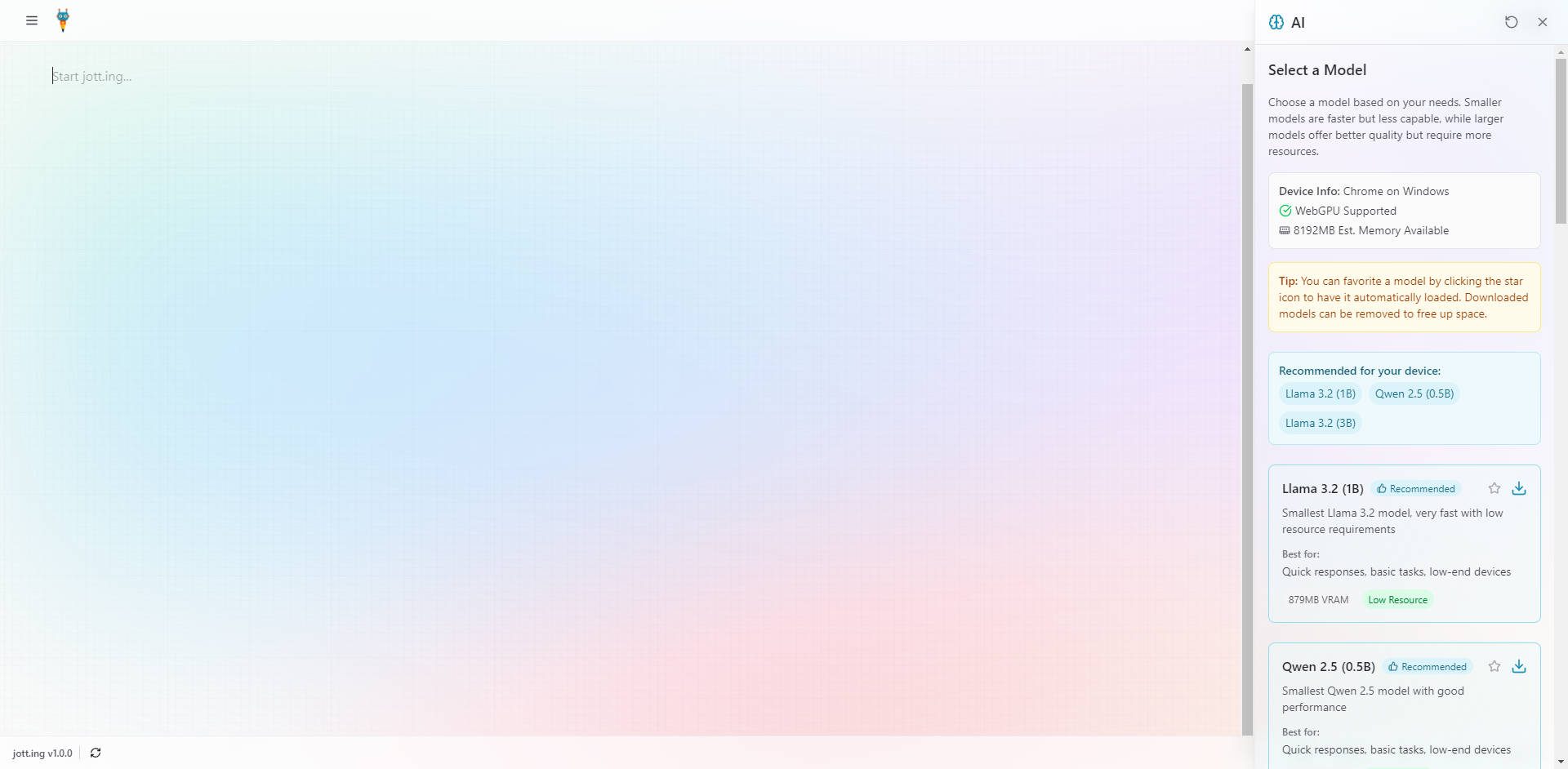
🧠 Utilize Unlimited Offline AI: Access powerful writing assistance, brainstorming, summarization, and research capabilities anytime, anywhere – even without an internet connection. This AI runs locally on your machine, ensuring your prompts and data stay private. (Requires a WebGPU-compatible browser).
💰 Enjoy Completely Free Access: Use all core features, including the unlimited AI assistant, without ever facing subscriptions, usage limits, or hidden costs.
📝 Format with Ease Using Markdown: Structure your notes effectively with intuitive Markdown syntax. Use headings, lists, code blocks, and more to organize your thoughts clearly. Toolbar shortcuts are also available for quick formatting.
💻 Work Seamlessly Offline & Across Devices: Install jott.ing as a Progressive Web App (PWA) for a dedicated, app-like experience on your desktop or mobile device. Enjoy reliable access and full functionality, whether you're online or offline.
🗣️ Dictate Notes with Voice Input: Capture thoughts quickly using your browser's built-in speech recognition. Simply click the microphone icon and start speaking. (Browser support required).
↔️ Import & Export Your Data: Easily import existing Markdown files into jott.ing or export your notes as
.mdfiles for backup or use in other applications.
Use Cases
How can jott.ing fit into your workflow? Here are a few examples:
Sensitive Project Planning: Imagine you're outlining a confidential business strategy or journaling personal reflections. With jott.ing, you can draft, refine, and organize these notes knowing they stay securely on your local device, far from prying eyes or potential cloud leaks.
Offline Academic Research & Writing: You're a student on a train with unreliable Wi-Fi, working on an essay. Use jott.ing's offline AI to brainstorm arguments, summarize research papers you've pasted in, or rephrase paragraphs for clarity – all without needing an internet connection.
Cost-Effective Content Creation: As a freelancer or blogger, you need to draft articles and manage client notes efficiently. jott.ing lets you use AI to generate outlines, improve wording, or check grammar without paying for separate AI writing tools, keeping your overhead low while maintaining data privacy.
Conclusion
jott.ing provides a unique combination of robust note-taking features, complete data privacy, and powerful, free offline AI assistance. By keeping your information local and leveraging modern browser technology, it offers a secure, reliable, and cost-effective solution for anyone who needs to capture, organize, and enhance their thoughts without compromising control or privacy. Install it as a PWA for convenient access and experience a truly private digital notebook.
Frequently Asked Questions (FAQ)
How is my data kept private with jott.ing? Your notes are stored directly on your device using your browser's local storage. They are not automatically uploaded to any cloud server. jott.ing developers cannot access your notes.
Does the AI really work completely offline? Yes. jott.ing uses WebGPU technology to run AI models directly within your compatible browser. After the initial model download, all AI processing happens locally on your machine, requiring no internet connection or data transmission to external servers.
Is jott.ing truly free to use? Are there any hidden costs? jott.ing is completely free. All features, including the note-taking capabilities and unlimited use of the offline AI assistant, are available without any subscriptions, premium tiers, or hidden charges.
What is a PWA and why should I install jott.ing as one? A Progressive Web App (PWA) allows you to install jott.ing like a native application on your computer or mobile device. This provides benefits like easy access from your home screen or desktop, a more focused window without browser tabs, and enhanced offline reliability.
What browsers and devices are supported? jott.ing works on modern desktop browsers like Chrome, Edge, Firefox, and Safari. For the offline AI features, a browser supporting WebGPU (like recent versions of Chrome or Edge) is necessary. You can also install it as a PWA on desktop and mobile operating systems (Windows, macOS, Linux, Android, iOS).
More information on Jott.ing
Launched
2023-12
Pricing Model
Free
Starting Price
Global Rank
2155647
Follow
Month Visit
<5k
Tech used
Jott.ing was manually vetted by our editorial team and was first featured on 2025-04-09.
Jott.ing Alternatives
Jott.ing Alternatives-

WitNote: The private, local AI writing companion for macOS/Windows. Powerful offline editing, flexible models, and 100% data security.
-

Experience the power of Jott - an AI tool that extracts text from images, translates languages, transcribes speech, and more. Boost your productivity now!
-

Znote: Local AI notes, code, & data. Own your info! Private notes, coding, & AI automation in one secure, offline-first Markdown workspace.
-

Jetwriter AI: Your personalized, context-aware AI writing assistant. Boost productivity across platforms with multi-model intelligence & your unique voice.
-

Discover Jan, the open-source AI tool for your desktop. Enjoy offline capabilities, universal compatibility, and easy installation process. Experience the power of AI without compromising privacy or relying on cloud services.