

What is NameQuick ?
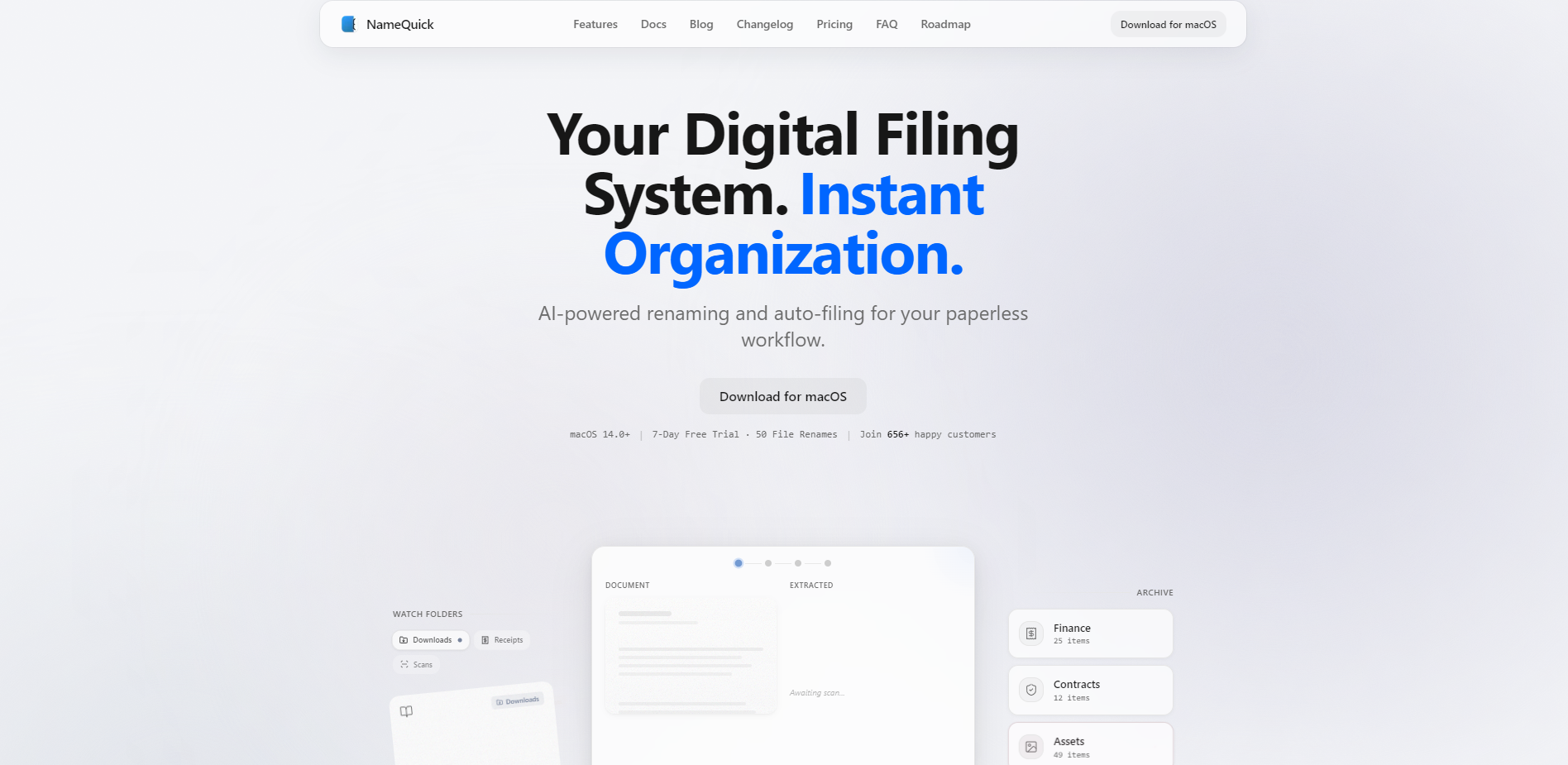
Stop wasting time manually renaming "Scan_0042.pdf" or "IMG_4521.png." NameQuick is a powerful macOS utility that uses artificial intelligence to understand the content of your files and organize them instantly. Whether you’re a designer managing assets or a professional going paperless, NameQuick transforms your chaotic downloads into a structured, searchable digital archive.
Key Features
- 🧠 Context-Aware Smart Renaming: Unlike traditional tools that rely on rigid rules, NameQuick "reads" your documents. It identifies key details—like vendors, dates, and amounts—to generate descriptive, meaningful filenames based on the actual content of the file.
- 📂 Zero-Friction Watch Folders: Automate your entire workflow by setting up monitored folders. Simply save a file to your "Downloads" or "Receipts" folder, and NameQuick automatically detects, analyzes, and renames it without you lifting a finger.
- 🛠️ Flexible Templates & Custom Prompts: Balance precision with power. Use structured templates with smart tokens for consistent formatting, or write custom "plain English" prompts to tell the AI exactly how to extract data and name your files.
- 🏷️ Intelligent Filing & Tagging: Organization goes beyond a name. NameQuick can automatically apply Finder tags and move files to specific folders based on their content, ensuring your research papers and invoices always end up in the right place.
Use Cases
- Financial Management: Drag a batch of messy PDF receipts into NameQuick. The AI extracts the vendor name, date, and total amount, renaming them to a clean format like 2024-03-12_Starbucks_$15.50.pdf and filing them directly into your "Finance" folder.
- Academic Research: Organize a library of downloaded papers. NameQuick identifies the authors, year, and title from the document’s first page, turning 1912.08123v2.pdf into 2017 - Vaswani et al - Attention Is All You Need.pdf.
- Creative Asset Management: Quickly categorize screenshots and design exports. The AI recognizes the subject of an image or the versioning in a document, applying relevant Finder tags so you can find specific assets via Spotlight in seconds.
Why Choose NameQuick?
NameQuick differentiates itself by moving past simple string manipulation and into true document understanding. While other tools require complex "if-this-then-that" logic, NameQuick handles the nuances of human-written documents.
| Feature | Traditional Renamers | NameQuick |
|---|---|---|
| Logic | Pattern-based (Regex/Text) | AI-powered (Contextual) |
| Effort | Manual rule creation | Automatic extraction |
| Handling | Renames only | Renames, tags, and files |
| Flexibility | Rigid templates | Natural language prompts |
Furthermore, NameQuick offers a unique "Bring Your Own Key" (BYOK) model. If you prefer to use your own API accounts with OpenAI, Claude, or Gemini, you can pay a one-time fee for the app and maintain total control over your AI costs and data routing.
Privacy First
Your data security is a core principle, not an afterthought. NameQuick operates with a zero-retention policy: your file content is analyzed and then immediately deleted from the processing queue. It is never used to train AI models. For those with strict compliance needs, the Managed plan uses EU-based servers and is GDPR-ready by default.
More information on NameQuick
Launched
2025-04
Pricing Model
Free Trial
Starting Price
Global Rank
7292323
Follow
Month Visit
<5k
Tech used
Top 5 Countries
53.74%
34.5%
11.76%
United States
India
Germany
Traffic Sources
4.06%
1.35%
0.1%
6.8%
55.6%
31.84%
social
paidReferrals
mail
referrals
search
direct
Source: Similarweb (Jan 7, 2026)
NameQuick was manually vetted by our editorial team and was first featured on 2026-01-07.
NameQuick Alternatives
Load more Alternatives-
File Renamer AI uses advanced AI to instantly organize your files. Get descriptive, consistent, searchable names for all assets, saving hours of manual work.
-

Renamed.to automatically renames & organizes your PDFs, invoices, and receipts with AI. Instantly find any document. Zero manual filing.
-

Organize files instantly with AI Renamer! Intelligently rename images & docs by content. Bulk rename & get organized fast!
-

Say goodbye to file chaos! Renamer.ai organizes PDFs, images, docs & more with AI-powered renaming, bulk processing, and multilingual support.
-