
Click outside to close
What is NotifyGate ?
NotifyGate acts as a centralized intelligent gateway for all your application alerts and system events. Instead of hard-coding notification logic into every microservice, you send events to a single "gate" that handles routing, filtering, and delivery across platforms like Slack, Teams, and Email.
This platform solves the common developer headache of managing multiple notification APIs and the "alert fatigue" caused by noisy services. By decoupling notification logic from your codebase, you can update routing rules, silence maintenance alerts, or add new delivery channels instantly through a web interface without a single redeploy.
Key Features
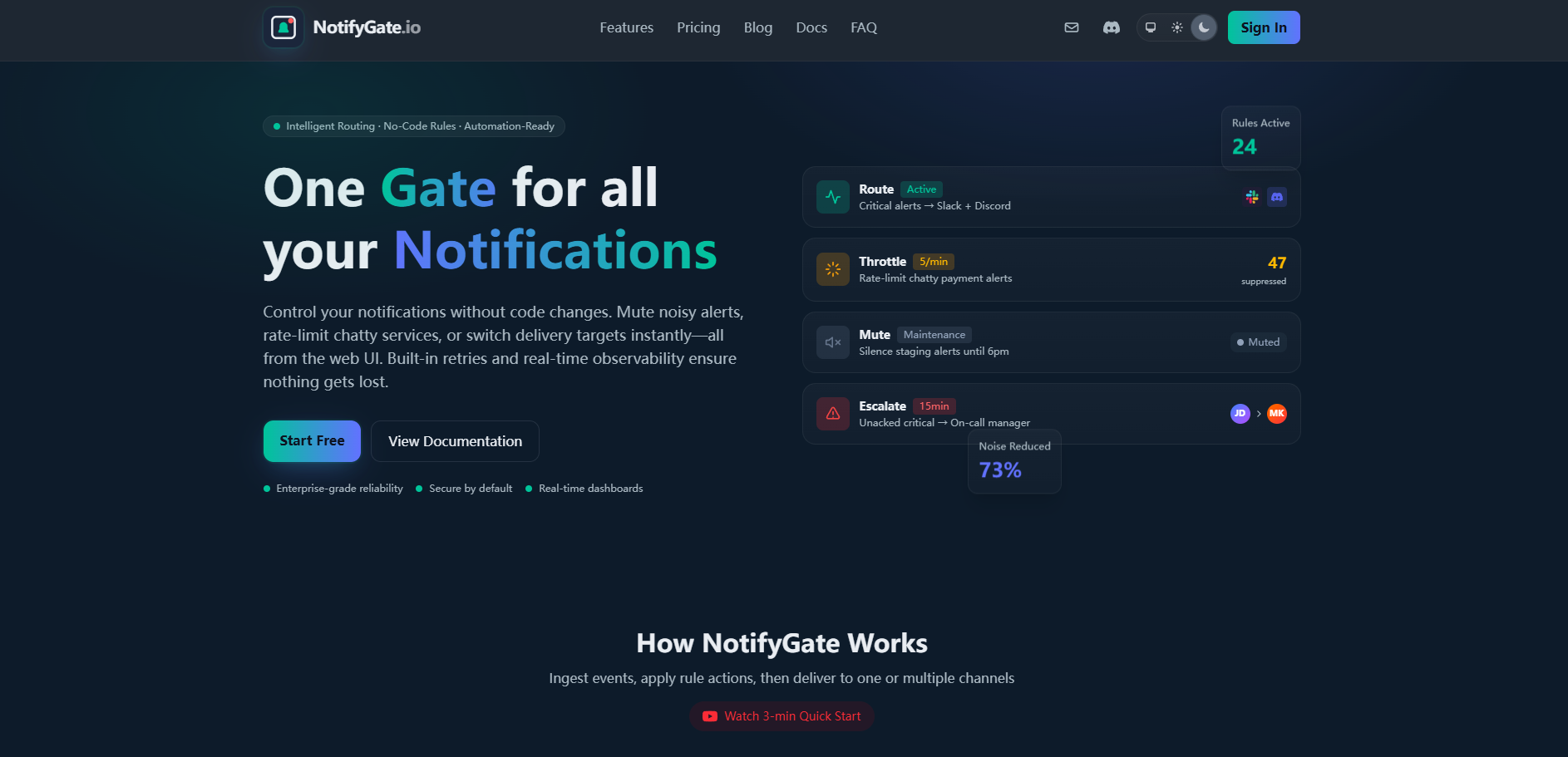
- ⚡ Intelligent Rule Engine: Create sophisticated, no-code rules to route events based on severity, environment, or custom metadata. This allows you to ensure production errors go to Slack while staging logs stay in Discord, all managed from one central dashboard.
- 🔇 Advanced Noise Control: Use built-in throttling and rate-limiting to prevent "alert storms" from chatty services. For example, you can limit a specific service to three notifications every five minutes, ensuring your team only sees the signals that actually matter.
- 🔗 Multi-Action Chaining: Combine multiple actions—such as transforming data, routing to Slack, and setting an escalation timer—into a single automated workflow. This ensures that if a critical alert isn't acknowledged within 15 minutes, it automatically escalates to a secondary channel.
- 🛠️ Data Transformation & Redaction: Modify event payloads on the fly before they reach their destination. You can use this to redact sensitive PII, override severity levels, or add custom tags to enrich your alerts with more context for on-call engineers.
- 📊 Real-Time Observability: Track every event from ingestion to delivery with built-in retries and status monitoring. You gain a unified view of your entire notification infrastructure, making it easy to audit what was sent, where it went, and why.
Use Cases
- Managed Maintenance Windows: During scheduled downtime, you can toggle a "Mute" rule via the UI to silence known connection alerts. This prevents your on-call team from being flooded with expected errors while maintaining the ability to resume alerts instantly once maintenance is complete.
- Environment-Specific Routing: Configure your system to route production "Critical" alerts to both Slack and Email, while routing "Warning" alerts from the development environment only to a dedicated Discord channel. You can change these targets instantly as your team's needs evolve.
- Automated Incident Escalation: Set up a rule that watches for high-priority events. If an alert is sent to a general Slack channel and remains unresolved, NotifyGate can automatically trigger a webhook to PagerDuty or send a direct Telegram message to a manager after a specified delay.
Why Choose NotifyGate?
NotifyGate differentiates itself by being purpose-built for high-throughput technical events rather than general-purpose business automation.
- Decoupled Logic: Unlike traditional methods where notification logic is scattered across various codebases, NotifyGate centralizes it. This means your developers focus on "what" to alert on, while your operations team manages "how" and "where" those alerts are delivered.
- SRE-Focused Tooling: While general automation tools like Zapier are built for simple triggers, NotifyGate includes native SRE features like deduplication, automated retries for failed deliveries, and sophisticated rate-limiting designed specifically for system monitoring.
- Rich Cross-Platform Formatting: NotifyGate automatically handles the native styling and metadata formatting for each platform. Whether it’s a Slack block or a Telegram message, your alerts arrive looking professional and readable without you having to write platform-specific formatting code.
Conclusion
NotifyGate transforms your notification infrastructure from a scattered collection of API calls into a streamlined, observable, and agile system. By centralizing your alerts, you reduce noise for your team and ensure that critical information always reaches the right person at the right time. As your system scales, NotifyGate provides the architectural foundation to manage complex event flows with confidence and clarity.
FAQ
Why doesn't NotifyGate support SMS or phone calls? Modern incident response has evolved beyond the limitations of SMS. NotifyGate prioritizes rich-media channels like Slack, Teams, and Telegram because they support stack traces, clickable links, and conversation threading. For teams requiring traditional on-call rotations with phone calls, NotifyGate integrates seamlessly with PagerDuty and Opsgenie via webhooks.
Can non-technical users manage the notification rules? Yes. While developers handle the initial event ingestion via a simple HTTP API, the day-to-day management of routing rules, throttling, and maintenance muting is handled through a visual web UI. This allows product managers or support leads to adjust notification flows without needing to touch the code.
How does NotifyGate ensure that critical alerts aren't lost? The platform is built with enterprise-grade reliability in mind, featuring automatic retries for downstream failures and a dead-letter queue for the Starter and Pro plans. Every event has a clear delivery status, allowing you to audit the path of any specific alert from the moment it was received to its final delivery.
More information on NotifyGate
NotifyGate was manually vetted by our editorial team and was first featured on 2026-01-12.