

What is Pointer?
Pointer is an AI-powered editor that works directly within Google Docs. It provides real-time edits and suggestions, streamlining your writing process and enhancing the quality of your documents, all while preserving your original formatting. Say goodbye to the hassle of copy-pasting from external AI tools and embrace a seamless, integrated writing experience.
Key Features:
Real-Time Editing & Suggestions:📝 Get instant feedback and improvement suggestions as you type, directly within your Google Doc.
Format Preservation:🖼️ Pointer adapts to your existing document formatting, ensuring edits blend seamlessly without disrupting your style.
Advanced Document Tools:🧰 Access powerful tools like strikethrough, hanging indents, and page numbering, all enhanced by AI.
Offline Editing:💻 Review and manage Pointer’s suggestions offline, with changes automatically synced when you're back online.
Voice Typing Integration:🎤 Combine Google Docs' voice typing with Pointer's smart editing for a truly intuitive writing experience.
Google Workspace Expansion:⚙️ Pointer is set to integrate with Google Sheets and Slides in the future, expanding its AI assistance across the entire suite.
Use Cases:
Crafting Professional Documents:A marketing manager uses Pointer to refine a Google Docs marketing proposal, ensuring clarity, conciseness, and error-free language, while maintaining the document's professional formatting.
Streamlining Content Creation:A blogger leverages Pointer to edit and enhance their latest blog post draft within Google Docs. Pointer helps improve readability, suggests better phrasing, and ensures consistent formatting throughout the document.
Enhancing Academic Writing:A student utilizes Pointer while writing a research paper in Google Docs. Pointer helps with grammar and style, suggests relevant citations, and ensures the document adheres to academic formatting guidelines.
Conclusion:
Pointer revolutionizes your Google Docs experience by offering an intuitive and integrated AI writing assistant. It empowers you to produce high-quality, polished documents efficiently, saving time and enhancing your overall writing experience. Embrace the future of writing with Pointer.

More information on Pointer
Launched
2024-11
Pricing Model
Free Trial
Starting Price
Global Rank
13281448
Follow
Month Visit
<5k
Tech used
Webflow,Amazon AWS CloudFront,cdnjs,Cloudflare CDN,jQuery,Gzip,HTTP/3,OpenGraph,HSTS
Top 5 Countries
73.63%
26.37%
United States
India
Traffic Sources
7.22%
1.42%
0.09%
26.24%
14.2%
50.61%
social
paidReferrals
mail
referrals
search
direct
Source: Similarweb (Sep 25, 2025)
Pointer was manually vetted by our editorial team and was first featured on 2024-12-06.
Related Searches
Pointer Alternatives
Load more Alternatives-
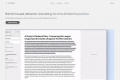
Zen Editor: Distraction-free AI writing, seamlessly integrated with Google Docs. Boost focus, create faster, and keep your data secure in Drive.
-
-

-

Write emails, docs & more faster with Compose AI, your AI writing assistant. Get personalized autocomplete, instant text generation & 1-click replies. Save time!
-
