

Click outside to close
What is Sparkle?
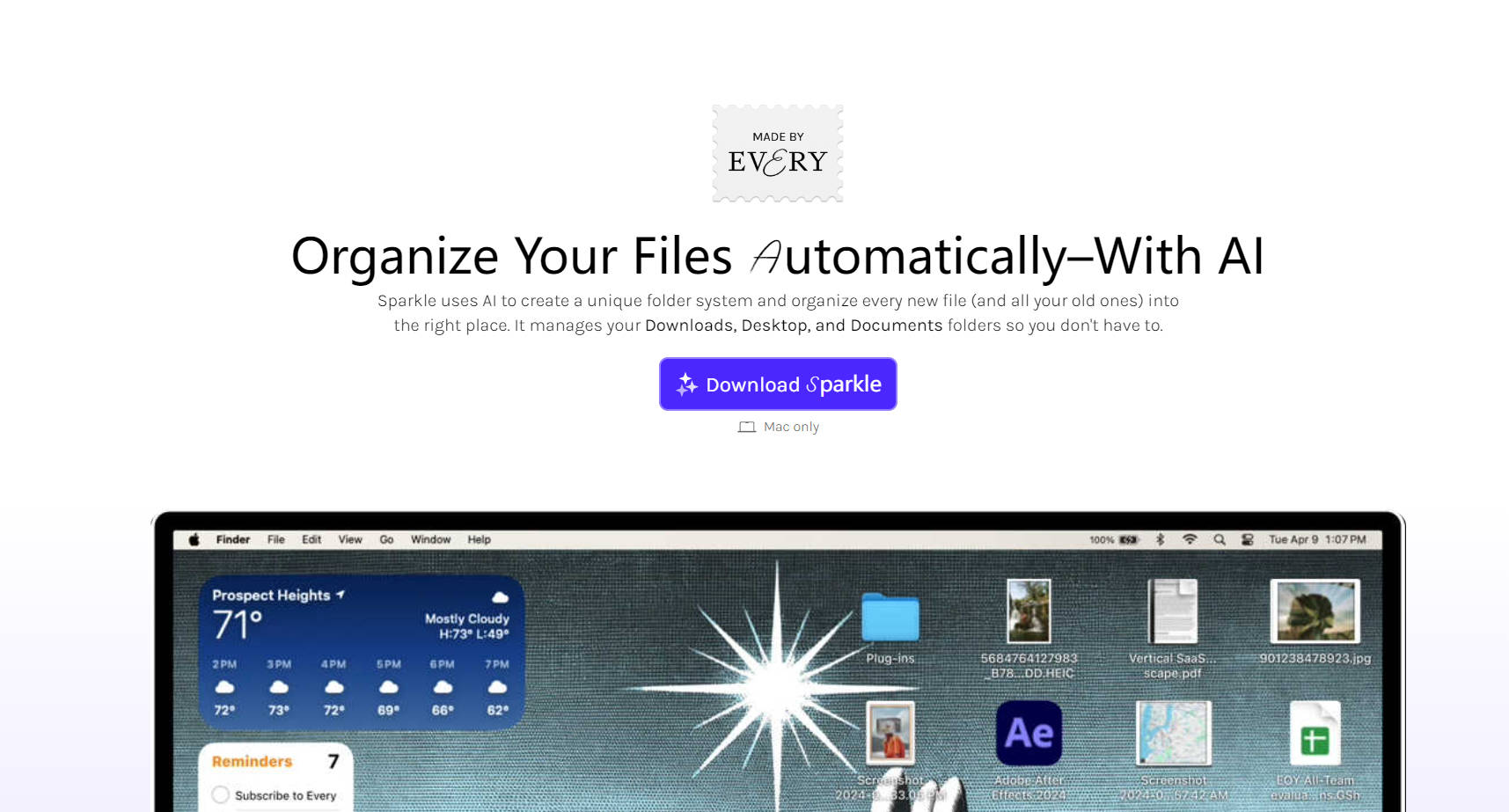
Sparkle, developed by Every, revolutionizes Mac users' file management by smartly categorizing and archiving documents, images, and downloads through advanced AI, while respecting user privacy. By automating what once demanded constant attention, Sparkle streamlines workflow and enhances productivity, ensuring files are perfectly organized in three intuitive areas: Recents, Manual Library, and AI Library.
Key Features
Smart File Categorization — Utilizes AI to intelligently sort incoming files into uniquely tailored groups based on individual usage patterns and naming conventions.
Custom Folder System — Innovative folder management design that reflects user habits and adapts over time for a personalized organizational method.
Zero Intrusion Privacy — Ensures complete confidentiality by solely basing organizing on filenames and deleting stored data after 30 days.
Manual Control Options — Permits users to designate specific files for exclusion from AI organization.
Seamless Integration — Effortlessly works with existing Mac folders such as Downloads, Desktop, and Documents.
Use Cases
A graphic designer uses Sparkle to auto-arrange project files, limiting time spent on manual sorting and accelerating project completion.
A writer benefits from Sparkle's AI categorization for research documents, saving hours from manual file management.
A busy executive utilizes Sparkle to keep their frequent presentations and documents in order, eliminating the need for nightly decluttering sessions.
Conclusion
In a nutshell, Sparkle exemplifies the perfect merger of AI and mindful design to liberate you from tedious filing. Experience the future of digital management today and bid farewell to disorganized files forever.
FAQs
Q: How does Sparkle categorize files without invading privacy?
A: Sparkle leverages AI to analyze and sort files by their names alone, ensuring no content is ever previewed or shared.
Q: Can Sparkle be integrated with cloud storage services like Google Drive or Dropbox?
A: Currently, Sparkle focuses on organizing local files on your Mac. However, the team at Every is continuously exploring new integrations to enhance the user experience.
Q: Is Sparkle compatible with all versions of macOS?
A: Sparkle is designed to support the latest versions of macOS. For the best experience, we recommend updating your Mac to the most recent operating system.
More information on Sparkle
Top 5 Countries
41.1%
8.55%
6.13%
4.64%
4.53%
United States (41.1%)
India (8.55%)
Germany (6.13%)
Mexico (4.64%)
United Kingdom (4.53%)
Traffic Sources
7.53%
11.39%
25.58%
54.3%
social (7.53%)
paidReferrals (1.05%)
mail (0.09%)
referrals (11.39%)
search (25.58%)
direct (54.3%)
Source: Similarweb (Sep 24, 2025)
Sparkle was manually vetted by our editorial team and was first featured on 2024-08-17.
Sparkle Alternatives
Sparkle Alternatives-

Spark helps you take your inbox under control. Instantly see what’s important and quickly clean up the rest.
-

Stop wasting time on file management! Sortio uses AI to organize your files automatically. Get more done!
-
Organize your Mac files effortlessly with WisFile! Its local AI intelligently renames documents by content & sorts them automatically. Secure, private & free.
-
AutoSortPro transforms digital clutter. AI intelligently tags, summarizes, and generates descriptive titles for your files. Find anything by content.
-

Through AI to read the content of the file and then according to the content of the file to classify the file into different folders, text files to organize, whether you are a personal user or business users, our tool can help you easily manage and organize your files, improve work efficiency.