
What is Tersa?
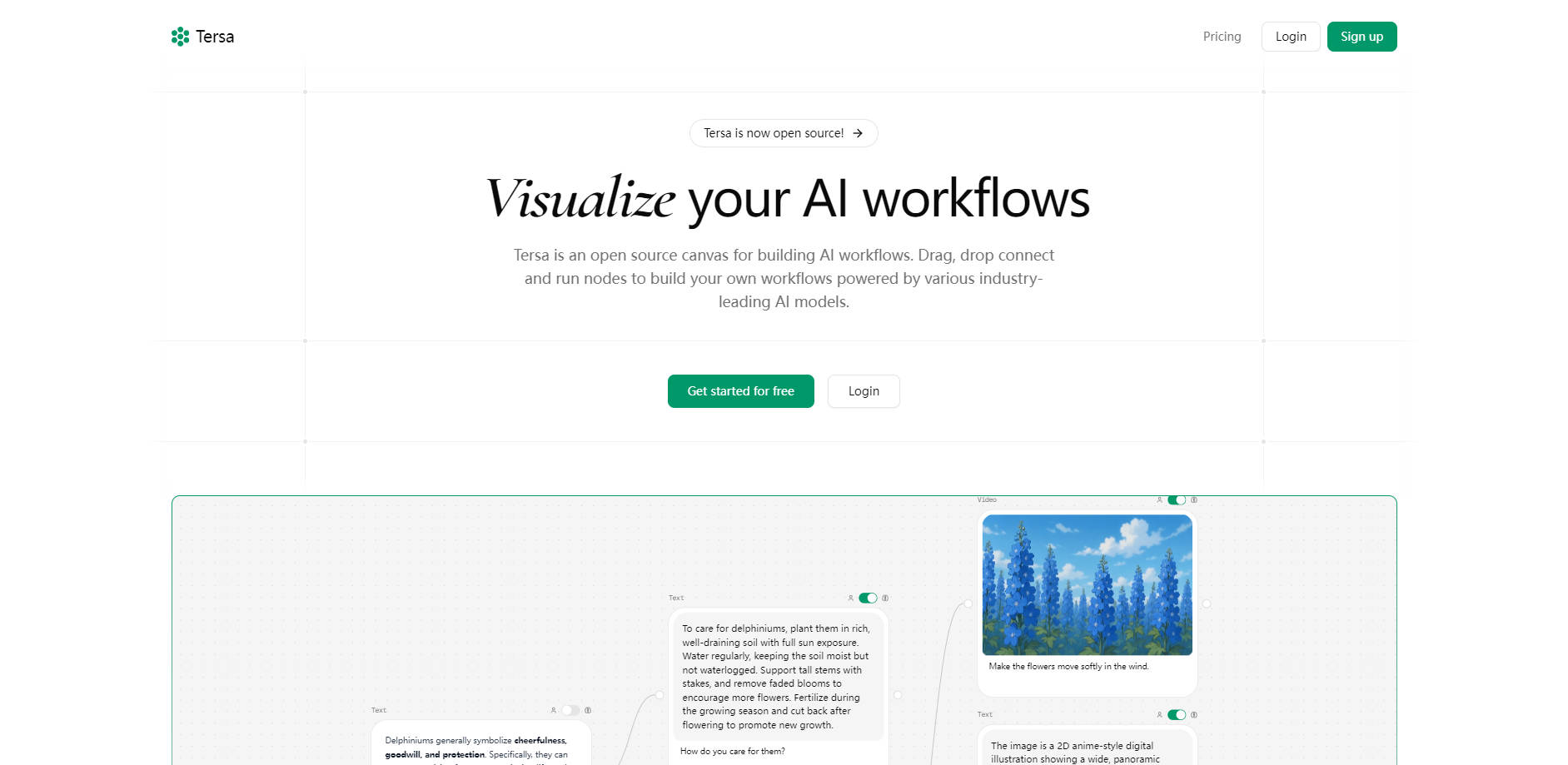
Building applications or processes that integrate multiple AI models can often feel like piecing together a complex puzzle. Tersa simplifies this by providing an open source visual canvas where you can intuitively design, connect, and run sophisticated AI workflows using a wide array of industry-leading models.
Key Features
🌐 Connect to a Vast Model Library: Seamlessly integrate with over 77 leading AI models from providers like OpenAI, Anthropic, and more, giving you access to a wide range of text, image, video, audio, and code capabilities within one environment.
✍️ Synthesize Text Responses: Chain models like GPT-4o or Claude 3.5 Sonnet to generate, analyze, and refine text based on inputs from various nodes, including text prompts and attached files.
🖼️ Generate and Vary Images: Utilize models such as DALL-E 3 to create new images from text prompts or use tools like gpt-image-1 to generate variations of existing visuals directly within your workflow.
🎬 Produce Dynamic Videos: Leverage models like Minimax's T2V-01-Director on Runway's Gen4 Turbo to generate videos directly from text descriptions or existing images connected within your flow.
🎧 Process and Transcribe Audio: Integrate models like OpenAI's Whisper to transcribe speech from audio inputs, connecting text nodes to provide prompts and audio nodes to attach files for processing.
💻 Analyze and Transform Code: Apply AI models to examine, refactor, and optimize your source code by connecting code nodes for files and text nodes for specifying transformation instructions or requirements.
🖱️ Design Workflows Visually: Build complex AI pipelines with ease using an intuitive drag-and-drop interface on a flexible canvas, making the creation process straightforward and accessible.
📂 Incorporate Files Directly: Quickly create nodes on the canvas by dropping files directly from your system, streamlining the process of adding data, code, or media to your workflow.
📖 Benefit from Open Source: Build upon a flexible, transparent, and community-driven platform that offers the freedom to customize and extend its capabilities.
Use Cases
Automate Code Review and Refactoring: Connect code nodes containing your project files with text nodes providing specific refactoring instructions or code standards. Use AI models within Tersa to analyze the codebase, identify areas for improvement, and even automate the refactoring process based on your defined criteria, significantly speeding up development and maintenance cycles.
Create Multimedia Content Pipelines: Start with a text prompt describing a concept or scene. Connect this to an image generation node to visualize it. Chain that image output to a video generation node to bring the visual to life. You could then add an audio transcription node to generate a voiceover script or description, creating a complete multimedia asset generation pipeline within a single workflow.
Process and Summarize Research Materials: Drop document files (like research papers or reports) to create nodes, then connect them to text synthesis models to extract key information or summarize content. Add audio files from interviews or lectures and use transcription nodes. Combine the outputs to analyze findings, identify themes, and generate concise summaries or data extractions automatically, streamlining your research process.
Conclusion
Tersa offers a powerful yet accessible way to orchestrate the capabilities of numerous AI models. By providing a visual, drag-and-drop interface combined with broad integration across text, image, video, audio, and code, it empowers you to build custom AI solutions for a wide range of technical and creative needs. Get started for free and experience how simple visualizing and running complex AI workflows can be.
More information on Tersa
Top 5 Countries
100%
India
Traffic Sources
100%
direct
Source: Similarweb (Jan 4, 2026)
Tersa was manually vetted by our editorial team and was first featured on 2025-05-16.
Related Searches