

Click outside to close
What is TypoTab?
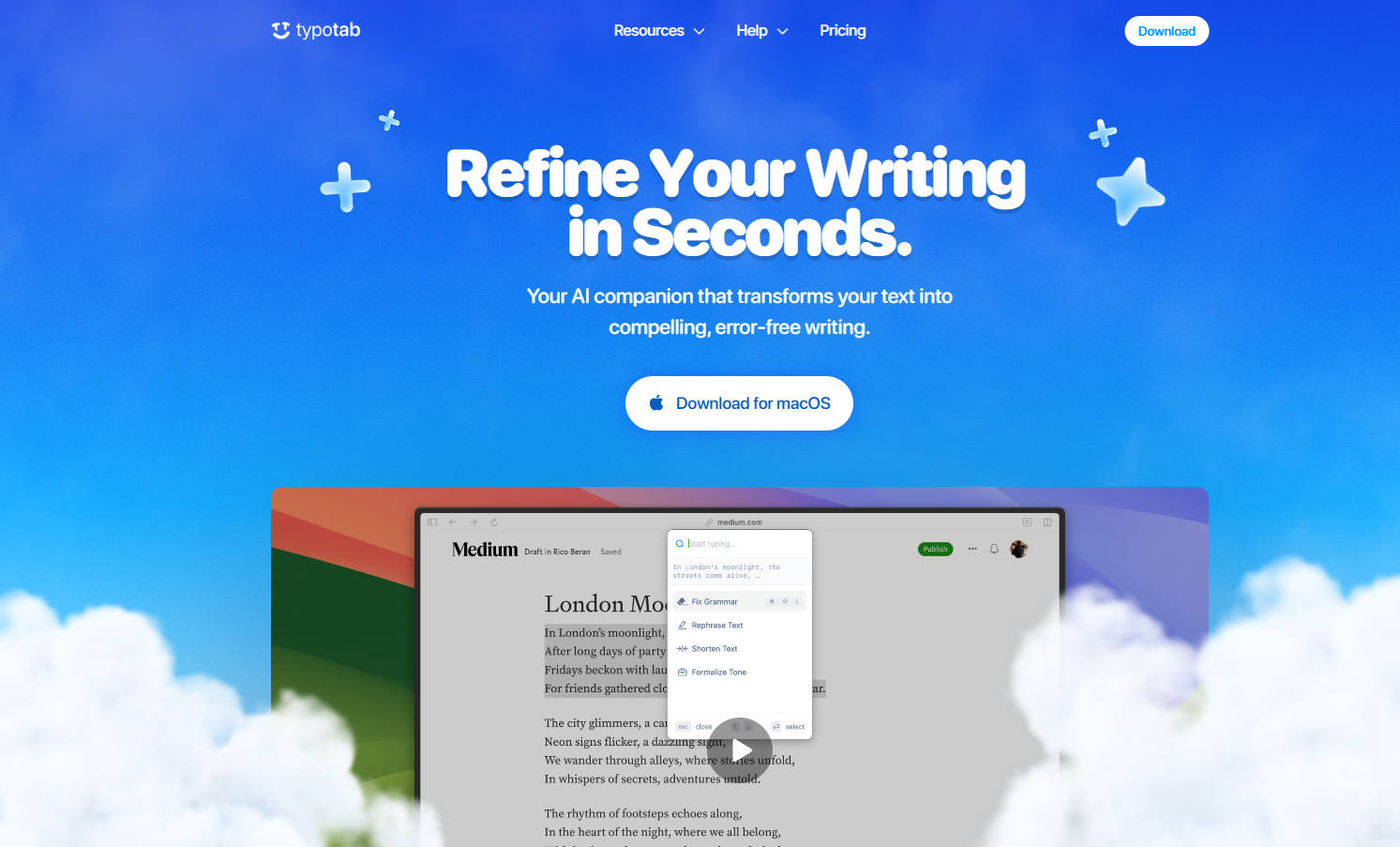
TypoTab is an AI-powered writing assistant designed to simplify and elevate your writing experience on macOS. Whether you're drafting emails, refining essays, or structuring notes, TypoTab integrates seamlessly into your workflow to save time and enhance clarity.
Why TypoTab?
Writing can often feel like a chore—whether it's fixing grammar, adjusting tone, or turning rough ideas into polished text. TypoTab eliminates these hurdles by offering instant, AI-driven refinements directly from your menu bar. No app-switching, no interruptions—just smarter writing.
Key Features
✨ Universal Compatibility
Refine text in any app without leaving your workspace. TypoTab works across all your favorite macOS applications, ensuring uninterrupted productivity.
⚙️ Customizable Actions
Tailor TypoTab to your needs with customizable shortcuts for specific tasks like grammar checks, tone adjustments, or content generation.
⚡ Effortless Access
Trigger powerful writing tools with a single keystroke. TypoTab stays hidden in the menu bar until you need it, keeping your desktop clutter-free.
📝 Streamlined Workflow
Automate repetitive tasks such as drafting emails, structuring notes, or polishing proposals. TypoTab transforms raw ideas into actionable content.
🔒 Privacy-Focused Design
Your data remains secure. TypoTab processes interactions through OpenAI’s API without storing or collecting your text.
Use Cases
Polishing Professional Emails
Struggling to craft concise, professional emails? TypoTab helps you refine tone and grammar instantly, ensuring every message leaves a strong impression.Enhancing Academic Writing
Turn fragmented notes into structured essays or research papers. TypoTab’s grammar fixes and formal tone adjustments make academic writing faster and more precise.Boosting Productivity for Developers
Streamline documentation or generate clean code comments effortlessly. TypoTab adapts to technical workflows, saving valuable time.
Conclusion
TypoTab redefines how you write on macOS by combining speed, simplicity, and precision. With its universal compatibility, customizable shortcuts, and privacy-first approach, it’s an indispensable tool for anyone looking to improve their writing efficiency.
Start your journey toward effortless writing today.
Frequently Asked Questions
What is TypoTab and how does it work?
TypoTab is a macOS menu bar app that enhances writing with AI tools. Access it from the menu bar, select an action (e.g., grammar fixes), and let the AI take over.
Does TypoTab collect or store my data?
No. TypoTab does not collect or store any of your text or personal data. All interactions are processed securely through OpenAI’s API.
How much does TypoTab cost?
TypoTab is available starting at £4 per month when billed annually, or £6 per month when billed monthly.
What should I do if TypoTab isn’t working properly?
Ensure you’re using the latest version of macOS and TypoTab. Restart the app or your computer if issues persist. For further help, contact support.
More information on TypoTab
Top 5 Countries
100%
India (100%)
Traffic Sources
63.06%
29.07%
3.35%
3.35%
Direct (63.06%)
Social (29.07%)
Referrals (3.35%)
Search (3.35%)
Paid Referrals (1.14%)
Mail (0.03%)
Source: Similarweb (Jan 4, 2026)
TypoTab was manually vetted by our editorial team and was first featured on 2025-02-18.
TypoTab Alternatives
TypoTab Alternatives-
Quickly fix grammar, reply to emails, change writing styles. Works with any macOS app. Designed for speed and efficiency.
-

Rephrase is the macOS AI text engine that instantly polishes your writing in any app. Perfect grammar, tone, and formatting without context-switching. Pay once, own forever.
-

CleverType is an AI-powered keyboard app for Android and Chrome plugin that enhances writing with features like grammar correction, tone adjustment, and ChatGPT integration.
-

Smart Keys is an AI-powered keyboard app (iOS/iPadOS) and system integration (macOS) using GPT-4. It helps you write more effectively by offering features like instant proofreading, tone adjustment, translation, and custom text transformations directly within your apps.
-

Check your texts for grammar, spelling, or punctuation mistakes. Polish up your writing with style and synonym suggestions!