

What is VideoCaptioner?
VideoCaptioner is an intelligent video captioning software built on large language models (LLMs). It simplifies the entire process of generating, segmenting, optimizing, and translating captions, all without the need for a high-end GPU. Whether you're a content creator, translator, or educator, VideoCaptioner makes it easy to produce high-quality captions for your videos, enhancing viewer engagement and accessibility.
Key Features:
Targeted Speech Recognition🎤
Supports both online and offline speech recognition, ensuring accuracy and privacy.Smart Caption Segmentation✂️
Uses LLM to intelligently break captions into natural, readable segments.Caption Optimization🔄
Automatically corrects typos, standardizes terminology, and optimizes caption flow.Multilingual Translation🌍
Translates captions accurately using context-aware AI, supporting multiple languages.Batch Caption Synthesis🎬
Processes multiple videos simultaneously, saving time and effort.User-Friendly Interface📝
Offers a simple, intuitive interface with real-time preview and quick editing options.
Use Cases:
Content Creators and YouTubers
Easily add professional captions to your videos, improving SEO and viewer engagement, without spending hours on manual editing.Educators and Trainers
Quickly generate and translate captions for educational content, making your lessons accessible to a global audience and enhancing learning experiences.Corporate Training Videos
Automate the captioning process for company training materials, ensuring that all employees, regardless of language, can understand and follow along.
Conclusion:
VideoCaptioner streamlines the captioning process, making it accessible and efficient for anyone. With its powerful AI-driven features, you can create accurate, engaging, and professional captions, enhancing the overall quality of your videos. Whether you're a content creator, educator, or corporate trainer, VideoCaptioner is the tool you need to elevate your video production.
FAQs:
Does VideoCaptioner require a high-end GPU to function?
No, VideoCaptioner can run on any device without a high-end GPU, making it highly accessible.What platforms can VideoCaptioner download videos from?
VideoCaptioner supports downloading from major platforms like Bilibili and YouTube, both domestically and internationally.Can VideoCaptioner correct typos and standardize terminology in captions?
Yes, VideoCaptioner uses AI to automatically correct typos and standardize technical terms, ensuring accurate and professional captions.How many languages does VideoCaptioner support for translation?
VideoCaptioner supports multiple languages, including Chinese (Simplified and Traditional), English, and more, ensuring broad accessibility.Is there a real-time preview for editing captions?
Absolutely, VideoCaptioner offers a user-friendly interface with real-time preview and quick editing options, making it easy to refine your captions on the fly.
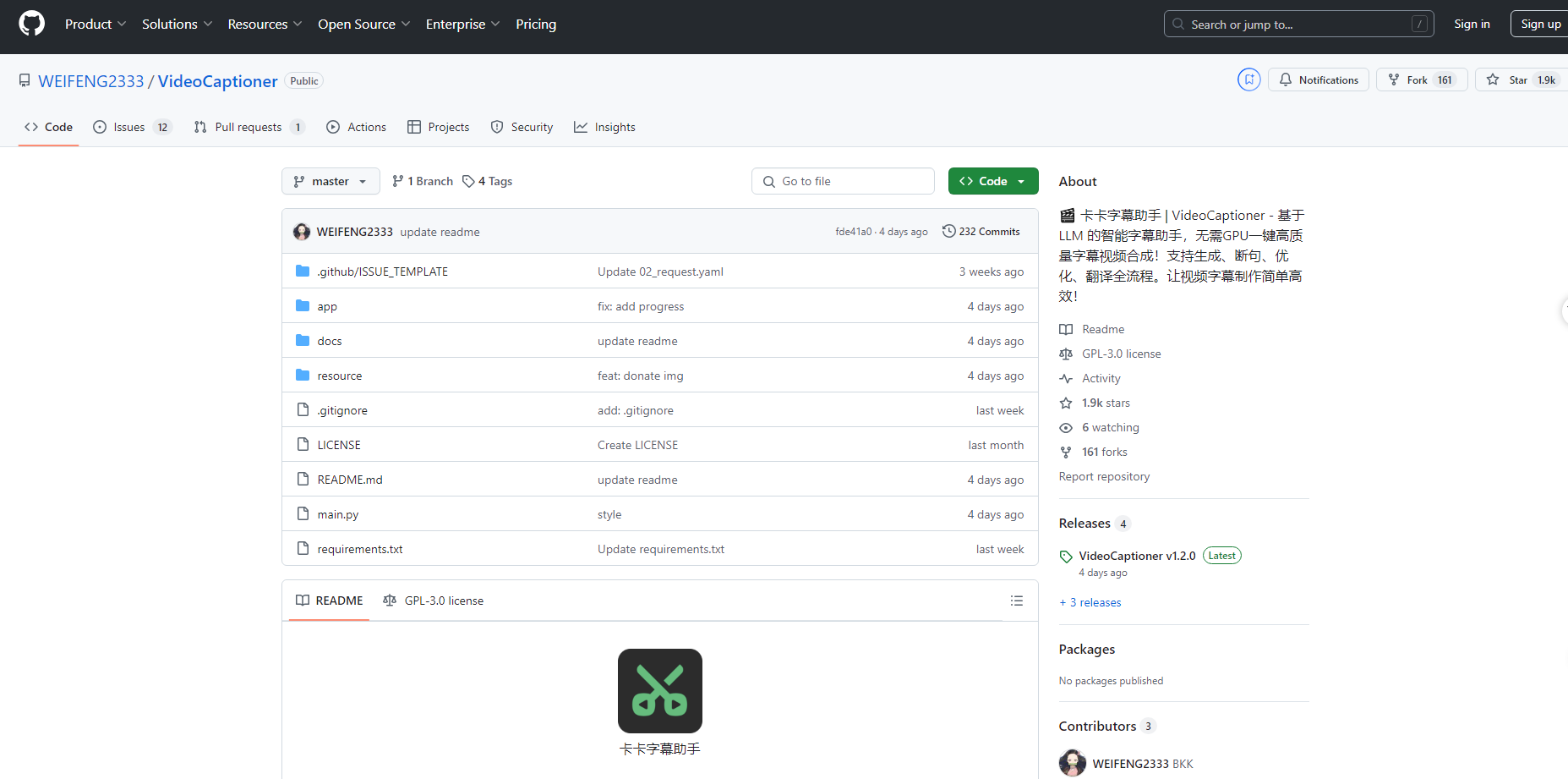
More information on VideoCaptioner
Launched
Pricing Model
Free
Starting Price
Global Rank
Follow
Month Visit
<5k
Tech used
VideoCaptioner was manually vetted by our editorial team and was first featured on 2024-12-11.
Related Searches
VideoCaptioner Alternatives
Load more Alternatives-

-

AI caption generator with automatic transcription and animated emojis, auto subtitle generator for your videos on Instagram, TikTok and YouTube.
-
AI Transcription Software for Mac & Windows. Reach your audience with clear and accurate captions, transcripts, and subtitles.
-

Boost your online presence with accurate video subtitles. Generate hours of subtitles in under 5 minutes! Try it now and enhance your SEO rankings.
-
Lightning-fast, private AI subtitles for video. FlyCut Caption generates 95%+ accurate captions instantly with local processing & precision visual editing. Free.