

What is Walles.AI?
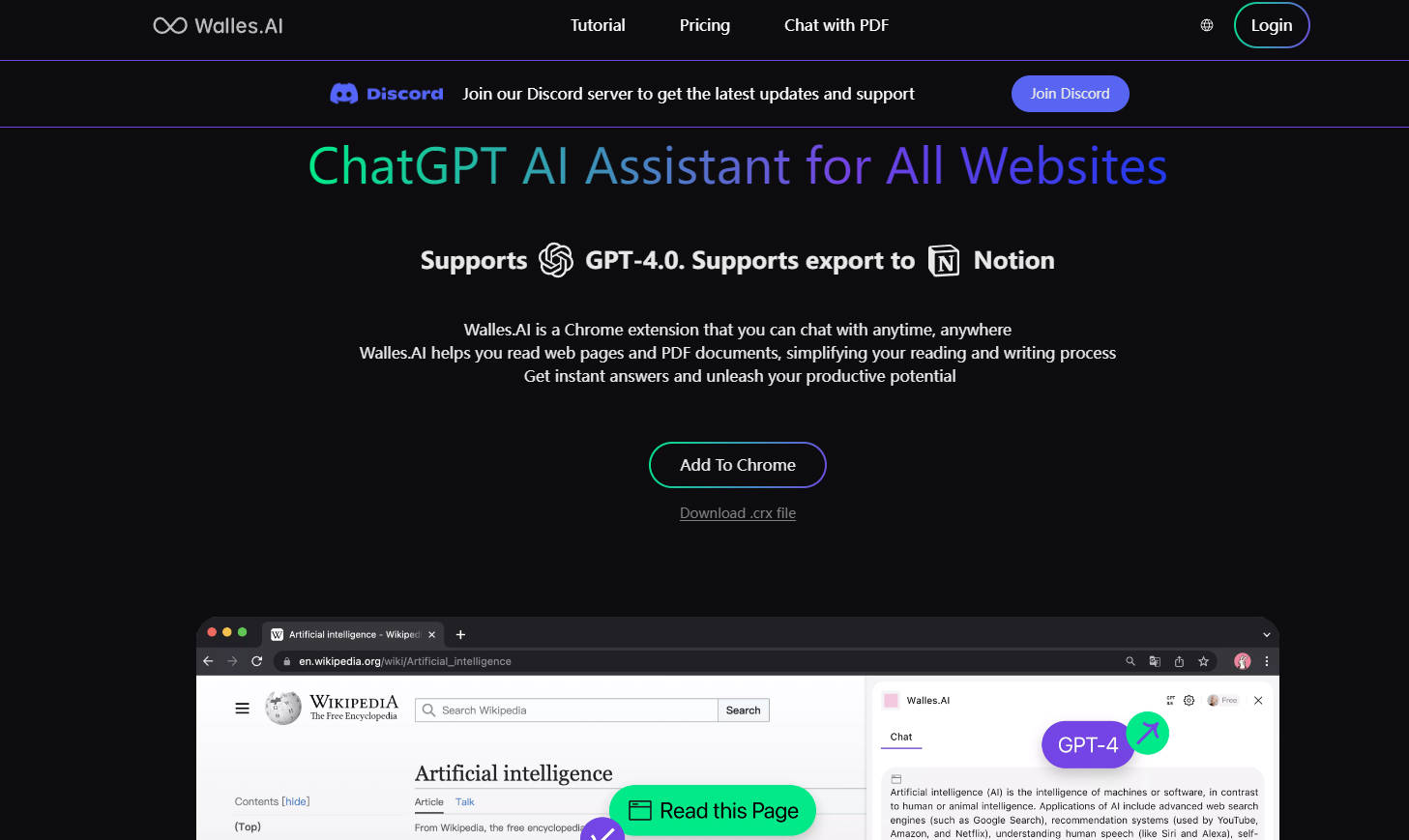
Walles.AI is a powerful, free AI assistant delivered as a browser extension, seamlessly integrating the capabilities of advanced large language models (GPT-4 and GPT-3.5) directly into your daily digital workflow. It eliminates the friction of constantly switching between research, reading, and separate AI tools by providing instant summarization, analysis, and content creation right where you need it—on any webpage, PDF document, or YouTube video.
Key Features
Walles.AI functions as your ultra-capable teammate, providing immediate, context-aware assistance through an easy-to-access sidebar (activated via Cmd+M or Ctrl+M).
🌐 Contextual Content Chat
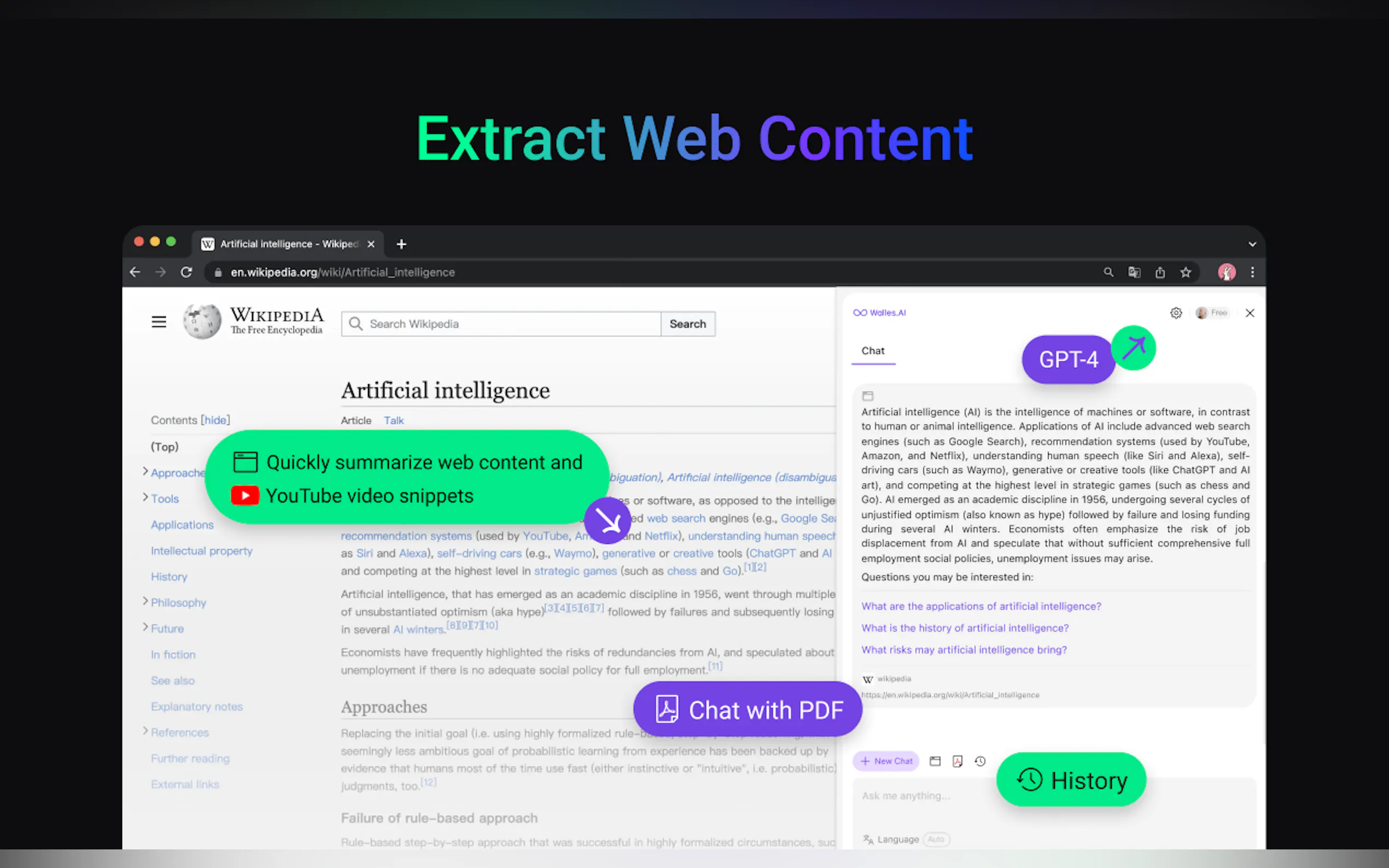
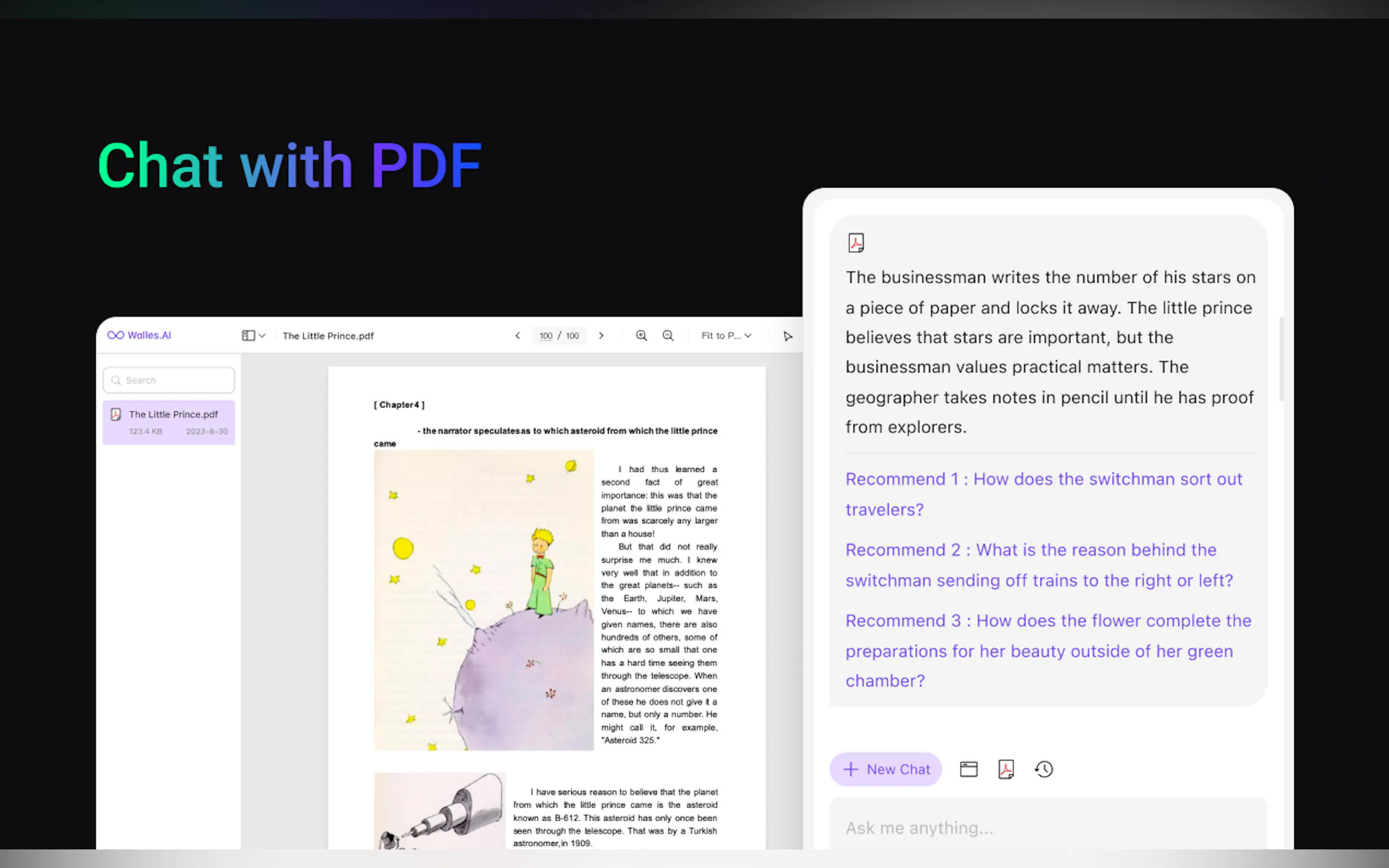
Walles.AI allows you to initiate a ChatGPT-like conversation with any open content, whether it’s a lengthy web article, an uploaded PDF document, or a complex YouTube video. This capability enables you to ask specific questions about the content, generate summaries, or derive key takeaways instantly, making the process of content consumption significantly faster and more targeted.
✍️ One-Click Text Processing
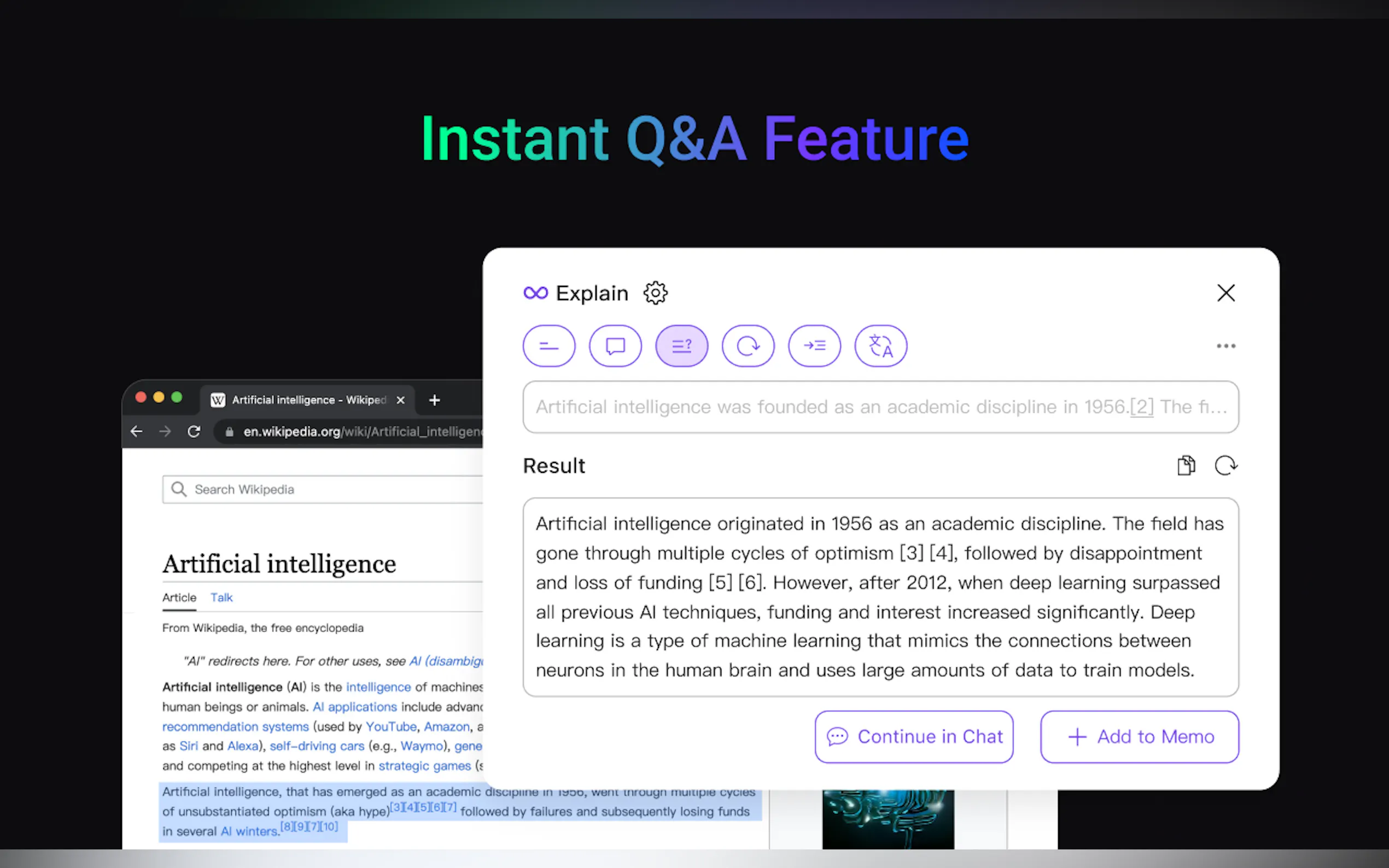
Select any text on a webpage and process it instantly using the AI assistant. This feature allows you to explain complex paragraphs, translate foreign language sections, or paraphrase selected content for use in your own professional writing, ensuring immediate comprehension and refinement without ever leaving the document.
👁️ Integrated Vision Support
The assistant now supports Vision capabilities, extending its utility beyond text. You can chat directly with images, extract text from screenshots, and even solve complex math problems embedded within visual data. This crucial feature transforms Walles.AI into a versatile tool for handling mixed media content.
📝 Seamless Notion Export
Ensure that valuable insights and conversational outcomes are never lost. Walles.AI allows you to export your entire chat history and generated memos directly to Notion, integrating AI-generated content into your organized notes, documents, and collaborative workspaces for long-term knowledge retention.
Use Cases
Walles.AI helps users across various professional and educational scenarios by streamlining heavy content consumption and information management tasks:
Accelerated Research and Vetting: When faced with a list of search results or lengthy research papers (PDFs), quickly upload the document or open the webpage and use the Content Chat feature to generate a rapid, structured summary. This allows you to vet the relevance of the material in seconds, saving hours of reading time.
Enhancing Learning and Problem Solving: If you encounter a complex diagram or a challenging equation within an image—for instance, in a slide deck or textbook—use the integrated Vision support to analyze the image, extract the relevant text, and receive an instant explanation or solution without manually typing the data.
Efficient Video Knowledge Capture: Instead of watching a 45-minute technical webinar, open the YouTube video and use the summary tool to generate a detailed outline and key points. You can then export this summary directly to your Notion project database, ensuring the core knowledge is archived and immediately usable.
Why Choose Walles.AI?
Walles.AI’s core advantage lies in its deep integration within your browser environment, prioritizing workflow efficiency and contextual utility over standalone AI tools.
Zero Context Switching: Unlike external AI platforms that require copying and pasting text, Walles.AI lives in your browser sidebar. This means you can process, summarize, and generate content while remaining focused on the source material, significantly reducing cognitive load.
Broad Content Compatibility: The ability to chat with web pages, PDFs, and YouTube videos makes Walles.AI a truly unified content processor. You don't need separate tools for different media types; one extension handles all your content analysis needs.
Knowledge Integration: By supporting direct export to Notion, Walles.AI ensures that the output of the AI assistant is not siloed but immediately integrated into your existing systems for note-taking, collaboration, and project management.
Conclusion
Walles.AI removes friction from your digital workflow by placing the power of GPT-4 directly within your browser environment. Start streamlining your content consumption, enhancing real-time comprehension, and perfecting your knowledge management today.
Add Walles.AI to your browser and experience seamless, powerful AI assistance.
More information on Walles.AI
Top 5 Countries
67.26%
11.65%
4.66%
4.33%
3.92%
China
Russia
United States
Indonesia
France
Traffic Sources
1.19%
0.35%
0.07%
6.86%
14.1%
77.34%
social
paidReferrals
mail
referrals
search
direct
Source: Similarweb (Sep 24, 2025)
Walles.AI was manually vetted by our editorial team and was first featured on 2023-10-29.
Related Searches
Walles.AI Alternatives
Load more Alternatives-

-

-

-

WalloAI Excel Assistant integrates AI to chat, generate formulas and explain data. Empower over 500 users for efficient spreadsheet management. Transform your workflow!
-
