
What is Data Formulator?
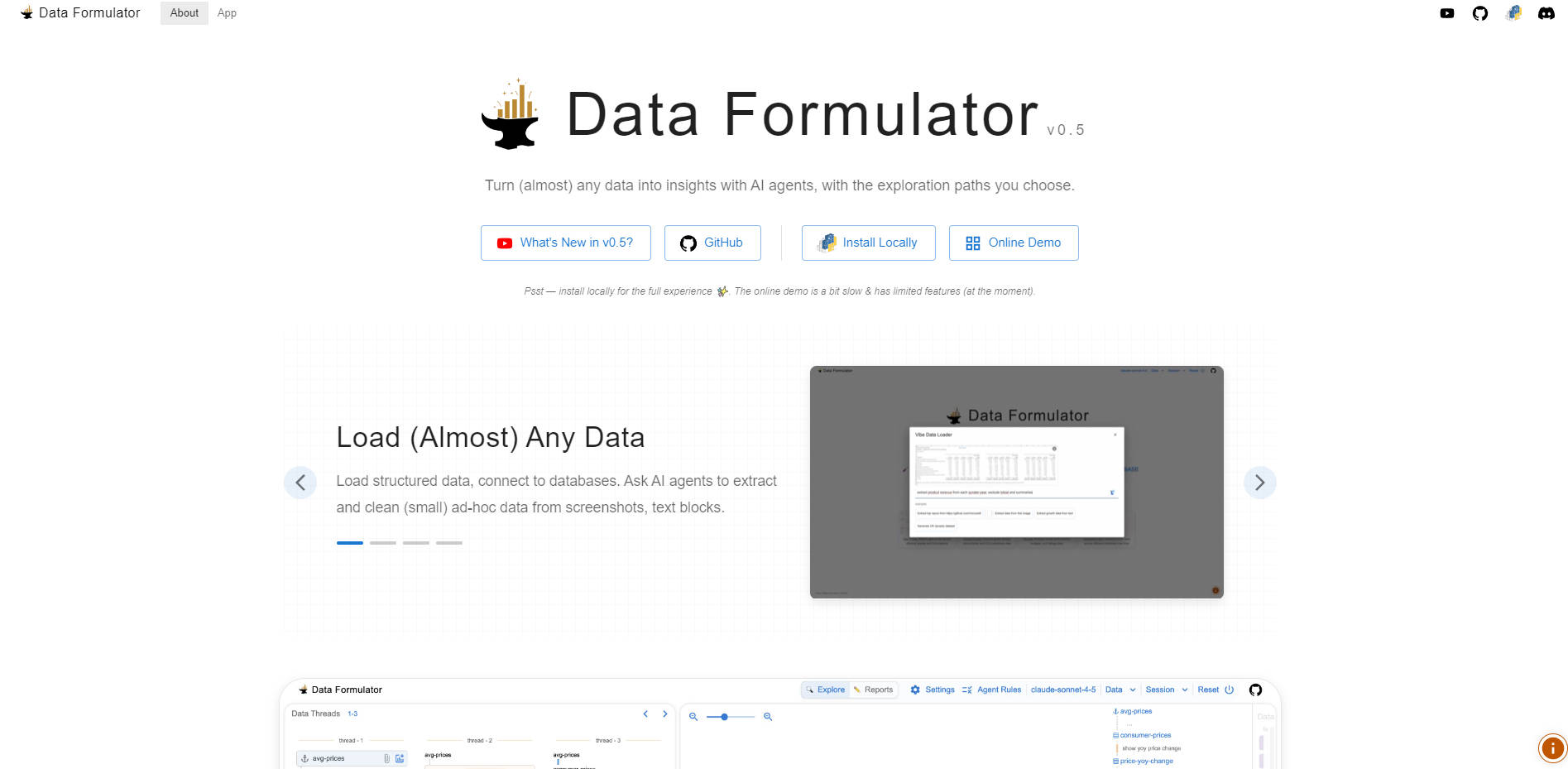
Data Formulator, an innovative application developed by Microsoft Research, empowers analysts and researchers to transform complex, multi-format data into verifiable insights efficiently. It addresses the common challenge of rigid analysis workflows by integrating powerful AI agents with a novel, blended user interface. This approach ensures you maintain authoritative control over exploration paths while leveraging AI to handle data cleaning, transformation, and goal-driven visualization.
Key Features
📊 Universal Data Ingestion and Extraction
Load structured data (CSV, XLSX, JSON) and connect directly to databases (e.g., DuckDB, MySQL, PostgreSQL) for large datasets. Crucially, Data Formulator extends beyond typical structured inputs, allowing you to ask AI agents to extract and clean ad-hoc data directly from screenshots, messy text blocks, or website content, making fragmented data immediately accessible for analysis.
⚖️ Blended Control: UI Interactions and Natural Language (NL)
Achieve the optimal balance between automation and oversight. While you can provide a high-level goal and let AI agents explore automatically ("vibe"), you can also maintain precise control by specifying chart designs or data transformations using a combination of traditional drag-and-drop UI and natural language input. This capability ensures the AI formulates the data exactly as needed to realize your specific design intent.
🤖 Goal-Driven Exploration with Agent Recommendations
Provide a high-level research question or goal, and the AI agents will automatically plan and execute multi-step exploration. For users seeking guidance, agents can also offer targeted recommendations for relevant charts, metrics, or next steps, accelerating the discovery process and ensuring you don't miss key patterns in the data.
🧵 Interactive Data Threads for Branching Analysis
Manage complex, iterative research seamlessly using data threads. This feature allows you to control branching exploration paths, easily backtrack to previous states, or follow up on promising avenues without losing the context of your original analysis. This is essential for testing multiple hypotheses derived from the same core dataset.
✅ Verify and Validate AI-Generated Results
Maintain trust and transparency by inspecting the underlying logic of every insight. You can interact with any generated chart and review the data transformations, formulas, explanations, and code produced by the AI agents. This verification step ensures the accuracy of results before they are shared.
Use Cases
Analyzing Fragmented Market Research
Imagine you are a market analyst tracking consumer trends. Instead of manually transcribing data from a PDF report screenshot, a messy text block from a competitor's blog, and a structured internal sales CSV, you load all three sources into Data Formulator. You then task the AI agent with the goal: "Compare Q3 2024 consumer sentiment across all three sources and visualize price elasticity." The agent handles the extraction, cleaning, and necessary joins, immediately presenting verifiable visualizations and the underlying code used for the transformation.
Iterative Hypotheses Testing in Research
A data scientist is exploring the relationship between two variables but needs to test several different normalization methods and filtering criteria. Using Data Formulator’s data threads, they create a main thread for the initial exploration. They then branch off two separate threads—one testing log normalization and the other testing Z-score scaling—allowing them to compare the resulting visualizations side-by-side without manually duplicating the entire workflow, facilitating rapid, controlled iteration.
Effortless Report Generation
After a complex exploration session, you need to share key findings with stakeholders. Instead of manually assembling charts and writing explanations, you select the most impactful visualizations and ask the AI agent to "Create a concise, executive summary report focusing on the key drivers of the Q4 revenue increase." The agent generates a>5. Why Choose Data Formulator?
Data Formulator offers a distinct advantage over traditional BI tools and pure natural language interfaces by focusing on controlled complexity and data provenance.
- Authoritative Control Over AI: Unlike systems that operate as a "black box," Data Formulator’s blended UI/NL approach gives you the necessary levers to intervene at any stage. You are not just receiving recommendations; you are collaborating directly with the agents to dictate how data should be formulated to achieve specific visualization goals.
- Designed for Messy Data Workflows: The ability to extract and clean data from screenshots and unstructured text eliminates the most time-consuming initial steps of analysis. This allows analysts to jump directly into exploration rather than preparation.
- Privacy and Scale through Local Operation: For users handling sensitive or large proprietary datasets, the recommended local installation (via Python PIP) processes data entirely on your machine, leveraging DuckDB for robust data storage and processing without requiring cloud uploads.
Conclusion
Data Formulator provides the technical framework necessary to move beyond simple data queries toward complex, goal-driven exploration. By giving you granular control over AI agents and providing the tools to verify every step, it ensures your insights are both deep and trustworthy.
More information on Data Formulator
Launched
2025-10
Pricing Model
Free
Starting Price
Global Rank
Follow
Month Visit
<5k
Tech used
Data Formulator was manually vetted by our editorial team and was first featured on 2025-11-14.