

What is Nimbalyst ?
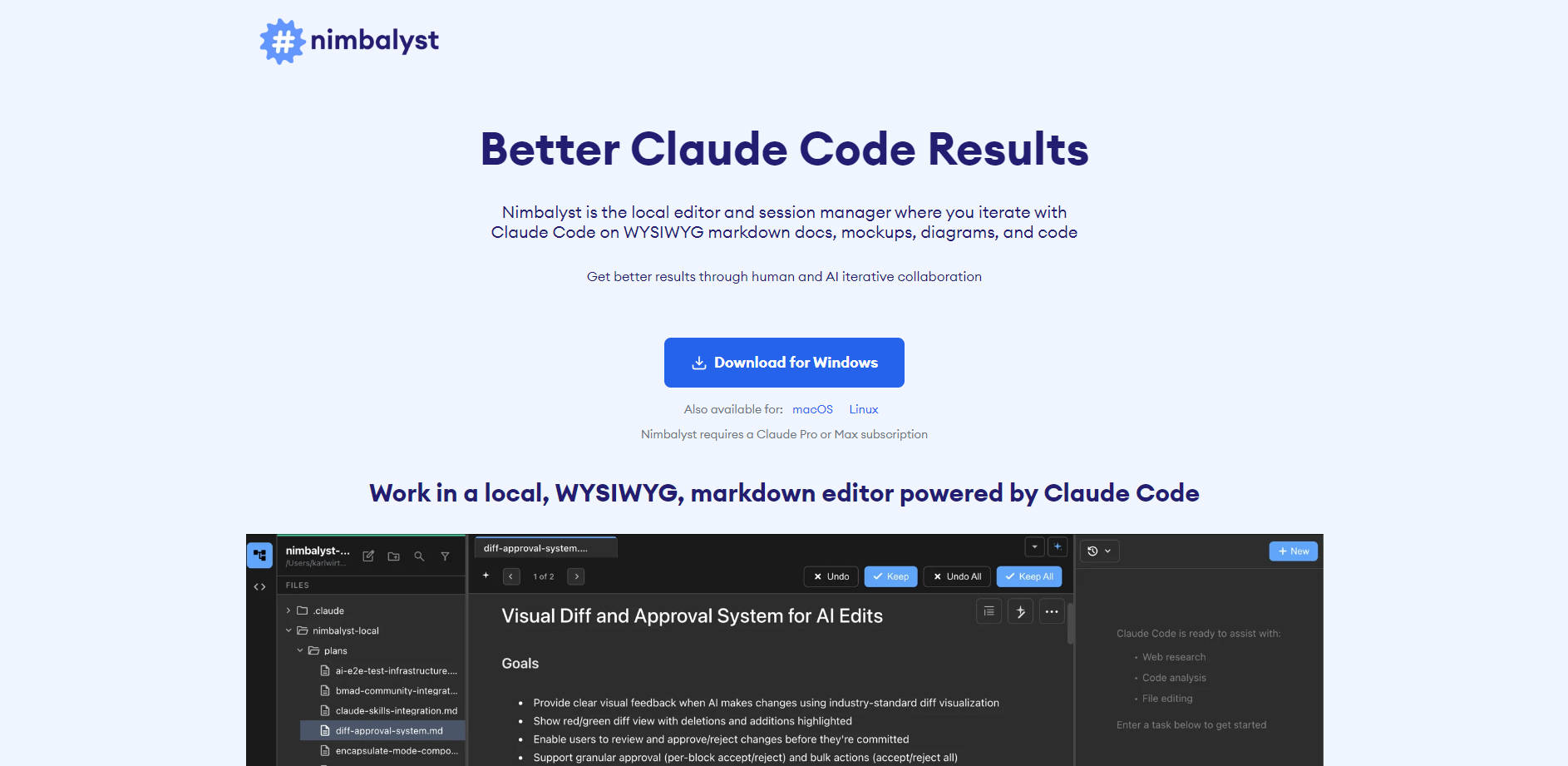
Nimbalyst is the essential desktop application and session manager built specifically for developers and product managers utilizing Claude Code. It addresses the fundamental challenge of context fragmentation in AI-assisted development by providing a centralized, local, WYSIWYG environment. Use Nimbalyst to iterate seamlessly on markdown documentation, technical diagrams, HTML mockups, and code, fostering deep and superior collaborative workflows between human insight and AI power.
Key Features
Nimbalyst integrates powerful, developer-centric tools directly into your AI workflow, maximizing efficiency and ensuring context is never lost.
- 📝 Local, Agentic WYSIWYG Editor: Work within a native, local markdown editor that supports text, tables, images, and Mermaid diagrams. This editor is fully agentic, allowing you to research, plan, write, and edit with the complete context of your code and ongoing AI sessions, ensuring your documentation and plans remain synchronized with the AI’s output.
- 🎨 Interactive HTML Mockup Collaboration: Accelerate UI iteration using the integrated mockup editor. You can collaborate directly with Claude Code on HTML mockups, including the ability to draw annotations on the mockup and instruct the AI to make precise changes based on your visual input. You retain full control to edit the underlying HTML source when needed.
- ⚙️ Parallel Agent Session Management: Organize and control complex feature development by managing multiple, parallel Claude Code sessions in a single UI. This capability allows you to assign different tasks to different ‘agents’ (sessions), ensuring streamlined workflow management, easy retrieval of past conversations, and efficient context switching.
- 💻 Advanced Integrated Coding Support: Leverage the full power of Claude Code while benefiting from essential developer tooling. Nimbalyst adds critical features like file tracking, clear Red/Green diff visualization for changes suggested by the AI, integrated code editing, and full support for Claude Code’s /commands.
- 📊 Status and Item Tracking: Directly within your markdown documentation, use the AI to track and update statuses, bugs, to-dos, decisions, and ideas. This ensures that project planning, execution, and status updates are intrinsically linked to the work being performed by your AI agents.
Use Cases
Nimbalyst is designed to integrate into the daily workflow of technical teams, turning abstract plans into actionable, tracked code with high fidelity.
1. Rapid UI Prototyping and Iteration
Instead of describing a user interface change in text, use the integrated HTML mockup editor to create a visual prototype. Draw a quick circle around the element you want to change, add a note like "Make this button green and 20% larger," and send the entire visual context to Claude Code. The AI immediately returns the updated HTML, which you can review, diff, and implement, significantly reducing the design-to-code cycle time.
2. Structured Feature Planning and Execution
Product Managers can use the WYSIWYG editor to draft detailed feature specifications, including diagrams and research notes. These documents serve as the complete context for the AI. As Claude Code begins coding, the associated markdown document automatically tracks status updates, key decisions, and remaining to-dos, ensuring all project stakeholders—human and AI—are working from the same, living source of truth.
3. Managing Complex, Multi-Component Development
When building a feature that requires parallel work (e.g., updating a database schema, writing a new API endpoint, and developing the corresponding front-end component), use Nimbalyst’s session management to run three parallel Claude Code sessions. You can efficiently monitor the progress of each ‘agent,’ merge their outputs using the integrated diff visualization, and maintain organized context for each distinct task without overwhelming a single chat window.
Nimbalyst offers key architectural and functional advantages over standard AI chat interfaces, ensuring your development efforts are more efficient, secure, and future-proof.
Open Format Storage for Longevity
Your content, plans, and status are stored in an open format (markdown). This is a critical advantage for professional teams:
- Future-Proof: All your documentation and work products remain readable in any standard text editor, forever, regardless of future platform changes.
- Version Control Friendly: Markdown files work perfectly with Git and other Version Control Systems (VCS), allowing you to track human and AI contributions seamlessly.
- Portable: Easily move your data and plans between different tools without proprietary conversion hassles.
Complete Context and Workflow Integration
Unlike browser-based chats that lose context across sessions, Nimbalyst keeps all planning documents, mockups, code diffs, and chat history together in a workspace. This complete context allows Claude Code to build features better and understand the full scope of your project, reducing the need for repetitive prompting and clarification.
Integrated Human/AI Iteration
The native integration of the Red/Green diff visualization and the ability to annotate mockups means the human developer remains in the loop, guiding and validating every AI output. This structured iteration process ensures higher code quality and alignment with project goals from the first draft to the final commit.
Conclusion
Nimbalyst transforms your interaction with Claude Code from a series of disconnected chats into a unified, highly productive development workflow. By providing robust session management, deep context integration, and developer-focused tools, Nimbalyst empowers you to achieve superior, organized code results faster.
More information on Nimbalyst
Launched
2025-10
Pricing Model
Free
Starting Price
Global Rank
Follow
Month Visit
<5k
Tech used
Nimbalyst was manually vetted by our editorial team and was first featured on 2025-12-12.
Nimbalyst 替代方案
更多 替代方案-

-

您是否厭倦了在多個 AI 編碼代理程式之間疲於奔命?Claude Squad 整合平行任務,並透過 Git worktrees 隔離程式碼,為您帶來無縫、零衝突的開發體驗。
-

Claude Code 是一款能在您的終端機中運作的 agentic 編碼工具,它能理解您的程式碼庫,並透過執行例行性任務、解釋複雜程式碼,以及處理 git 工作流程來協助您更快速地編碼。所有這些都能透過自然語言指令完成。
-

-

Claude-Mem seamlessly preserves context across sessions by automatically capturing tool usage observations, generating semantic summaries, and making them available to future sessions. This enables Claude to maintain continuity of knowledge about projects even after sessions end or reconnect.