

What is Adobe Firefly Vector AI?
Adobe Firefly, the creative AI toolkit embedded in Adobe Creative Cloud, revolutionizes digital creation by allowing users to generate lifelike images, refine designs, and make incredible transformations with unprecedented ease. Featuring advanced generative AI models, Firefly integrates seamlessly with beloved Adobe apps like Photoshop, Illustrator, and Lightroom, ensuring that artists, designers, and creatives can leverage AI without sacrificing control or artistic vision.
Key Features:
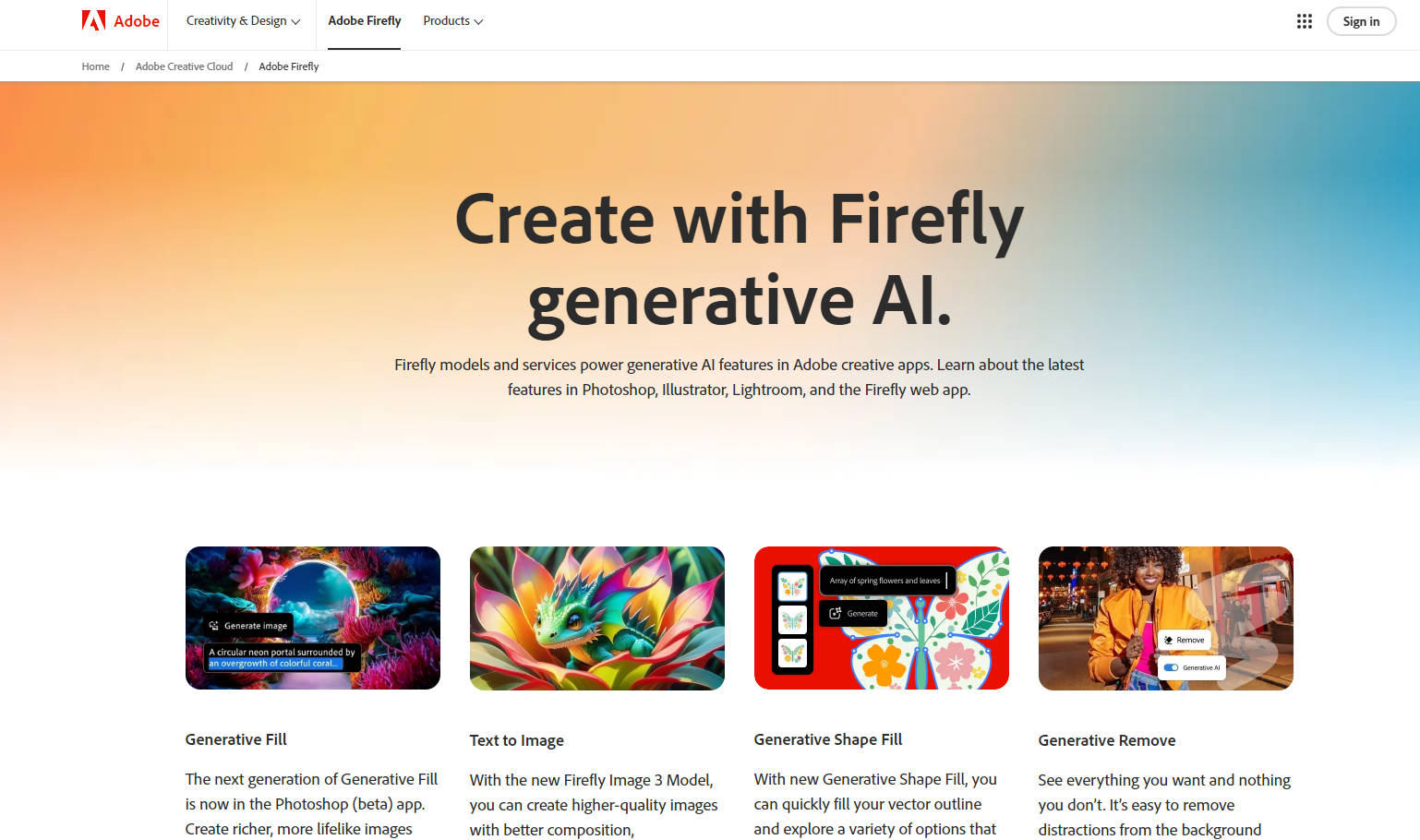
Generative Fill in Photoshop: Generate richer, more lifelike images while maintaining creative control. The next generation of Generative Fill offers unmatched details and realism.
Text to Image with Firefly: Unleash your imagination, creating high-quality images based on your text descriptions. The new Image 3 Model enhances composition and photorealism.
Generative Shape Fill in Illustrator: Quickly fill vector outlines, matching your artwork's style and feel, with a variety of options for visual enhancement.
Generative Remove in Lightroom: Effortlessly remove objects and distractions from the background for clean, professional photos. It's AI-powered post-processing at its finest.
Firefly in Adobe Apps: Experience generative AI right in your favorite design and editing tools, transforming your creativity with Text to Image, Generative Fill, and more, all powered by Adobe Firefly's robust models.
Use Cases:
A photographer removes a distracting watermark in the background of a candid portrait, instantly elevating the image's impact and professionalism.
A graphic designer quickly generates multiple vector fill options for a logo design, speeding up the creative process while maintaining design integrity.
An artist creates a stunning, photorealistic landscape depiction from a simple text description, showcasing the power of text-to-image transformation for conceptual art.
Conclusion:
Discover the boundless potential of Adobe Firefly's generative AI, designed to augment your artistic toolkit. Whether you're enhancing images, refining designs, or customizing content at scale, Firefly delivers. Transform your creative projects today—explore the latest Firefly features in your favorite Adobe apps or sign up for the Firefly Premium plan to unlock your full creative potential.
FAQs:
What is generative AI?Generative AI uses deep learning algorithms to generate various types of data, including images, text, and sound, based on provided text descriptions or models. With Adobe Firefly, it's now easier than ever to incorporate AI creativity into your projects.
Can I use Firefly-generated outputs in commercial projects?Absolutely. Outputs from generative AI features without the beta label can be used commercially. Always ensure you're following the guidelines to take advantage of Firefly's AI-driven miracles in professional scenarios.
How does generative AI contribute to Adobe Firefly's creative capabilities?By integrating generative AI into features like Text to Image, Generative Fill, and Generative Remove, Adobe Firefly empowers creatives to explore new artistic possibilities, making complex tasks faster and easier than ever before.
More information on Adobe Firefly Vector AI
Launched
1986-11
Pricing Model
Starting Price
Global Rank
94
Follow
Month Visit
325.8M
Tech used
Gzip,HTTP/3,OpenGraph,HSTS
Top 5 Countries
25.11%
6.47%
6.15%
4.72%
3.85%
United States
India
Japan
Brazil
United Kingdom
Traffic Sources
0.44%
1.03%
0.12%
6.11%
33.13%
59.17%
social
paidReferrals
mail
referrals
search
direct
Source: Similarweb (Sep 24, 2025)
Adobe Firefly Vector AI was manually vetted by our editorial team and was first featured on 2024-07-25.
Related Searches
Adobe Firefly Vector AI Alternatives
Load more Alternatives-

Accelerate creativity & personalization with Adobe Generative AI for Business. Boost productivity, create commercial-ready content, and scale experiences.
-

Create and manipulate images effortlessly with Adobe Photoshop AI. Try generative AI features directly in your browser, saving time and enhancing creativity.
-

Create complex edits and realistic designs with Adobe Firefly. Access it through the web app or Adobe's flagship apps. Save time and unleash your creativity.
-

Quickly create, add to, remove, or replace images right in Adobe Photoshop with simple text prompts
-
