
What is ChatFrame?
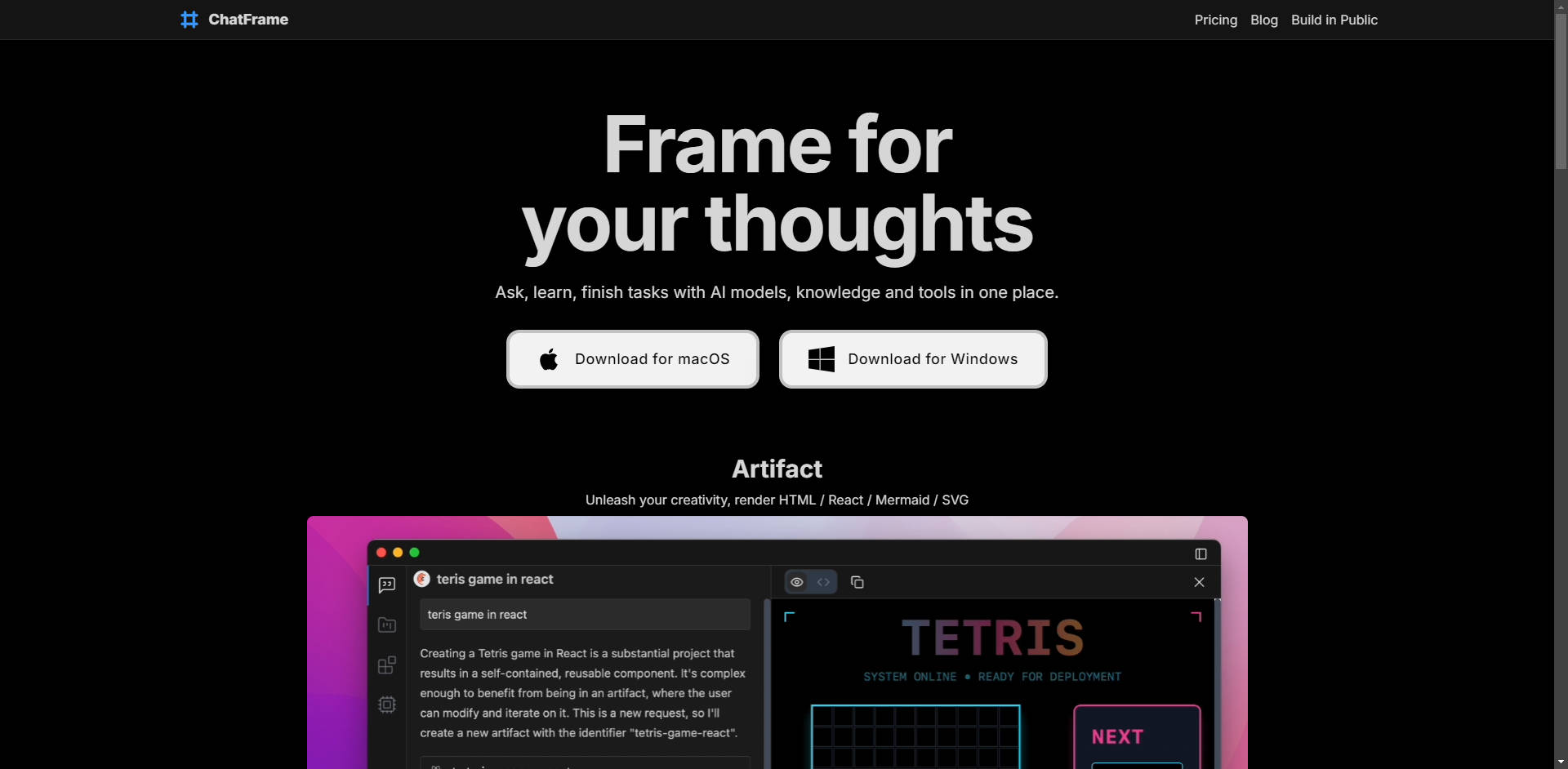
ChatFrame is a polished, cross-platform desktop application designed to streamline your advanced AI workflows. It solves the inefficiency of juggling multiple browser tabs by consolidating access to major LLM providers—such as OpenAI, Anthropic, and Groq—into one powerful, unified interface. Built for professionals and developers, ChatFrame empowers you to complete complex tasks, integrate proprietary knowledge securely, and interact with specialized tools without ever leaving the application.
Key Features
We’ve focused on delivering features that provide immediate productivity gains, specialized context, and critical data security right on your desktop.
🌎 Multi-Provider LLM Chat
Access and compare the performance of leading large language models (LLMs) from providers like OpenAI, Anthropic, Groq, and Google AI Studio, all within a single application window. You bring your own API keys (BYOK), giving you the flexibility to query different models for specific tasks or compare outputs instantly, maximizing efficiency and minimizing context switching.
🔒 Local Retrieval-Augmented Generation (RAG)
Enhance your AI interactions with your own proprietary data—including PDF, text, and code files—without compromising security. All file parsing, vector indexing, and RAG operations occur entirely on your local machine. This ensures that no sensitive data ever leaves your computer, providing a robust solution for privacy-critical and compliance-sensitive workflows.
🎨 Artifact Rendering and Visualization
Move beyond simple text output. ChatFrame allows the AI to unleash creative and technical results by rendering artifacts directly within the chat window. This capability supports immediate visualization of complex outputs like HTML, React components, Mermaid diagrams, and SVG graphics, accelerating development, prototyping, and technical documentation review.
🛠️ Extensible Tool Integration via MCP Server Support
Integrate the AI directly into your operational stack using the Model Context Protocol (MCP) standard. ChatFrame supports MCP servers, allowing you to plug in custom tools, databases, web search, or internal APIs. This provides the AI with real-time, external context, enabling it to execute complex, real-world tasks through natural language, such as running internal scripts or querying a Postgres database.
Use Cases
ChatFrame is designed to transition AI from a simple conversational partner to an indispensable tool for professional task completion.
Secure Code Analysis and Documentation: Index local code repositories (using Local RAG) to ask detailed questions about internal architecture or generate documentation based on your proprietary codebase. Since all RAG processing is local, your intellectual property remains secure on your machine.
Rapid Prototyping and UI Generation: Request the AI to generate a React component or a complex SVG icon. Thanks to Artifact Rendering, you can immediately see the visual output and confirm its accuracy without needing to switch to a separate browser or development environment.
Database Querying and Reporting: Connect ChatFrame to an internal MCP server that exposes your company's Postgres database. Use natural language commands like "Show me the quarterly sales figures for the Northeast region" to execute complex SQL queries and receive immediate, contextualized results.
Why Choose ChatFrame?
ChatFrame provides distinct advantages that elevate it beyond standard web-based or single-provider AI tools, focusing on control, privacy, and professional extensibility.
Uncompromised Data Privacy: Unlike many cloud-based tools, ChatFrame ensures that when you use Local RAG, your proprietary documents and context files never touch an external server. Only the prompts explicitly sent to the LLM provider are transmitted, giving you total control over your sensitive data.
True Extensibility via Open Standards: By implementing the open-source Model Context Protocol (MCP), ChatFrame is built for the future of AI integration. This standard allows developers to securely define and expose custom functionalities—from internal scripts to complex business logic—making the AI truly adaptable to your unique organizational needs.
Dedicated Desktop Performance and Control: Built on Tauri, ChatFrame delivers a fast, native desktop experience for both macOS and Windows. Furthermore, ChatFrame avoids bundling runtimes (like Node.js or Python) to prevent dependency conflicts and unnecessary bloat, ensuring you maintain control over your local development environment.
Conclusion
ChatFrame provides the centralized control, deep integration, and essential data privacy required for modern, demanding AI workflows. Stop dividing your attention across disparate interfaces. Take command of your LLMs and proprietary data to unlock new levels of productivity and secure task completion.
More information on ChatFrame
Launched
Pricing Model
Paid
Starting Price
Global Rank
Follow
Month Visit
<5k
Tech used
ChatFrame was manually vetted by our editorial team and was first featured on 2025-10-22.
ChatFrame Alternatives
Load more Alternatives-
RecurseChat for Mac: Private, offline AI chat with local LLMs & RAG. Seamlessly manage ChatGPT/Claude. Secure, zero-config, and powerful.
-
-
-

-

Navigating the diverse landscape of AI-powered chat tools can be challenging. Users often find themselves managing multiple platforms, struggling to integrate different AI models, or lacking control over their chat workflows. HyperChat addresses these pain points by offering a unified, open-source chat client that integrates a variety of large language models (LLMs) and provides advanced productivity tools—all in one intuitive interface.