

Click outside to close
What is Dia Browser?
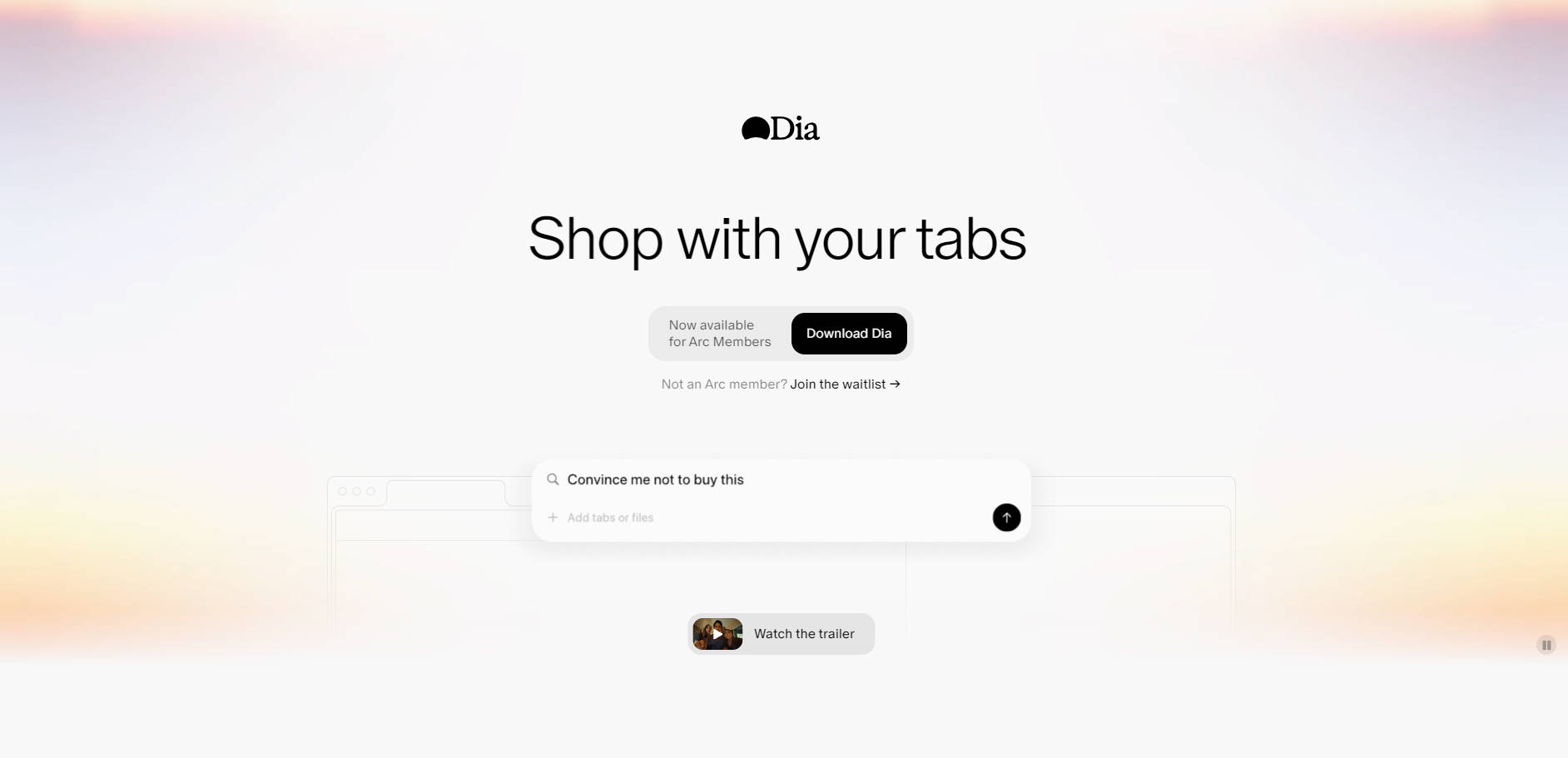
Navigating information online often involves juggling multiple tabs, making it challenging to quickly synthesize insights, get help where you need it, or draft content informed by your research. Dia, the AI browser from The Browser Company, transforms your browsing experience by bringing artificial intelligence directly into your workflow, allowing you to interact with your open tabs and leverage their context for a variety of tasks.
Key Features of Dia
Dia integrates AI capabilities directly into your browsing, providing intelligent assistance right where you need it.
💬 Chat with Your Tabs: Engage in a direct conversation with your open web pages. Dia understands the content of your tabs, enabling you to ask questions, summarize information, or extract key points without leaving your current view. This capability provides AI with immediate, relevant context, leading to more accurate and useful responses for tasks like research, writing, and learning.
✍️ In-line Writing Assistance: Get writing support directly within any text box across the web. Dia acts as a contextual writing partner, offering suggestions, helping refine copy based on information in your tabs, or even assisting with tasks like localization, ensuring your writing is informed and polished without cumbersome copy-pasting.
📚 Contextual Learning & Research: Use Dia as a personal tutor or research assistant that's always up to speed on what you're reading. It can help you understand complex topics by explaining concepts from your tabs, compare different perspectives presented across various pages, and quickly synthesize information to accelerate your learning process.
🛍️ Intelligent Planning & Shopping: Leverage Dia's understanding of your open tabs for practical tasks. Whether you're planning a project, researching purchases, or comparing options, Dia can act as an informed assistant, helping you gather necessary information, compare details, and make more informed decisions based on the context you provide through your browsing.
Use Cases
See how Dia can integrate into your daily tasks:
Accelerated Research & Content Creation: A student journalist can quickly find sources and synthesize information from multiple articles open in tabs, cutting down research time from hours to minutes. An agency director can ensure consistent brand voice across client communications by using Dia's personalized assistance based on specific client guidelines open in their browser.
Enhanced Learning & Skill Development: An engineering student can use Dia as an in-line tutor to ask questions about technical documentation or get practice problems related to the concepts they are studying on a webpage.
Informed Decision Making: When picking SaaS tools for a team, a graphic designer can use Dia to compare different options open in various tabs, getting summarized insights and comparisons based on criteria important for their specific needs.
Why Choose Dia?
Dia stands out by deeply integrating AI with your active browsing context. Unlike standalone AI tools, Dia works directly with the information you have open, providing assistance that is uniquely informed by your current activity. Furthermore, Dia is built with a strong commitment to privacy; you control your data, and the focus is on enhancing your internet experience, not profiting from personal information.
Conclusion
Dia offers a powerful new way to interact with the internet, transforming your browser into an intelligent partner that helps you write, learn, plan, and make decisions more effectively by leveraging the context of your open tabs. Experience a more productive and insightful browsing workflow with Dia.
Learn more about Dia and how it can enhance your productivity.
More information on Dia Browser
Launched
2024-10
Pricing Model
Starting Price
Global Rank
76476
Follow
Month Visit
745.2K
Tech used
Top 5 Countries
19.33%
9.66%
7.2%
5.02%
4.29%
United States (19.33%)
China (9.66%)
India (7.2%)
Taiwan (5.02%)
Japan (4.29%)
Traffic Sources
9.84%
7.4%
40.83%
41.22%
social (9.84%)
paidReferrals (0.63%)
mail (0.07%)
referrals (7.4%)
search (40.83%)
direct (41.22%)
Source: Similarweb (Sep 25, 2025)
Dia Browser was manually vetted by our editorial team and was first featured on 2025-06-14.
Dia Browser Alternatives
Dia Browser Alternatives-

BrowserGPT: Instant AI help across any website. Write, summarize, and chat directly in your browser without switching tabs. Boost your online workflow.
-
Unlock the power of knowledge with BrowserAI - a personal AI assistant that provides instant answers, eliminating the need for endless searching and browsing. Seamlessly integrated across various platforms for smarter, more efficient information retrieval.
-

DeepSider: Unify all top AI models in your browser sidebar. Access GPT-4o, Claude 3, & more. Analyze docs, search web, boost productivity.
-

Stop switching tabs! InPage AI brings context-aware AI help to any webpage. Summarize, write, and get answers instantly in your browser.
-
Do Browser: Your AI Chrome agent for hands-free web tasks. Use natural language commands to automate browsing, shopping, and social media for peak efficiency.