
What is Folder Pilot?
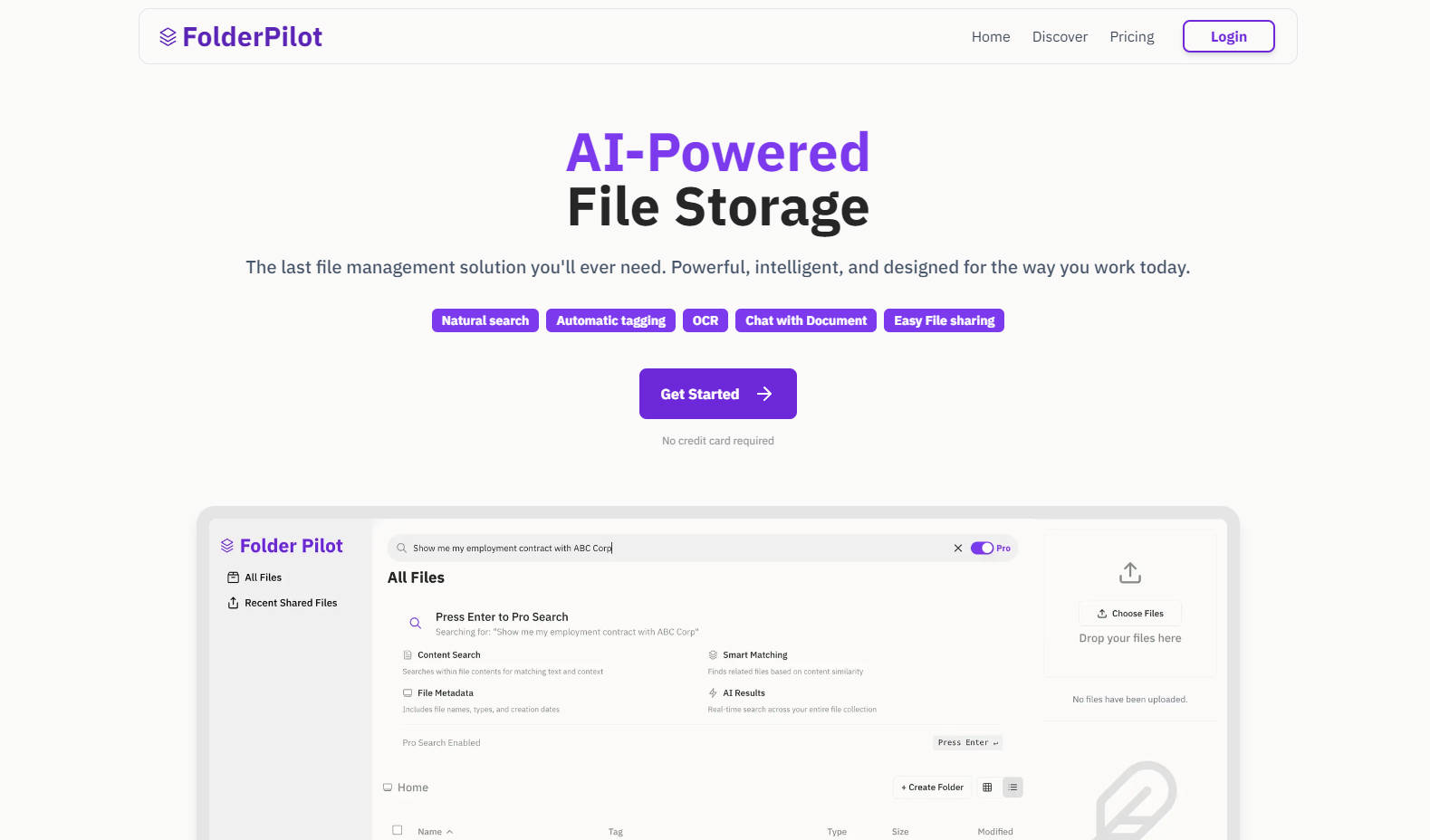
Managing files shouldn’t feel like solving a puzzle. FolderPilot transforms how you interact with your documents, videos, and more by combining the power of artificial intelligence with intuitive tools. Whether you’re searching for specific information or organizing years of content, FolderPilot makes it simple to find, analyze, and share what matters most—all while keeping your data secure.
Key Features:
✨ Chat Naturally with Your Files
Ask questions in plain language, like “Summarize this contract” or “What were the Q3 sales figures?” FolderPilot’s AI extracts key insights and delivers answers instantly.
📚 Comprehensive Cloud Storage
Store all your files—PDFs, images, videos, and beyond—in one centralized location. The platform supports nearly every file type, ensuring nothing gets left behind.
🔍 Intelligent Search with Natural Language Queries
Forget digging through folders. Type requests like “Find my 2022 tax return” or “Locate photos from last summer,” and let FolderPilot do the heavy lifting.
🏷️ Automatic Tagging & Organization
No manual sorting required. FolderPilot uses smart tagging and OCR technology to categorize your files automatically, even recognizing handwritten notes and scanned documents.
🔒 Enterprise-Grade Security
Your privacy is non-negotiable. FolderPilot aligns with SOC 2, HIPAA, and GDPR standards to ensure your personal and professional data stays protected.
🔗 Seamless File Sharing
Generate shareable links with customizable permissions. Collaborate effortlessly with colleagues, clients, or friends without compromising security.
Use Cases:
Streamlining Workflows for Professionals
A marketing manager needs quick access to campaign reports scattered across multiple folders. With FolderPilot, they simply ask, “Show me performance metrics for Campaign X,” and receive an organized summary within seconds. No more wasted time hunting down files.Enhancing Productivity for Students
A student juggling research papers, lecture slides, and study guides can upload everything to FolderPilot. When preparing for exams, they query, “Explain the main points of Chapter 5,” and FolderPilot generates concise summaries directly from their uploaded materials.Simplifying Personal Media Libraries
An avid photographer wants to locate images tagged with certain keywords, such as “sunset” or “family vacation.” Using FolderPilot’s automatic tagging feature, they retrieve exactly what they need without manually labeling thousands of photos.
Conclusion:
FolderPilot redefines document management by blending advanced AI capabilities with user-friendly design. From simplifying searches to safeguarding sensitive data, it empowers you to focus on what truly matters. Say goodbye to endless folder hunting and hello to smarter, faster workflows. Try FolderPilot today—it’s free to start, no credit card required.
FAQ:
Q: Is FolderPilot suitable for businesses?
A: Absolutely. FolderPilot offers enterprise-grade security features like SOC 2 alignment and HIPAA readiness, making it ideal for teams handling sensitive information.
Q: Can I use FolderPilot for media files like videos?
A: Yes! FolderPilot supports a wide range of file types, including videos, images, and audio files, so you can manage all your content in one place.
Q: How does natural language search work?
A: Simply type a question or request in everyday language (e.g., “Where is the invoice from January?”), and FolderPilot’s AI scans your files to provide accurate results.
Q: What happens if I cancel my subscription?
A: You’ll still have access to your files but won’t be able to use FolderPilot’s AI-powered features until you reactivate your account.
More information on Folder Pilot
Launched
2025-02
Pricing Model
Freemium
Starting Price
US$10 Per month
Global Rank
Follow
Month Visit
<5k
Tech used
Google Analytics,Next.js,Vercel,Gzip,OpenGraph,Webpack,HSTS
Folder Pilot was manually vetted by our editorial team and was first featured on 2025-02-19.
Related Searches
Folder Pilot Alternatives
Load more Alternatives-

Revolutionize the way you store, organize, and interact with your files. Effortless organization, semantic search, and document chat all in one place.
-

-

Stop file chaos! Filecentral's AI search finds anything instantly. Secure storage + intelligent search for teams. Access info in seconds!
-

-