
What is Hylark?
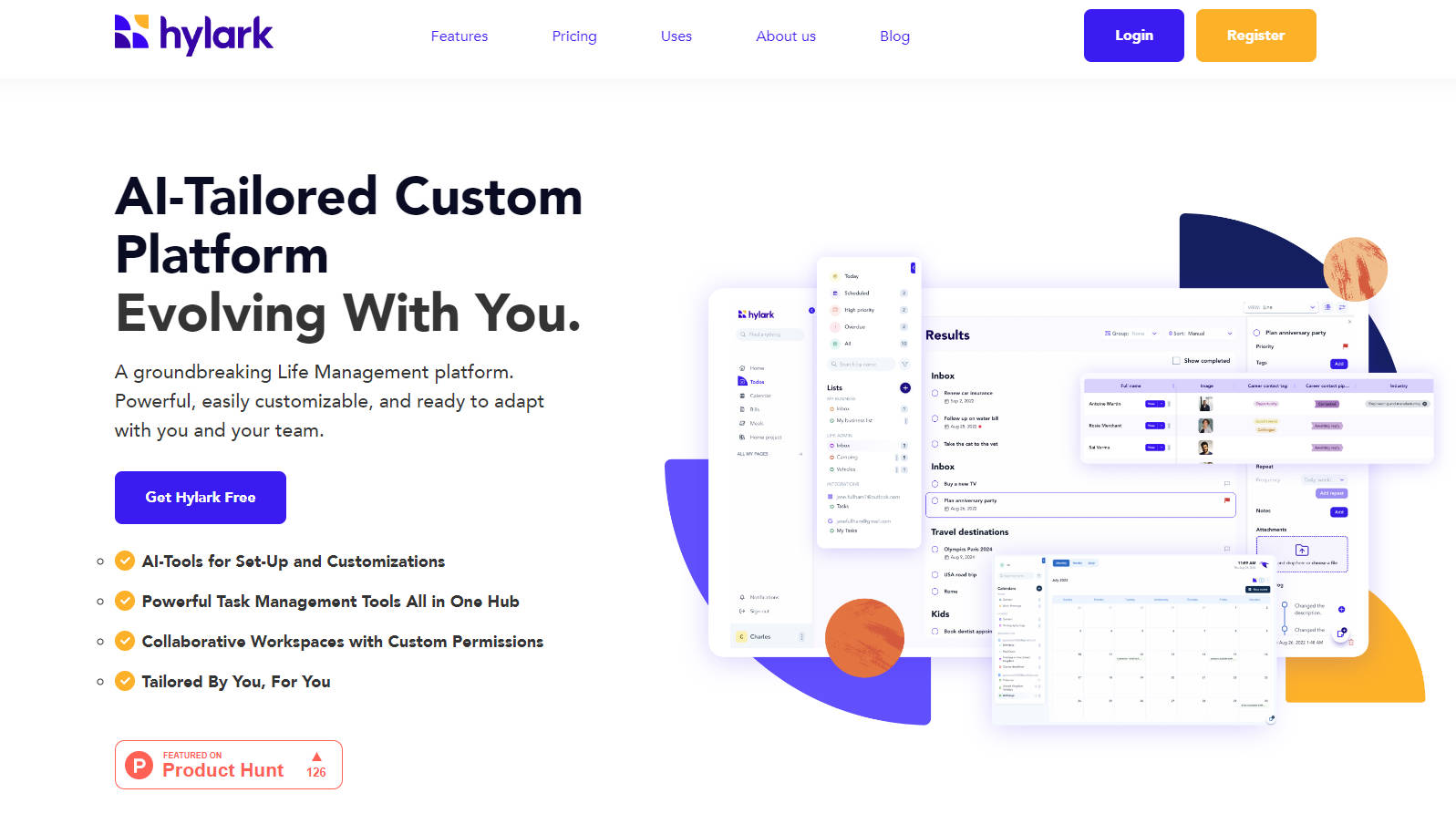
Hylark is an intuitive Life Management platform, designed for seamless integration with AI. The platform provides a custom digital workspace tailored to individual or team needs, workflows, and data. With powerful features and easy-to-use AI tools, Hylark adapts to evolving requirements, making it simpler to manage complex projects, run a business, or organize personal life.
Key Features:
🎯Customizable Data:
Define unique data structures for any need. Hylark allows users to create custom fields and layouts that fit specific projects or workflows.
🤝 Collaborative Workspaces:
Build a collaborative base for any group. Teams, families, or organizations share information, communicate efficiently, and manage tasks together.
📄 Tailored Pages and Spaces:
Design personalized views for data. Users create custom pages and spaces for work, hobbies, or any other aspect of life.
🦾 AI Integration:
Leverage AI tools for setup and customization. Users create a personalized platform through simple chat interactions, making setup quick and intuitive.
✅ Comprehensive Productivity Tools:
Access calendars, events, to-dos, pinboards, documents, links, and more. Hylark equips users with essential digital tools to manage daily tasks and long-term projects.
🔗 Seamless Integrations:
Connect with Google and Microsoft tools for an all-in-one life hub. Users send and receive emails, manage calendars, and access to-dos directly within Hylark.
Use Cases:
Business Management:
A small business owner uses Hylark to manage client relationships, track project progress, and streamline daily operations. Custom fields store client details, while AI tools help create tailored workflows. Integration with email and calendar features keeps all communications and appointments in one place, improving efficiency and client satisfaction.
Creative Project Organization:
A freelance writer utilizes Hylark to organize writing projects, from brainstorming ideas to tracking deadlines and submissions. Custom views display project statuses, while pinboards store inspiration and research. Collaboration features allow the writer to work seamlessly with editors and co-authors. AI customization helps adapt the platform as projects evolve.
Personal Life Management:
An individual uses Hylark to bring order to daily life, manage personal finances, plan family events, and track personal goals. The platform's customizable data structures store financial records, while to-do lists and calendars help manage appointments and tasks. Integration with Google and Microsoft tools consolidates emails, calendars, and to-dos, providing a comprehensive view of personal commitments.
Conclusion:
Hylark offers a unique, flexible, and powerful solution for managing various aspects of life. Its AI integration and extensive customization options ensure that the platform adapts to individual and team needs, providing a seamless and efficient experience. Whether for business, creative projects, or personal organization, Hylark empowers users to achieve more, with less effort.
FAQs:
How does Hylark's AI integration work?
Hylark uses AI to simplify platform setup and customization. Users interact through a chat interface to define their needs, and the AI creates a personalized workspace tailored to those requirements.
Can I use Hylark for both personal and professional purposes?
Yes, Hylark is designed to be versatile. Users create different spaces and views for various aspects of their lives, making it suitable for both personal and professional use.
What integrations are available with Hylark?
Hylark integrates with Google and Microsoft tools, allowing users to access emails, calendars, and to-dos directly within the platform. This creates a unified hub for managing tasks and communications.
Is my data secure on Hylark?
Hylark prioritizes user privacy and data security. The platform is designed to provide a trustworthy digital space where users control their data.
How can Hylark help me manage my team's projects?
Hylark provides collaborative workspaces where teams share information, assign tasks, and track progress. Custom permissions ensure that team members have appropriate access, enhancing communication and coordination.
More information on Hylark
Launched
2020-03
Pricing Model
Freemium
Starting Price
$6/ seat, month
Global Rank
12672330
Follow
Month Visit
<5k
Tech used
Hylark was manually vetted by our editorial team and was first featured on 2024-12-12.
Related Searches