

What is Mighty Cursor?
Tired of breaking your flow to get quick answers or help with your work? You know, switching apps, copying text, pasting it somewhere else, and waiting? It’s clunky and slows you down.
Meet Mighty Cursor (MC)! We built MC because we saw how much time people lose bouncing between tools. It transforms your everyday cursor into a voice-powered AI assistant that lives right where you do your work. Instantly clarify, summarize, generate content, or get quick answers – without ever leaving your document, browser, or app. It’s seamless, intuitive, and designed to amplify your knowledge work.
Key Capabilities:
🗣️ Ask Questions Anywhere: Need a quick fact or definition? Just press your hotkey and ask MC directly in any app. Stop searching and start getting instant answers!
📖 Understand Text & Images: Reading something complex? Select text or an image and ask MC to explain it in simpler terms or provide examples. Boost your comprehension effortlessly!
✍️ Write Better, Anywhere: Working on an email, document, or presentation? Ask MC to brainstorm ideas, create outlines, or improve your writing right inside Word, Google Docs, or PowerPoint. Elevate your communication instantly!
🌐 Query Webpages: Exploring a new website? Select the URL and ask MC for the important takeaways or to summarize key sections. Get the gist without the scroll!
📄 Analyze Documents: Open PDFs, Word docs, Excel files, or PowerPoints and get help analyzing content, identifying key points, or finding specific information. Make sense of dense documents in seconds!
🗒️ Take Instant Notes: Select text and send it directly to Apple Notes with a voice command. MC even auto-groups notes from the same source document for easy organization!
🎓 Create Flashcards: Studying complex material? Turn any passage into custom flashcards with a simple command to reinforce your learning. Study smarter, not harder!
🧠 Visualize with Diagrams: Convert text descriptions into visual diagrams like flowcharts, concept maps, or mind maps. Understand complex relationships at a glance!
Use Cases:
Researching & Writing a Report: While drafting in Google Docs, you encounter a term you don't fully understand. Instead of opening a new tab, you press your hotkey, select the term, and ask MC "Explain this." You get an instant definition and examples right there. Later, you select your draft outline and ask MC to "Expand on point 3." You save valuable time and stay focused.
Analyzing a Complex PDF: You receive a lengthy contract or technical document. You open it in Preview or Word, press your hotkey, and ask MC "Summarize the key risks" or "What are the main points about section 4?" Get the essential information without hours of reading.
Learning New Concepts Online: You're reading an article on a complex topic in your browser. You select a paragraph and ask MC "Create 5 flashcards from this." Then, you select another section and ask "Create a concept map from this text." You actively engage with the material and reinforce your understanding effortlessly.
Mighty Cursor isn't just another AI tool; it's a fundamental shift in how you interact with information and get work done on your Mac. By bringing powerful AI directly to your cursor, MC eliminates interruptions and lets you amplify your knowledge work seamlessly. Get instant answers, understand anything, and create faster – all without ever leaving your flow. Ready to try it?
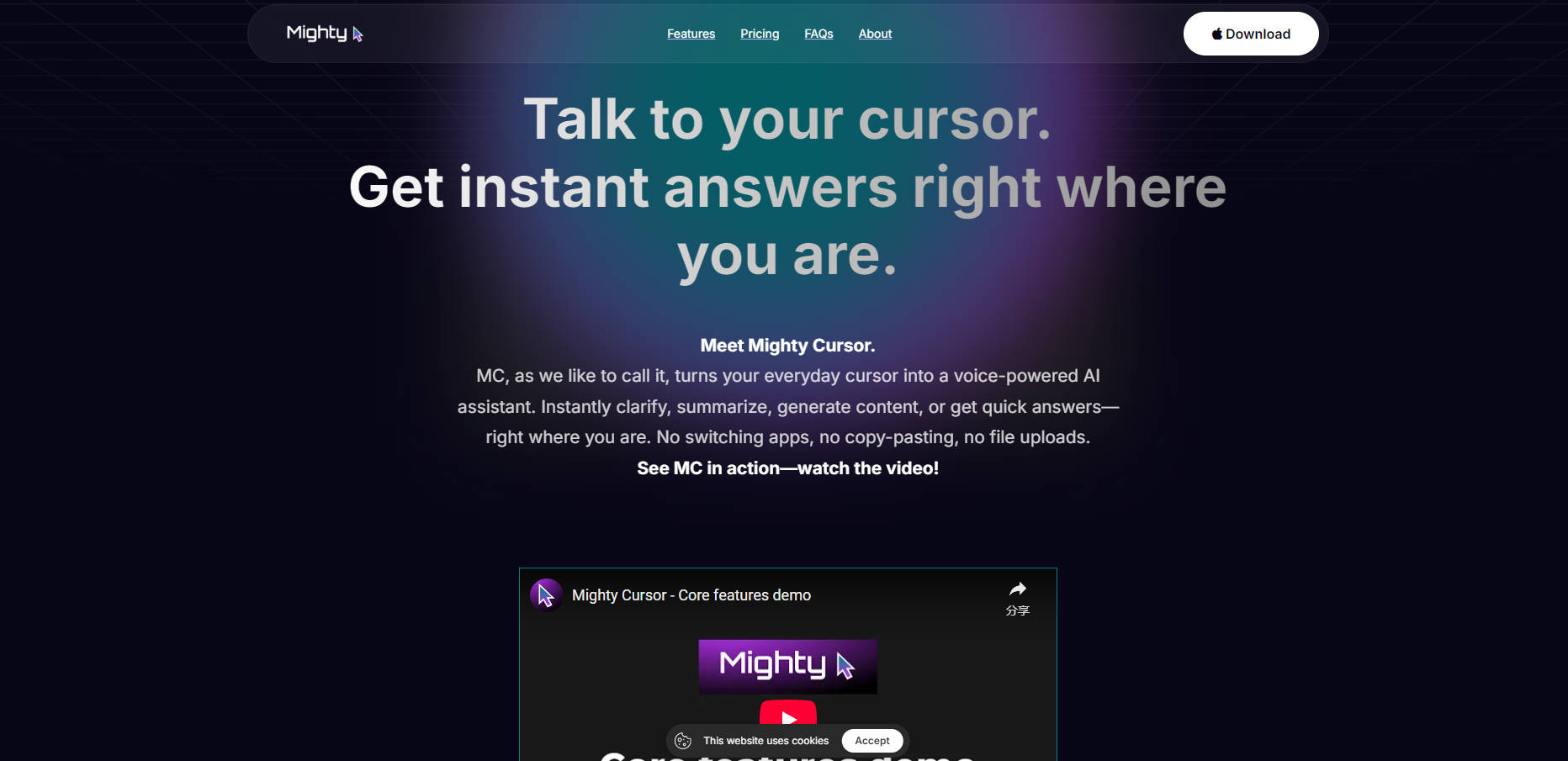
More information on Mighty Cursor
Launched
2024-09
Pricing Model
Paid
Starting Price
$10 USD/month
Global Rank
Follow
Month Visit
<5k
Tech used
Google Analytics,Google Tag Manager,Webflow,Amazon AWS CloudFront,Cloudflare CDN,Google Fonts,jQuery,Gzip,HTTP/3,OpenGraph,HSTS,YouTube
Mighty Cursor was manually vetted by our editorial team and was first featured on 2025-05-30.
Related Searches
Mighty Cursor Alternatives
Load more Alternatives-
QuestionAI: Solve problems & understand anything instantly. Your AI browser copilot for screenshots, writing, summaries & academic help.
-

-

-

Get instant AI prompts with ClipboardAI! Use keyboard shortcuts to transform text directly in any app. Boost productivity & eliminate app switching.
-