

What is Prompting Sheets?
Prompting Sheets is the AI-driven spreadsheet add-on for Google Sheets that tailors project plans and to-do lists to your specific business needs. Say goodbye to generic templates and embrace an era where your spreadsheets come alive with custom prompts, streamlining workflows and boosting productivity with ease. Whether you're a marketer, designer, planner, business professional, or educator, Prompting Sheets transforms your Google Sheets experience, offering dynamic AI solutions to conquer planning challenges.
Key Features:
AI-Powered Custom Prompts:Customizable prompts adapt to your project's context, dynamically adjusting sheets to fit your unique requirements.
Effortless Formula Insertion:Use =PROMPT() to insert AI-generated formulas with just a click, simplifying complex data analysis.
One-Click Sheet Downloads:Quickly download sheets from a searchable library, making it simple to find and use past work.
AI Chatbot for Data Queries:Get real-time answers to data queries and generate insightful reports right in your sheets.
Logical Conditions & Dynamic Placeholders:Enhance your prompts' precision and flexibility by incorporating logical conditions and placeholders tailored to your tasks.
Use Cases:
Marketing Campaign Planning:Automate the creation of campaign-specific sheets with predefined prompts, tracking audience analysis and budget allocation.
Design Project Management:Streamline the design process by customizing project trackers with specific team tasks and deadlines.
Educational Curriculum Development:Teachers can generate tailored learning plans with content prompts, ensuring curriculum sheets are adapted to student needs.
Conclusion:
Prompting Sheets is your gateway to achieving more with less effort. Experience the power of AI in your Google Sheets to streamline tasks, simplify planning, and enhance productivity. Whether managing data, gaining insights, or focusing on what truly matters, Prompting Sheets puts you in the driver's seat. Download today and transform your spreadsheets into productivity powerhouses.
FAQs:
Q: What is the Prompting Sheets AI App?
A: The Prompting Sheets AI App is a transformative tool designed to enhance Google Sheets with dynamic, context-aware prompts, simplifying workflow and boosting efficiency.Q: How do I get started with the Prompting Sheets AI App?
A: Get started by downloading the add-on, initiating a new project through the Get Started process, and answering project-specific questions to build the ideal context.Q: Can I create and save my own prompt templates?
A: Yes, you can create and save custom prompt templates enhanced with dynamic placeholders and logical conditions, ensuring they are perfectly tailored to your specific needs.
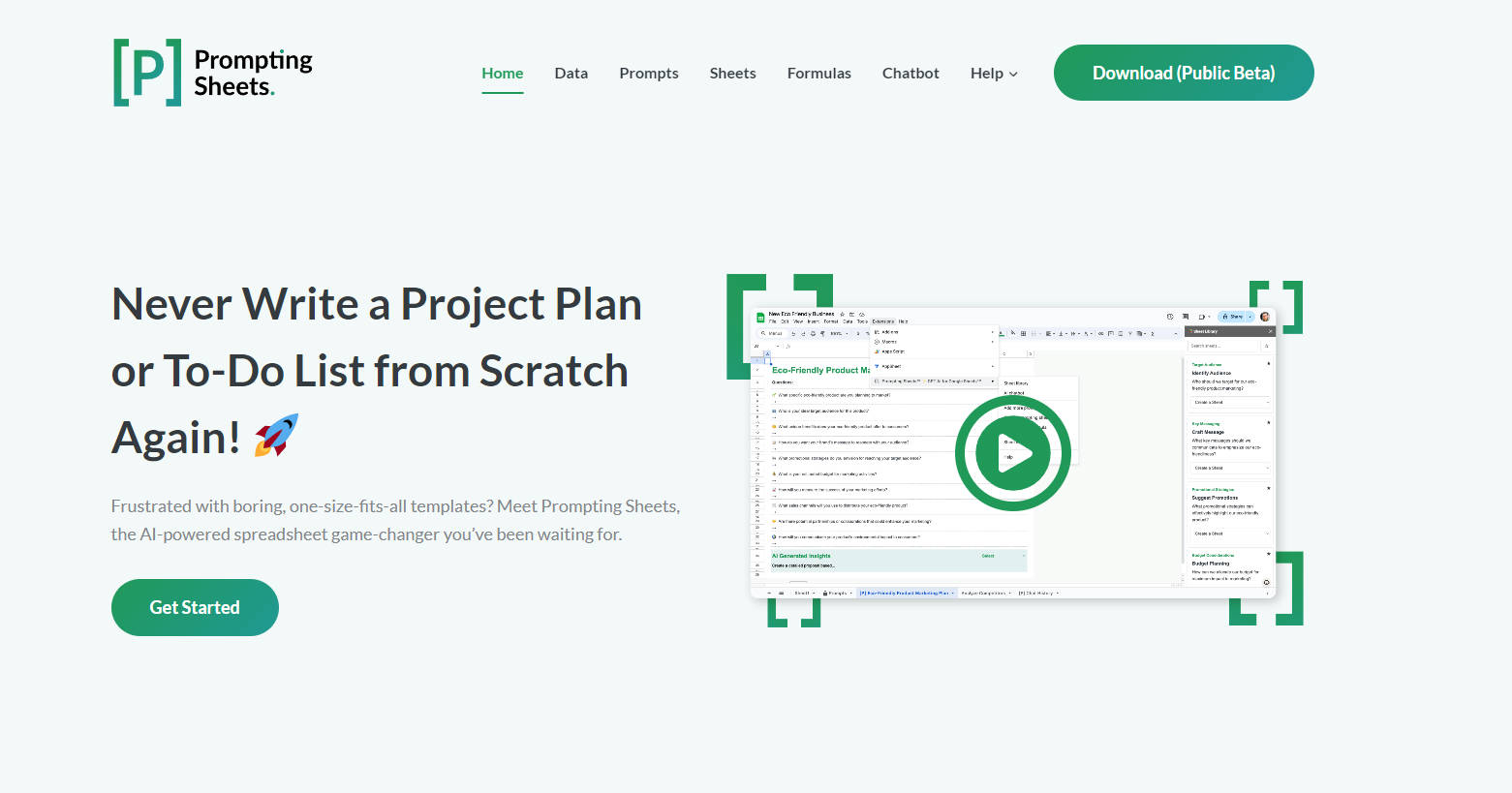
More information on Prompting Sheets
Launched
2024-05
Pricing Model
Free
Starting Price
Global Rank
18907011
Follow
Month Visit
<5k
Tech used
Google Analytics,Google Tag Manager,Cloudflare CDN,WordPress,Google Fonts,jQuery,Gzip,JSON Schema,LiteSpeed Cache,OpenGraph,RSS,Stripe
Top 5 Countries
100%
India
Traffic Sources
3.77%
1.75%
0.18%
13.91%
40.78%
38.96%
social
paidReferrals
mail
referrals
search
direct
Source: Similarweb (Sep 24, 2025)
Prompting Sheets was manually vetted by our editorial team and was first featured on 2024-08-09.
Related Searches
Prompting Sheets Alternatives
Load more Alternatives-
Save your AI prompts in one place, customise and reuse them across multiple contexts or tools.
-
Unlock the power of AI in Google Sheets with SheetAI. Clean data, generate text, predict values, and more. Boost productivity and decision-making.
-

-

Use GPT, Gemini, Claude and 50+ AI models in Google Sheets™ with no need to write formulas.
-

Use AI to save hours on repetitive tasks, like categorizing, extracting, writing text, data cleaning, and more!