

Click outside to close
What is RewriteBar?
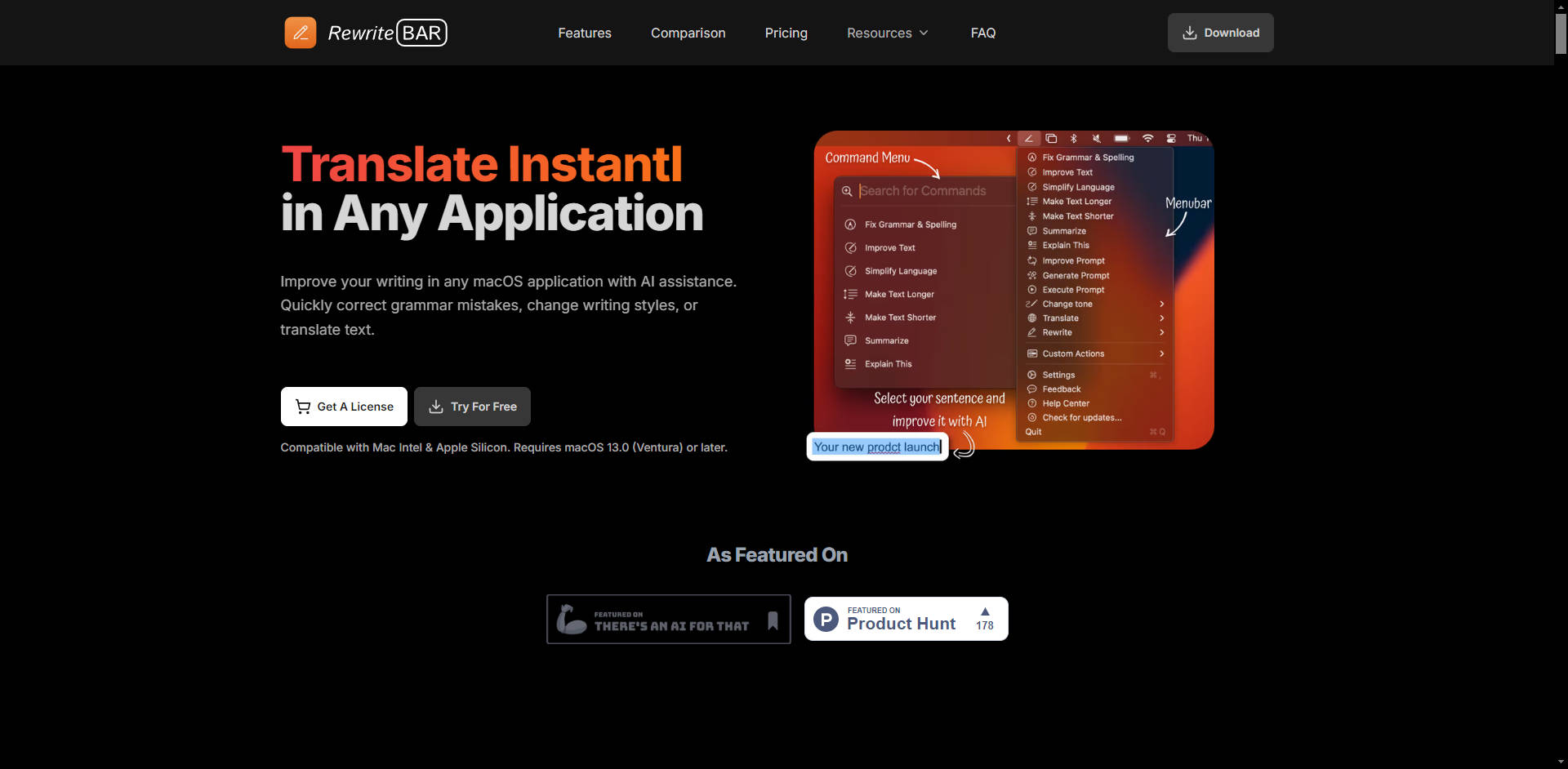
Stop the tedious cycle of copying text, switching to a browser, pasting into an AI, and then copying the result back. RewriteBar is a powerful AI assistant that lives directly in your macOS menu bar, giving you instant writing help inside any application you use. Whether you're a writer, developer, marketer, or anyone who wants to communicate more effectively, RewriteBar integrates seamlessly into your workflow, helping you write smarter, not harder.
Key Features
💡 Seamless System-Wide Integration Work without interruption. Simply select text in any app—from your email client to your code editor—and use a keyboard shortcut to access RewriteBar's full power. It instantly rewrites your text in place, eliminating context switching and keeping you focused on your task.
✍️ Comprehensive Writing Toolkit Go far beyond basic grammar checks. Instantly correct spelling, simplify complex sentences for clarity, and adjust your writing tone to be professional, casual, or persuasive. You can also summarize long documents, expand on brief ideas, or translate text into over 30 languages without ever leaving your application.
🛠️ Custom Actions and Templates Tailor RewriteBar to your exact needs. Create your own custom commands and templates to automate repetitive writing tasks. Whether you need to draft emails, format agile user stories, or generate social media posts in your unique style, you can build a workflow that saves you time and effort.
🧠 Multi-Provider AI Engine You're in complete control of the AI that powers your writing. While other tools lock you into a single model, RewriteBar supports over 12 leading AI providers, including OpenAI, Anthropic, Google, and Groq. For ultimate privacy, you can even run local models on your own machine through Ollama integration.
How RewriteBar Solves Your Problems
For Professionals & Marketers: Draft polished, error-free emails in seconds. Transform dense reports into clear, concise summaries for stakeholders. Instantly adapt your marketing copy to sound professional for a LinkedIn post or casual and punchy for X (formerly Twitter).
For Developers & Technical Writers: Improve the clarity of your documentation and comments. Use custom templates to instantly format feature requirements into perfect user story titles. Get help structuring and refining prompts to get better results from ChatGPT for complex problem-solving.
For Non-Native English Speakers: Write with confidence. Use the "Simplify Language" and "Fix Grammar & Spelling" features to ensure your communication is clear, natural, and professional. Instantly translate text to and from your native language to double-check meaning and nuance.
Unique Advantages
RewriteBar is designed from the ground up to be more integrated, flexible, and respectful of your privacy than typical AI writing tools.
Truly Universal, Not Just in a Browser: Unlike browser extensions or dedicated apps, RewriteBar works system-wide. From Notion and VS Code to Slack and Microsoft Word, your AI assistant is always just a shortcut away, embedded directly in your native macOS environment.
Unmatched AI Flexibility and Privacy: While most tools lock you into their proprietary AI model, RewriteBar lets you choose from 12+ providers and over 350 models. This allows you to leverage the latest technology (like GPT-4o or Claude 3.5 Sonnet), control costs with your own API key, or run AI locally with Ollama for complete privacy.
No Forced Subscriptions: Forget being locked into recurring monthly fees. RewriteBar offers a one-time purchase option that lets you use your own API key forever. It’s a straightforward, transparent model that puts you in control of your spending.
Conclusion
RewriteBar streamlines your entire writing process by bringing powerful, customizable AI assistance directly into every app you use on your Mac. It’s built to eliminate distractions, enhance the quality of your writing, and give you back valuable time. By working where you work, RewriteBar helps you communicate with greater clarity and efficiency.
Ready to boost your productivity? Start your free trial today and experience a smarter way to write on your Mac!
Frequently Asked Questions
1. How does RewriteBar work? RewriteBar uses the native macOS accessibility and clipboard functions. When you trigger it with a keyboard shortcut, it captures your selected text, sends it to your chosen AI provider (either our cloud service or your own API), and then automatically pastes the improved text back in its place.
2. Is my data safe and private? Yes. Your privacy is a priority. How your data is handled depends on your setup:
RewriteBar Subscription: Your text is sent to our server, which securely forwards it to a language model. We do not store your text or API key.
Your Own API Key (One-Time Purchase): Your request is sent directly from your Mac to the AI provider (e.g., OpenAI, Anthropic). RewriteBar's servers never see or process your text.
Local AI (Ollama): All processing happens entirely on your own machine, ensuring complete privacy.
3. What is the difference between the subscription and the one-time license? The Subscription Plan is an all-in-one solution that includes access to our AI Cloud service, so you don't need to manage your own API key. The One-Time License is for users who prefer to use their own API key from providers like OpenAI. With this option, you pay a single price for the app and then pay the AI provider directly for your usage (pay-as-you-go).
More information on RewriteBar
Top 5 Countries
44.77%
42.87%
10.69%
United Kingdom (44.77%)
United States (42.87%)
Italy (10.69%)
India (1.67%)
Traffic Sources
4.37%
34.95%
58.96%
social (1.22%)
paidReferrals (0.35%)
mail (0.04%)
referrals (4.37%)
search (34.95%)
direct (58.96%)
Source: Similarweb (Sep 24, 2025)
RewriteBar was manually vetted by our editorial team and was first featured on 2024-05-23.
RewriteBar Alternatives
RewriteBar Alternatives-

Kerlig: Native AI writing for macOS. Write, refine, & chat with documents directly in any app. Personalize AI & access 350+ models for ultimate control.
-

Instantly rewrite text in any Mac app with Rewrait. Polish emails, docs, and chat with AI, right where you write. Stay focused.
-

Rephrase is the macOS AI text engine that instantly polishes your writing in any app. Perfect grammar, tone, and formatting without context-switching. Pay once, own forever.
-

Get instant AI prompts with ClipboardAI! Use keyboard shortcuts to transform text directly in any app. Boost productivity & eliminate app switching.
-

Jetwriter AI: Your personalized, context-aware AI writing assistant. Boost productivity across platforms with multi-model intelligence & your unique voice.