
What is Typeform?
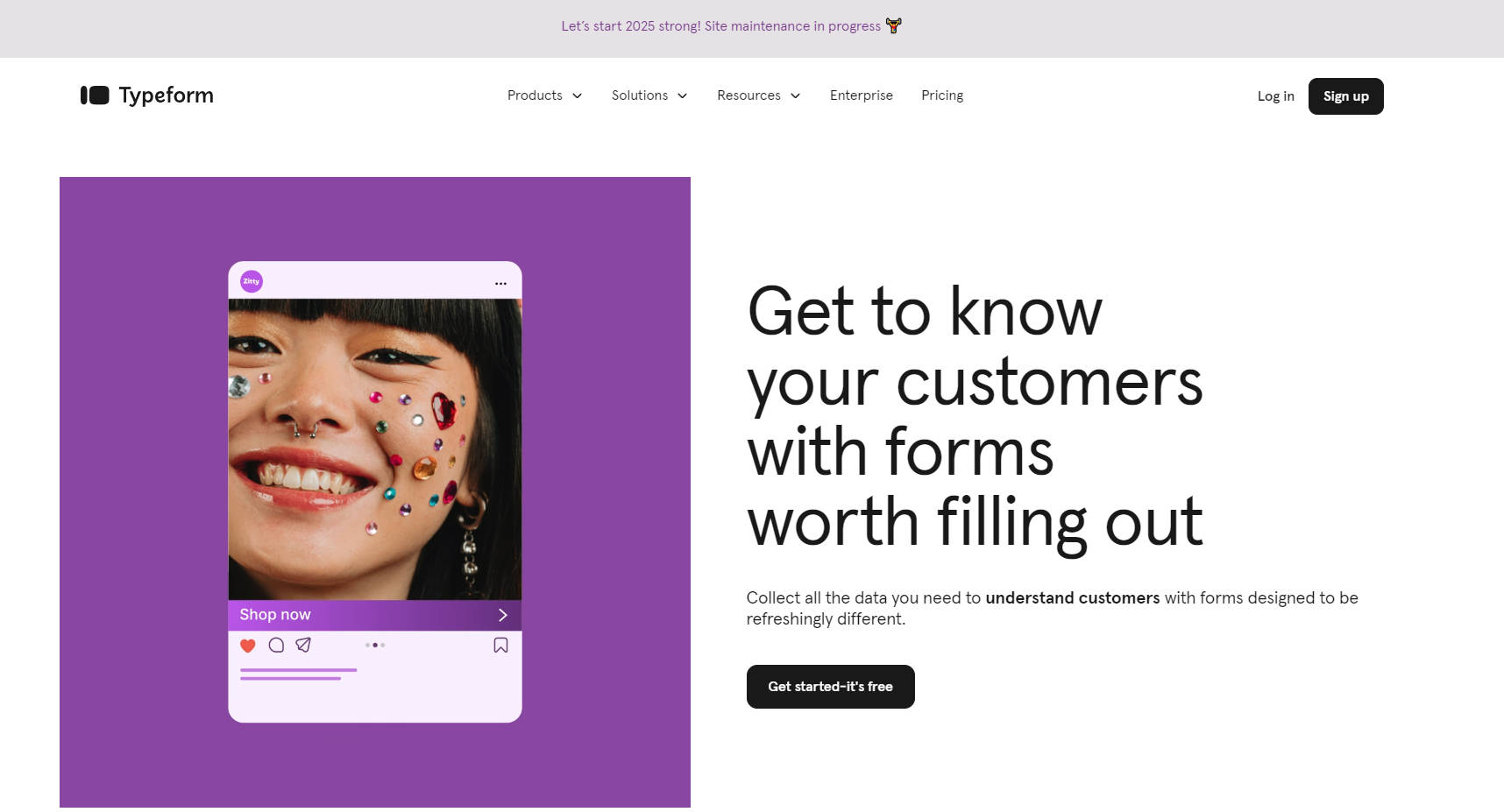
Typeform is a people-friendly platform for creating visually appealing, interactive forms, surveys, and quizzes. Designed to feel like a conversation, it helps businesses collect more responses and deeper insights without requiring any coding. With customizable templates, seamless integrations, and AI-powered analytics, Typeform makes data collection engaging and effective. Whether you're gathering feedback, generating leads, or running quizzes, Typeform ensures your forms are worth filling out.
Key Features:
🎨 Conversational Design
Typeform presents one question at a time, creating a natural, engaging flow that feels like a chat. This approach boosts completion rates and keeps respondents interested.🖌️ Custom Branding
Customize forms with your brand’s colors, logos, and fonts. Add images, videos, or GIFs to make your forms visually appealing and aligned with your identity.🧠 Logic Jumps
Create dynamic forms that adapt based on user responses. Skip irrelevant questions or tailor follow-ups to gather more meaningful insights.🔗 Seamless Integrations
Connect Typeform with 300+ tools like HubSpot, Google Analytics, and Slack to streamline data collection and automate workflows.📊 AI-Powered Analytics
Gain actionable insights with built-in analytics. Understand customer behavior, preferences, and decision-making patterns to guide your strategy.
Use Cases:
Lead Generation
Use Typeform to create interactive lead capture forms that feel personal and engaging. Collect contact details, preferences, and interests to nurture potential customers effectively.Customer Feedback
Gather detailed feedback on products, services, or experiences. Use logic jumps to ask follow-up questions based on initial responses, uncovering deeper insights.Event Registration
Simplify event sign-ups with visually appealing forms. Collect attendee information, dietary preferences, or session choices while keeping the process quick and enjoyable.
Conclusion:
Typeform transforms the way businesses collect data by making forms and surveys interactive, visually stunning, and easy to use. Its conversational design, customization options, and powerful integrations ensure higher response rates and richer insights. Whether you're a small business or a large enterprise, Typeform helps you connect with your audience in a meaningful way. Start creating forms worth filling out today—sign up for free and see the difference.
More information on Typeform
Launched
2002-06
Pricing Model
Free Trial
Starting Price
Global Rank
1604
Follow
Month Visit
35.5M
Tech used
Google Analytics,Google Tag Manager,Profitwell,Amazon AWS CloudFront,CookieLaw,OneTrust,Express,Next.js,Gzip,HTTP/3,JSON Schema,OpenGraph,Progressive Web App,Webpack,HSTS
Top 5 Countries
30.74%
8.45%
5.42%
5.29%
3.88%
United States
United Kingdom
France
Brazil
Germany
Traffic Sources
2.46%
0.92%
0.14%
21.85%
12.48%
62.14%
social
paidReferrals
mail
referrals
search
direct
Source: Similarweb (Sep 24, 2025)
Typeform was manually vetted by our editorial team and was first featured on 2023-10-14.
Related Searches
Typeform Alternatives
Load more Alternatives-

-
Create stunning forms and surveys with Formsly. Mobile-first and fully responsive software with intuitive editing, analytics, and customization options.
-

-
-