

Click outside to close
What is Dolphin?
Dealing with document images can be complex. They contain a mix of elements – text, figures, tables, formulas – often intertwined in challenging layouts. Extracting this information in a structured and usable format is a significant hurdle for many applications.
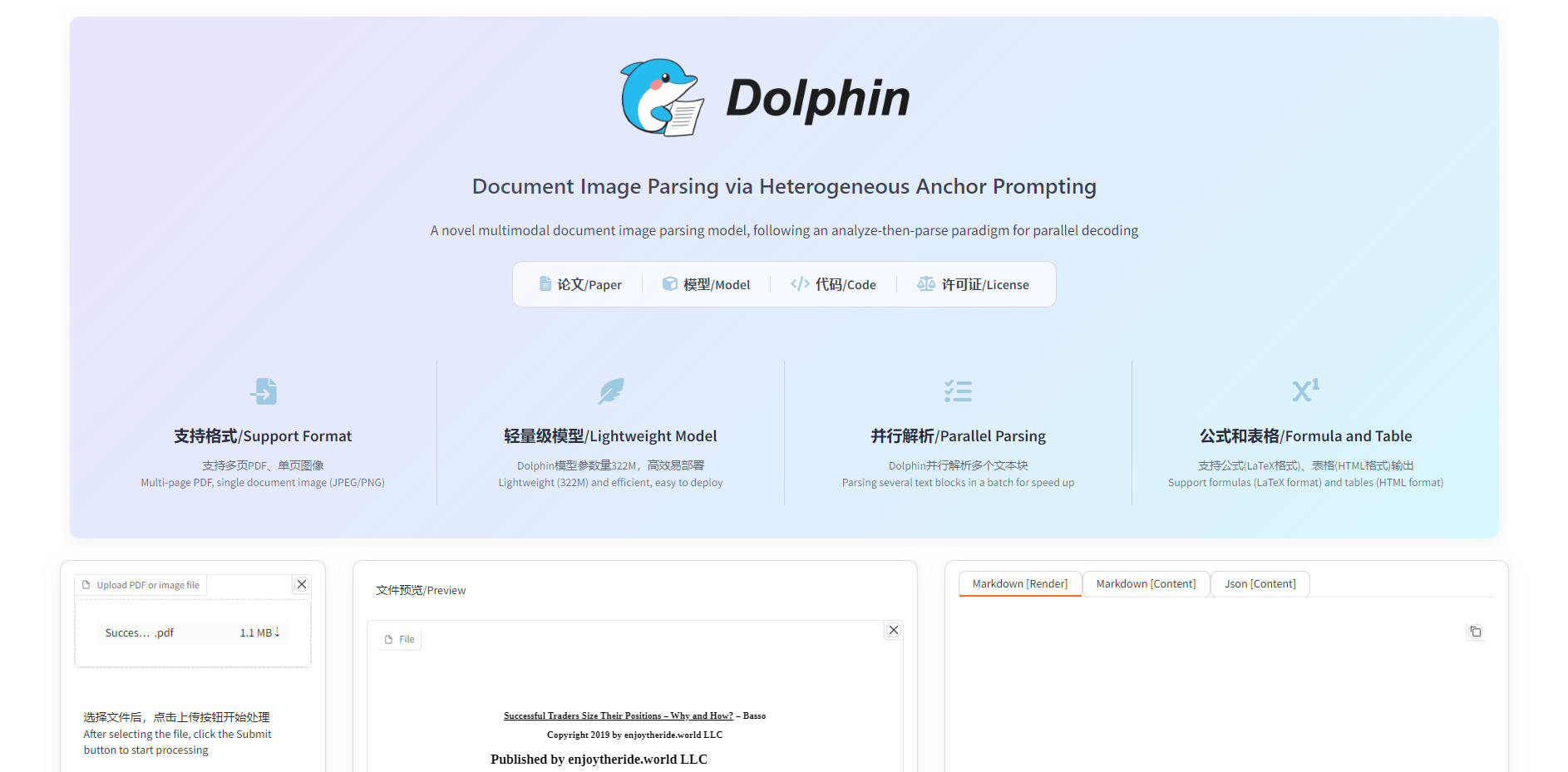
Dolphin offers a robust solution to this challenge. It's a multimodal document image parsing model designed to analyze documents comprehensively and extract their content accurately and efficiently. By breaking down the parsing process into logical steps, Dolphin helps you transform unstructured document images into structured data, ready for further processing or analysis.
Key Capabilities
Analyze Document Layout: Dolphin first understands the overall page structure, identifying different elements like paragraphs, tables, and figures and arranging them in a natural reading order. This foundational step ensures the subsequent extraction makes logical sense.
Parse Diverse Elements: It then processes individual document components, whether they are complex tables, intricate mathematical formulas, or standard text blocks. Dolphin uses tailored methods to handle the unique characteristics of each element type effectively.
Process in Parallel: The model is designed for efficiency. It leverages parallel processing techniques during the parsing stage, allowing it to handle multiple elements simultaneously and significantly speed up the extraction workflow.
Integrate with Hugging Face: For developers familiar with the ecosystem, Dolphin provides compatibility with the Hugging Face Transformers library, simplifying model loading and inference within existing workflows.
Output Structured Data: Dolphin delivers parsed information in structured formats like JSON and Markdown, making it straightforward to integrate the extracted data into databases, analytical tools, or other downstream applications.
Practical Applications
Automate Data Extraction from Scans: Imagine needing to process thousands of scanned invoices or reports. You can use Dolphin to automatically analyze the document images, identify key information like vendor details, line items from tables, and total amounts, and output this data into a structured format for database entry or automated accounting systems.
Digitize and Structure Historical Archives: For organizations with large collections of historical documents, technical manuals, or research papers stored as images, Dolphin can parse these documents to extract text, figures, and formulas. This allows you to create searchable digital archives, build knowledge graphs, or perform large-scale text and data mining on previously inaccessible content.
Enhance Document Search and Analysis Tools: If you are building a search engine or analysis tool for document images, Dolphin can provide the underlying structured representation. By parsing the image into logical elements and natural reading order, you enable more sophisticated search queries (e.g., find documents containing a specific table structure or formula) and deeper content analysis.
Dolphin provides a structured and efficient approach to tackling the complexities of document image parsing. Its two-stage methodology, combined with parallel processing and support for diverse document elements, offers a robust foundation for transforming visual document data into actionable structured information. Whether you're automating data entry, digitizing archives, or building document analysis platforms, Dolphin provides the capabilities to streamline your workflow.
Frequently Asked Questions
What types of documents can Dolphin process? Dolphin is designed to handle a variety of document images containing text, paragraphs, figures, formulas, and tables with complex layouts.
What are the output formats? Dolphin can output the parsed document structure and content in JSON and Markdown formats.
How does Dolphin achieve efficiency? Dolphin uses a lightweight architecture and employs a parallel parsing mechanism during the element-level processing stage, which allows it to process multiple elements concurrently.
Is integration difficult? Dolphin offers support for the Hugging Face Transformers library, which simplifies integration into existing machine learning and document processing pipelines.
Can I process individual elements? Yes, Dolphin supports both page-level parsing (processing the entire document image) and element-level parsing (processing specific images containing only a table, formula, or text block).
More information on Dolphin
Launched
Pricing Model
Free
Starting Price
Global Rank
Follow
Month Visit
<5k
Dolphin was manually vetted by our editorial team and was first featured on 2025-05-24.
Dolphin Alternatives
Dolphin Alternatives-

PaddleOCR converts complex documents & images into structured, AI-ready data. Power LLMs & RAG with SOTA multilingual OCR (109 langs) & high accuracy.
-

dots.ocr: Unified AI for accurate, fast, multilingual document parsing. Extract structured data from complex files, tables, & formulas with a single model.
-

DeepPDF: AI-powered PDF assistant. Chat, summarize, translate, & understand complex PDFs. Boost productivity & research! Try it now!
-
DocStrange: Open-source Python library. Transform any document into AI-ready, structured data for LLMs & RAG with privacy & accuracy.
-

MegaParse is a powerful and versatile parser that can handle various types of documents with ease. Whether you're dealing with text, PDFs, Powerpoint presentations, Word documents MegaParse has got you covered. Focus on having no information loss during parsing.