

Click outside to close
What is Kosmik 3?
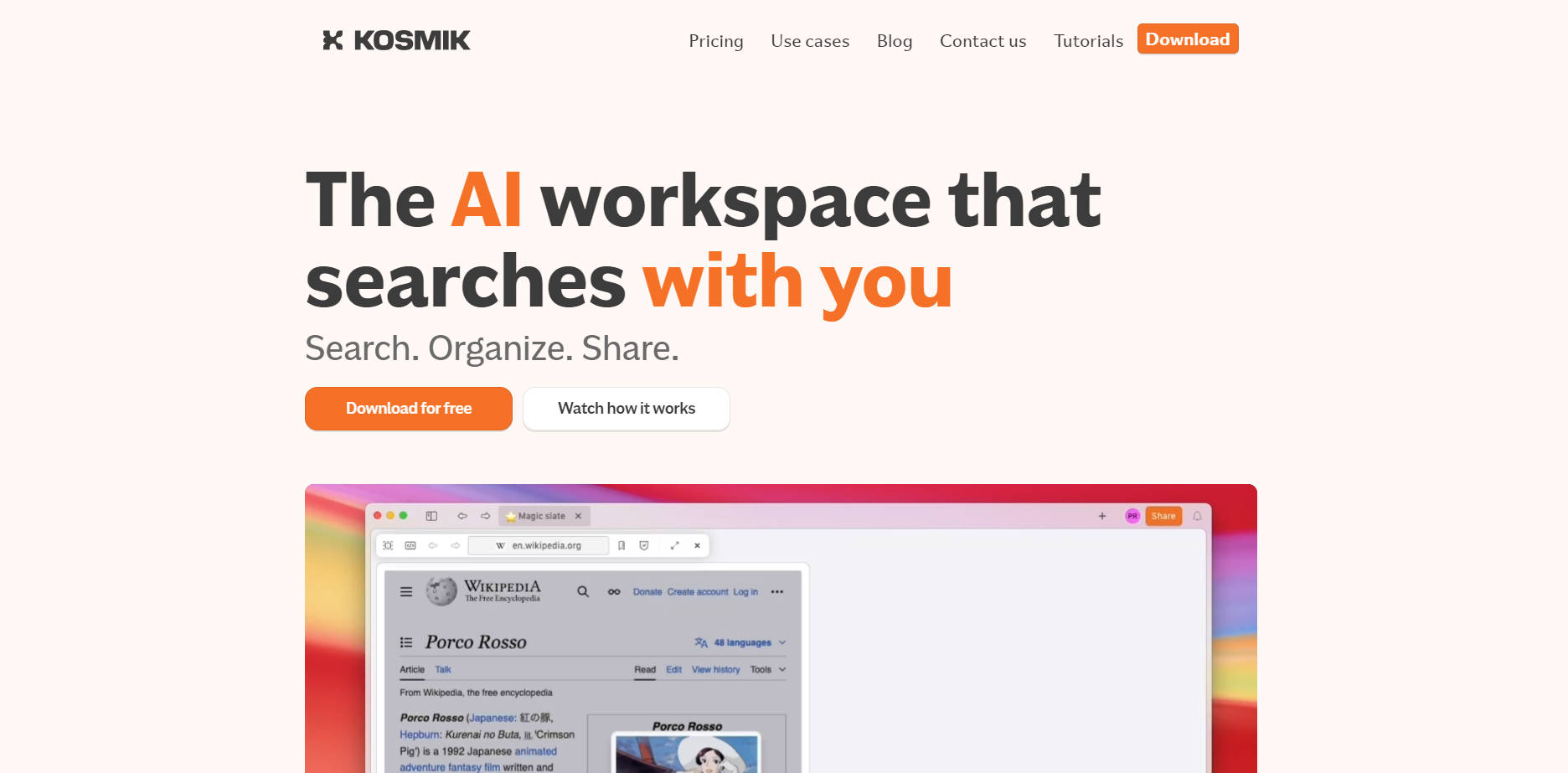
Feeling like your great ideas are scattered across countless tabs, folders, and apps? Kosmik 3 is an AI-powered workspace designed to help you not just collect inspiration, but actively discover what sparks your next brilliant concept. It moves beyond simple storage, transforming your visual research into a dynamic, interconnected journey. If you're a designer, researcher, or part of a creative team, you'll find Kosmik 3 helps streamline how you gather, organize, and build upon your inspirations.
Key Features to Fuel Your Creativity
Kosmik 3 is packed with features thoughtfully designed to enhance your creative workflow:
🧠 Discover Related Images with AI: Select an image on your canvas, and Kosmik intelligently scouts the web for visually similar pictures. These suggestions appear directly in your workspace, letting you expand your visual library without interrupting your flow.
🌐 Let AI Browse the Web for You: Input a piece of text, and Kosmik proactively pulls in related links and content from across the web, bringing relevant information right to your canvas.
📥 Drag-and-Drop Simplicity: Effortlessly add files from your desktop or save content directly from the web into your infinite canvas. Kosmik welcomes images, videos, PDFs, links, and more.
🏷️ Auto-Organize Your Assets: With AI-powered tagging, Kosmik helps categorize your saved items. This means less time spent manually organizing and more time focusing on your project.
🗣️ Natural Language Search: Find exactly what you're looking for by simply describing it. Kosmik's search understands natural language, making it easy to locate any asset you've ever saved, even if you don't remember the exact file name.
🌍 Browse Directly in Kosmik: Explore and collect inspiration using the built-in browser. No more switching between countless tabs; when you find something compelling, drag it straight onto your canvas.
🔗 Always Find Your Way Back: Every item saved in Kosmik retains its source link, so you can easily revisit the original webpage or document for deeper context.
🤝 Share and Work Together: Collaborate in real-time with colleagues, clients, or friends. Create shared workspaces for projects, gather feedback, and even publish your boards to the web instantly.
🎬 View Media On-Canvas: Kosmik includes a built-in PDF reader and an on-canvas video player. Review references and watch videos without needing to open separate applications, keeping your focus intact.
✨ AI Content Assistance: Click the Magic Wand icon on text, PDFs, or images, and Kosmik can describe, explain, summarize, or rewrite content in a click. No complex prompting needed.
✍️ Brainstorm, Whiteboard, Annotate: Add sticky notes, arrows, shapes, and freeform drawings directly onto your canvas to connect ideas, add comments, or brainstorm visually with your team.
How Creatives Are Using Kosmik 3
Let's look at how Kosmik 3 fits into real-world creative workflows:
For Designers: Building Evolving Moodboards Imagine you're starting a new branding project. You drop in a single reference image that captures the initial vibe. Kosmik 3 then automatically surfaces a dozen visually similar images from the web, instantly broadening your palette. As you add more elements – color swatches, type snippets, competitor logos – your Kosmik canvas becomes a living moodboard, with AI helping to connect disparate pieces and suggest new directions. You can quickly filter through everything using natural language, like "show me all blue textured images."
For Researchers: Connecting the Dots in Complex Information You're researching a new technology. You drag several academic papers (PDFs), a few explainer videos, and a handful of relevant articles into your Kosmik workspace. Kosmik can summarize the key points of a lengthy PDF with a click. As you watch a video, you can drag out specific frames or transcribed text. The AI might then suggest related articles or research you hadn't yet discovered, helping you build a comprehensive understanding and visually map connections between different sources on your canvas.
For Creative Teams: Achieving Visual Alignment Your team is brainstorming a new marketing campaign. Instead of ideas getting lost in email threads or Slack channels, everyone contributes to a shared Kosmik canvas. One person adds a competitor's ad, another drops in a link to an inspiring art installation, and a third uploads a draft of a tagline. Team members can annotate directly on these assets, add sticky notes with feedback, and see how all the pieces visually relate. The canvas becomes a central hub for inspiration and direction, ensuring everyone is on the same page before moving to production tools like Figma.
More Than Just Storage – It's a Spark
Kosmik 3 is designed around the idea that inspiration isn't static; it's the starting point for what comes next. It’s for those moments when you’re gathering, curating, and trying to see the bigger picture before you dive into detailed execution. If you're looking for a smarter, more intuitive way to manage your visual research and let your ideas grow, Kosmik 3 offers a space where your inspiration can truly flourish.
More information on Kosmik 3
Top 5 Countries
47%
14.76%
6.12%
5.52%
5.25%
United States (47%)
India (14.76%)
Indonesia (6.12%)
Vietnam (5.52%)
France (5.25%)
Traffic Sources
9.59%
8.96%
40.14%
40.31%
social (9.59%)
paidReferrals (0.87%)
mail (0.09%)
referrals (8.96%)
search (40.14%)
direct (40.31%)
Source: Similarweb (Sep 25, 2025)
Kosmik 3 was manually vetted by our editorial team and was first featured on 2025-05-07.
Kosmik 3 Alternatives
Kosmik 3 Alternatives-

Stop searching, start creating. Kortex is your AI second brain for organized creativity. Unify notes, research, and writing with smart AI assistance.
-

Cosmos: AI search for creative pros. Instantly find any video, image, audio, or document by content. Private & lightning-fast local search.
-

scraps: The AI sketchbook for creative thinkers. Capture messy thoughts & use intelligent tools to connect and develop your raw inspiration.
-

ALTAR is an AI-powered workspace that organizes everything you save—notes, images, links—into a smart knowledge base. It learns what matters to you and helps you create, analyze, and find insights in seconds, helping you turn ideas into action without friction
-
Creately: The AI visual platform connecting diagrams, data & workflows. Go from idea to execution with seamless team planning & collaboration.