

Click outside to close
What is Local.ai?
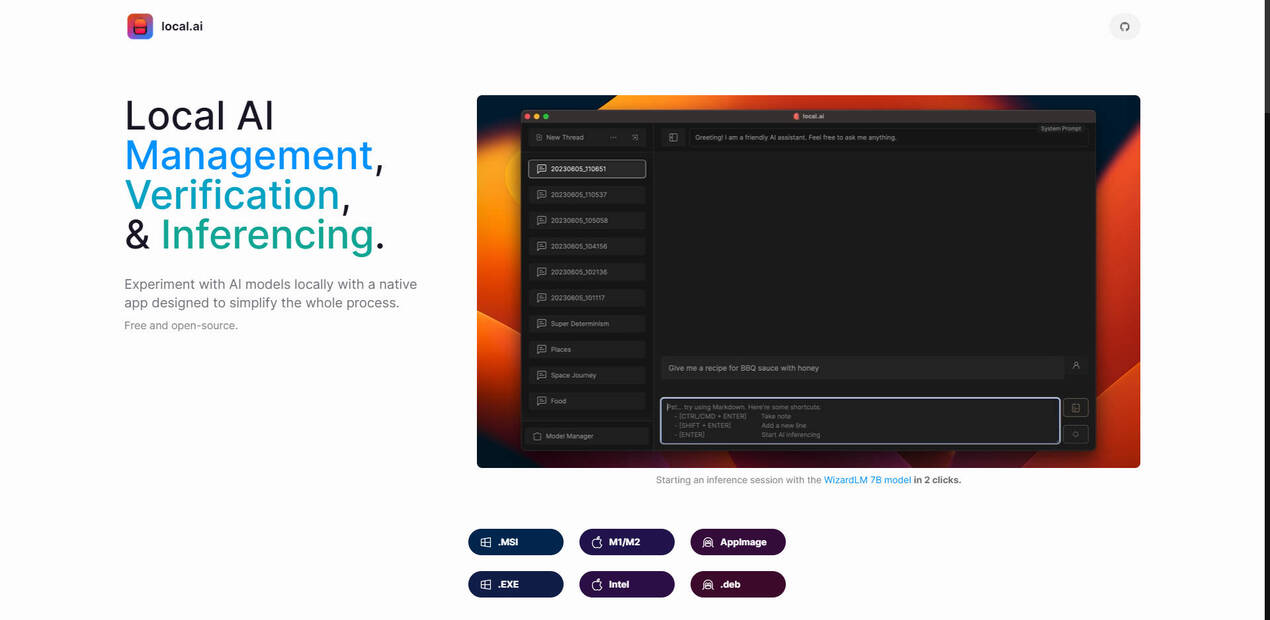
Ever wanted to dive into the world of AI models without getting tangled in complex setups or needing expensive hardware? Now you can. This native app lets you experiment with AI locally on your computer, even without a dedicated GPU. It's designed to make AI accessible to everyone, whether you're a seasoned developer or just AI-curious. Enjoy the freedom of running models offline, keeping your data private and your experimentation hassle-free. Plus, it's completely free and open-source, so you can join a community of innovators without spending a dime.
Key Features
⚡ Simplify AI Experimentation:Launch AI models with just a few clicks – no more wrestling with complicated configurations. It's like having your own personal AI assistant who handles all the technical heavy lifting so you can focus on the exploration.
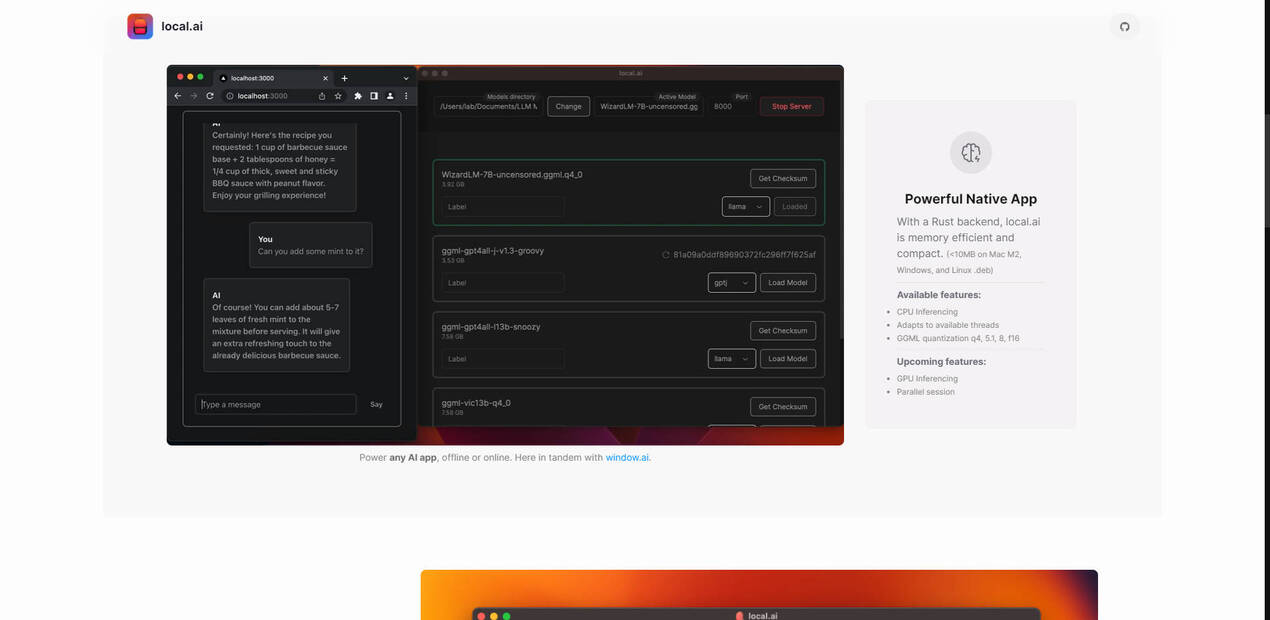
🖥️ Run AI on Your CPU:You don't need a high-end graphics card to get started. This app optimizes AI models to run smoothly on your existing CPU, making AI accessible on a wider range of devices. It's like squeezing out the maximum performance from your current machine.
📴 Work Offline, Keep Data Private:Experiment with AI models without an internet connection. Your data stays on your device, ensuring privacy and security. It is like having an AI lab that is always open and never shares your secrets.
🎛️ Customize Your Experience:Fine-tune model parameters such as threads and quantization to match your specific needs and hardware capabilities. This allows you to balance performance and accuracy, tailoring the experience to your workflow. This is comparable to having full control of your AI model performance.
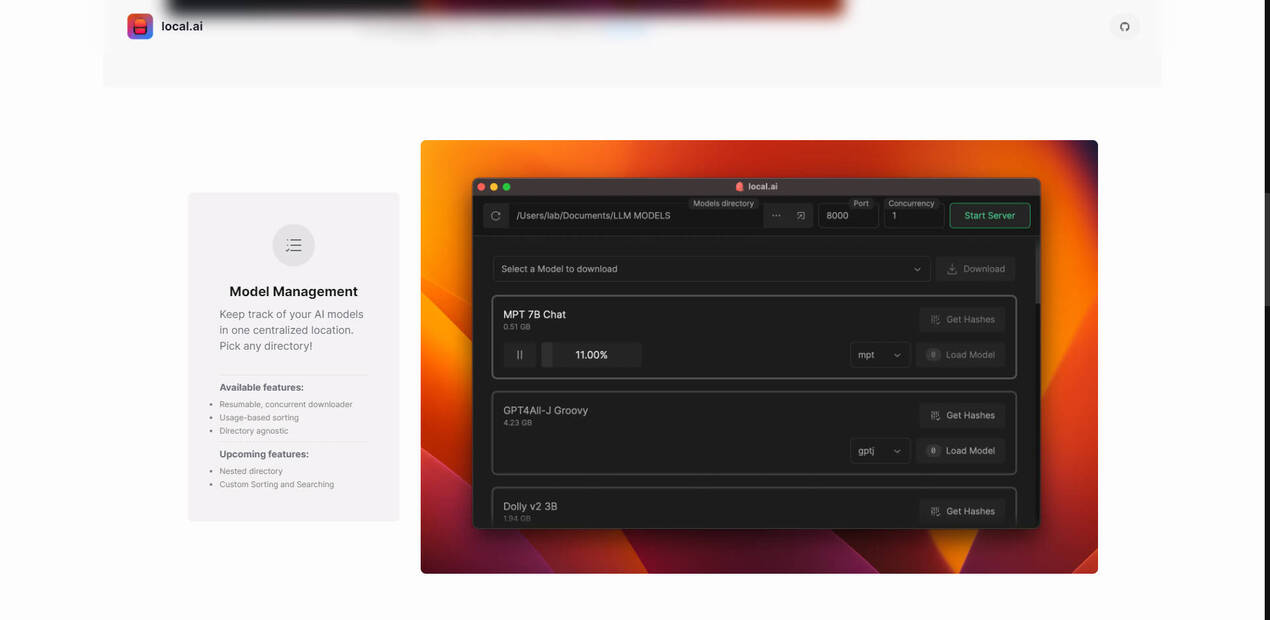
📂 Organize Your Models:Keep all your AI models in one place. The app lets you choose any directory, making it easy to manage your growing collection. It's like having a well-organized library for all your AI tools.
✅ Verify Model Integrity:Ensure the AI models you download are safe and haven't been tampered with. The app checks model integrity using robust BLAKE3 and SHA256 digests, giving you peace of mind. It's like having a security expert double-check your AI models before you use them.
⚡ Start a local inferencing server:load your model, then start the server. That's it!
⚡ Access an intuitive UI:Run quick tests and inference tasks with a user-friendly interface, streamlining your workflow.
Use Cases
AI Enthusiasts:You're curious about AI and want to try different models without a steep learning curve or hefty investment in hardware. Download the app, pick a model, and start experimenting – it's that easy. This could be the gateway to your AI journey.
Developers:You need a quick and convenient way to test AI models locally during development. This app lets you spin up an AI model in minutes, iterate faster, and seamlessly integrate AI into your projects without relying on cloud services.
Researchers:You're working with sensitive data and need a secure way to experiment with AI models offline. This app keeps your research confidential and allows you to fine-tune models to your exact specifications.
Conclusion
This app breaks down the barriers to AI experimentation. It's the perfect tool for anyone who wants to explore the power of AI models without the usual complexities. With its user-friendly interface, CPU-based inferencing, offline capabilities, and robust model management features, it puts the power of AI in your hands, making it easier than ever to learn, develop, and innovate. Why wait? Experience the future of AI today.
FAQ
Q: What operating systems are supported?
A: The app is available for a wide range of operating systems, including M1/M2 Macs, Intel-based machines, and various Linux distributions (AppImage, .deb). For Windows users, there are .MSI and .EXE options. This broad compatibility ensures you can use the app regardless of your preferred platform.
Q: What is GGML quantization, and how does it help me?
A: GGML quantization is a technique that reduces the size of AI models, making them run faster and use less memory. Options like q4, 5.1, 8, and f16 allow you to choose the right balance between model size and accuracy based on your needs and system resources.
More information on Local.ai
Top 5 Countries
53.62%
19.92%
10.11%
6.51%
4.85%
United States (53.62%)
India (19.92%)
Poland (10.11%)
Germany (6.51%)
Canada (4.85%)
Traffic Sources
7.35%
12.47%
35.17%
42.66%
social (7.35%)
paidReferrals (1.48%)
mail (0.18%)
referrals (12.47%)
search (35.17%)
direct (42.66%)
Source: Similarweb (Jan 3, 2026)
Local.ai was manually vetted by our editorial team and was first featured on 2023-06-06.
Local.ai Alternatives
Local.ai Alternatives-

Bodhi App lets you run large language models on your machine. Enjoy privacy, an easy - to - use chat UI, simple model management, OpenAI API compatibility, and high - performance. Free, open - source, and perfect for devs, AI fans, and privacy - conscious users. Download now!
-

CogniSelect SDK: Build AI apps that run LLMs privately in the browser. Get zero-cost runtime, total data privacy & instant scalability.
-

KoboldAI: Your private AI workshop. Run powerful LLMs locally for secure, offline text generation, creative writing, and immersive role-playing.
-

LocalAI: Run your AI stack locally & privately. A self-hosted, open-source OpenAI API replacement for full control & data security.
-

LM Studio is an easy to use desktop app for experimenting with local and open-source Large Language Models (LLMs). The LM Studio cross platform desktop app allows you to download and run any ggml-compatible model from Hugging Face, and provides a simple yet powerful model configuration and inferencing UI. The app leverages your GPU when possible.