

Click outside to close
What is Missive?
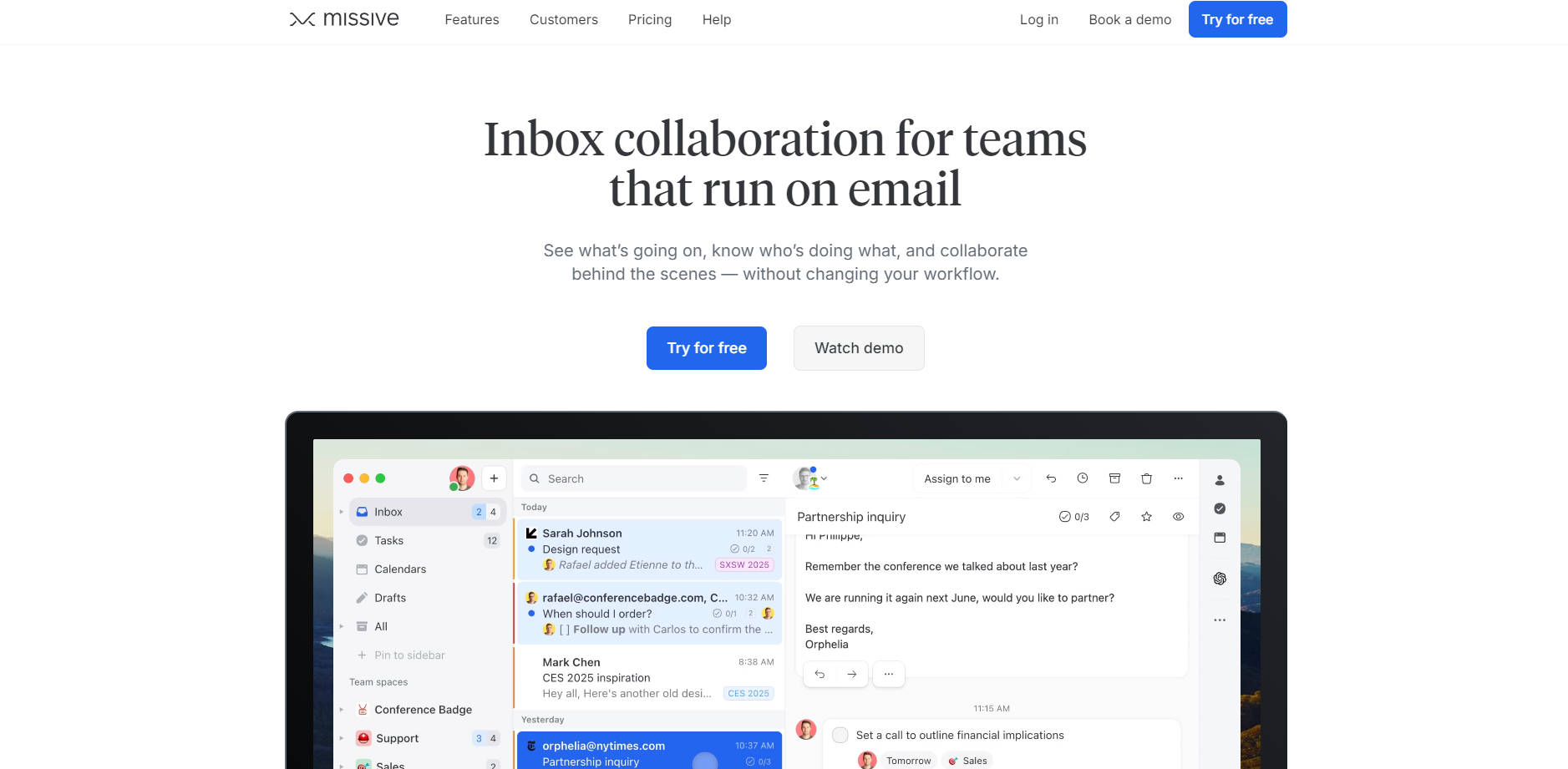
Do you and your team rely heavily on email, but struggle with managing shared inboxes, knowing who's handling what, or collaborating on messages efficiently? Missive is designed precisely for you. It transforms your team's email experience into a unified, collaborative workspace, allowing you to see what's going on, coordinate efforts, and work together behind the scenes—all without forcing you to abandon your existing email workflow. Get a clear view of your team's communication and tasks, streamline processes, and make email an enjoyable, productive part of your day.
Key Features
✨ Team Inboxes: Manage shared email addresses (like support@ or sales@) collectively. Multiple team members can work from the same inbox, ensuring every message is seen and handled without stepping on each other’s toes. It provides shared visibility and accountability for incoming volume.
➡️ Assign & Watch: Assign specific conversations to a team or individual team member to clarify ownership. Maintain visibility over assigned tasks, and easily jump in to assist if needed, keeping everyone informed on progress.
💬 Internal Threads & Collaborative Drafting: Discuss specific emails directly within the email thread itself, eliminating the need for separate chat apps or forwards. Draft responses together in real-time, share context, and ensure the right message is sent.
✅ Integrated Task Management: Turn any email into a task. See what your colleagues are working on directly within your inbox, manage assignments, due dates, and track status without switching applications. This brings your communication and action items together.
📥 Unified Inbox for All Channels: Bring conversations from email accounts (Gmail, Outlook, etc.), SMS, WhatsApp, Instagram, Messenger, and Live Chat into a single, organized inbox. Manage all your external communications from one place for a complete view of customer interactions.
🤖 Workflow Automations (Rules): Automate repetitive tasks with custom rules. Set up actions like auto-forwarding receipts, sending automated replies for out-of-office periods, or even automatically following up with prospects who haven't replied. Save time and ensure consistency.
Use Cases
Streamline Customer Support: Manage your support@ inbox as a team. Instantly see new tickets, assign them to available agents, discuss complex issues internally within the email thread, and track resolution status—all within Missive, leading to faster, more coordinated customer responses.
Coordinate Sales & Client Communication: Share prospect emails, collaborate on outreach strategies, assign follow-up tasks to sales reps, and ensure the entire team has context on client interactions, improving deal management and client relationships.
Manage Project Communications: Create a team space for a specific project. Bring all relevant emails, tasks, and internal discussions related to that project into one place. Use internal threads to clarify details or get quick feedback on emails before sending, keeping project communication organized and efficient.
Why Choose Missive?
Missive stands out by focusing on enhancing your existing email workflow rather than replacing it. It seamlessly layers powerful collaboration, task management, and automation features directly onto your inboxes, unifying communication channels and teams in a familiar environment. This reduces context switching and helps teams coordinate effectively where they spend most of their day: in their inbox.
Conclusion
Missive empowers teams to manage communication and tasks effectively within a unified, collaborative inbox. By bringing together email, messaging, and internal discussion, it provides clarity, improves coordination, and boosts productivity. If your team runs on email, discover how Missive can make your workflow smoother and more collaborative.
More information on Missive
Top 5 Countries
39.7%
15.34%
7.25%
3.7%
United States (39.7%)
India (15.34%)
United Kingdom (7.25%)
France (3.7%)
Australia (2.75%)
Traffic Sources
60%
32.18%
6.03%
mail (0.06%)
direct (60%)
search (32.18%)
social (1.17%)
referrals (6.03%)
paidReferrals (0.56%)
Source: Similarweb (Jan 3, 2026)
Missive was manually vetted by our editorial team and was first featured on 2023-03-07.
Missive Alternatives
Missive Alternatives-

For product managers, Missio is an autonomous platform. It connects tools, automates tasks, offers AI assistance, and provides meeting intelligence. Streamline workflows, enhance productivity - click to see how Missio can transform your product team.
-

MailMaestro: AI email assistant for Outlook & Gmail. Draft emails instantly, summarize threads, & manage your inbox faster. Boost productivity & save time.
-

Spike: Your AI-powered unified workspace. Email, chat, tasks & files together. Conversational email. Simplify workflow, boost productivity.
-

Spark helps you take your inbox under control. Instantly see what’s important and quickly clean up the rest.
-

Reclaim your time with Superinbox AI. Get personalized, context-aware email drafts & intelligent inbox organization for Gmail & Outlook.