

Click outside to close
What is Shotup AI?
We all capture moments of digital information – interesting articles, useful tips, product ideas, addresses, design inspirations – saving them as screenshots with the best intentions. But often, these valuable snippets get lost in the ever-growing gallery on our phones. Finding that specific piece of information later can feel like searching for a needle in a haystack. What if your screenshots could actually remember themselves for you?
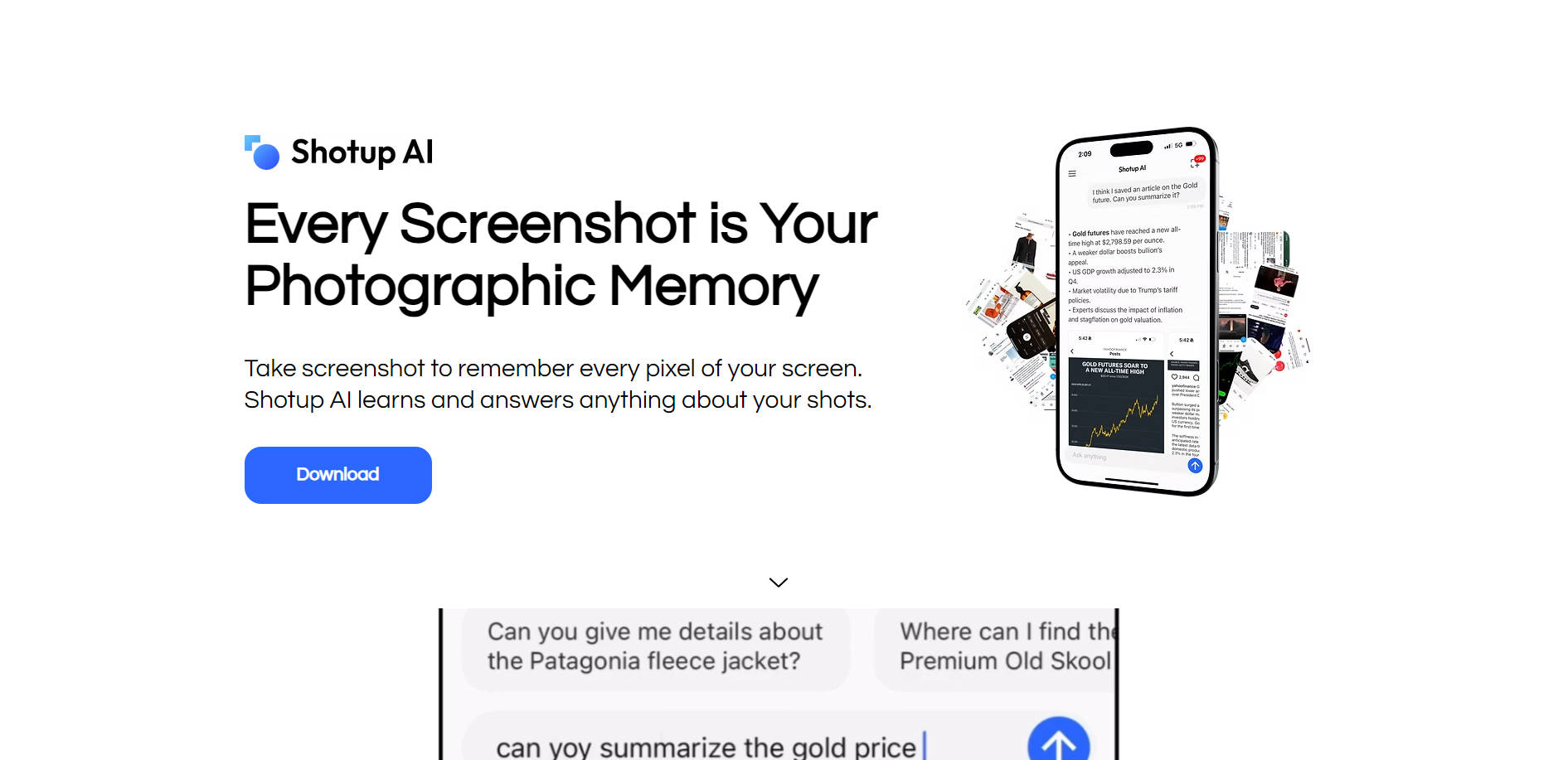
Meet Shotup AI. It’s designed to act like your personal photographic memory for the screenshots you choose to save. Instead of just storing images, Shotup AI learns the content, context, and even the visual details within them. This allows you to easily find information and get answers about anything you've captured, simply by asking. Think of it as transforming your forgotten screenshots into readily accessible knowledge.
Here's How Shotup AI Helps You Remember:
🧠 Learns Your Screenshots: Sync selected screenshots from your photo album. Shotup AI goes beyond simple text recognition, understanding the visual elements and the overall context of each image you add.
💬 Answers Your Questions: Ask Shotup AI anything about the content within your synced screenshots. Need to recall the steps from a recipe you saved? Or the details of a product? Just ask in the chat interface.
💡 Suggests Relevant Queries: Unsure what to ask? Shotup AI proactively suggests questions based on the information it has learned from your screenshots, helping you rediscover important details you might have forgotten you saved.
🔔 Provides Follow-Ups & Reminders: Don't just save information – act on it. Shotup AI can help surface relevant details or remind you about things you've captured, enhancing your ability to use the information you save.
🗂️ Organizes Intelligently: As it learns, Shotup AI helps categorize and make sense of your saved shots, making it easier to retrieve related information when you need it most.
See Shotup AI in Action:
For Online Shoppers: You screenshot cool jackets and shoes from various websites and social media ads. Sync them to Shotup AI. Later, you can ask, "Show me the black sneakers I saved," and it can pull up the relevant items, helping you compare or find them again easily.
For Students & Learners: Capture screenshots of lecture notes, online articles, diagrams, or helpful study tips. Shotup AI learns this material. Before an exam, ask, "Summarize the key points about [topic] from my notes," and get a quick recap based only on the information you provided.
For Creatives & Designers: Snap pictures of design references, color palettes, interesting fonts, or mood boards you find online. When starting a new project, ask Shotup AI, "Find the examples of minimalist website designs I saved," to quickly access your curated visual library for inspiration.
Reclaim Your Captured Knowledge
Shotup AI offers a practical way to manage the valuable information scattered across your screenshots. It moves beyond basic storage, giving you an intelligent tool to recall details, organize visual thoughts, and make better use of the things you find important enough to capture. Stop letting valuable insights get buried in your camera roll – let Shotup AI be your backup memory.
More information on Shotup AI
Shotup AI was manually vetted by our editorial team and was first featured on 2025-04-19.
Shotup AI Alternatives
Shotup AI Alternatives-

ScreenshotAI: Organize, analyze, and tag screenshots effortlessly. Turn them into intelligent notes. Find info, generate insights, ask questions, and collaborate.
-

Dropgala: AI screenshot manager for Chrome. Capture, organize, search, & share instantly. Boost productivity!
-

SaveDay: Your AI knowledge manager. Effortlessly capture, summarize, and instantly find any online content. Build a powerful personal knowledge base.
-

Save time and enhance your knowledge with Recall - the powerful software to summarize and save any online content. Try it now!
-
Transform your macOS screenshot game with ScreenSnapAI! Enjoy smart naming, easy organization, and ultra-fast search. Upgrade to pro for versatile AI-powered image processing. Boost productivity, find screenshots instantly.