

What is Tab Tab Tab?
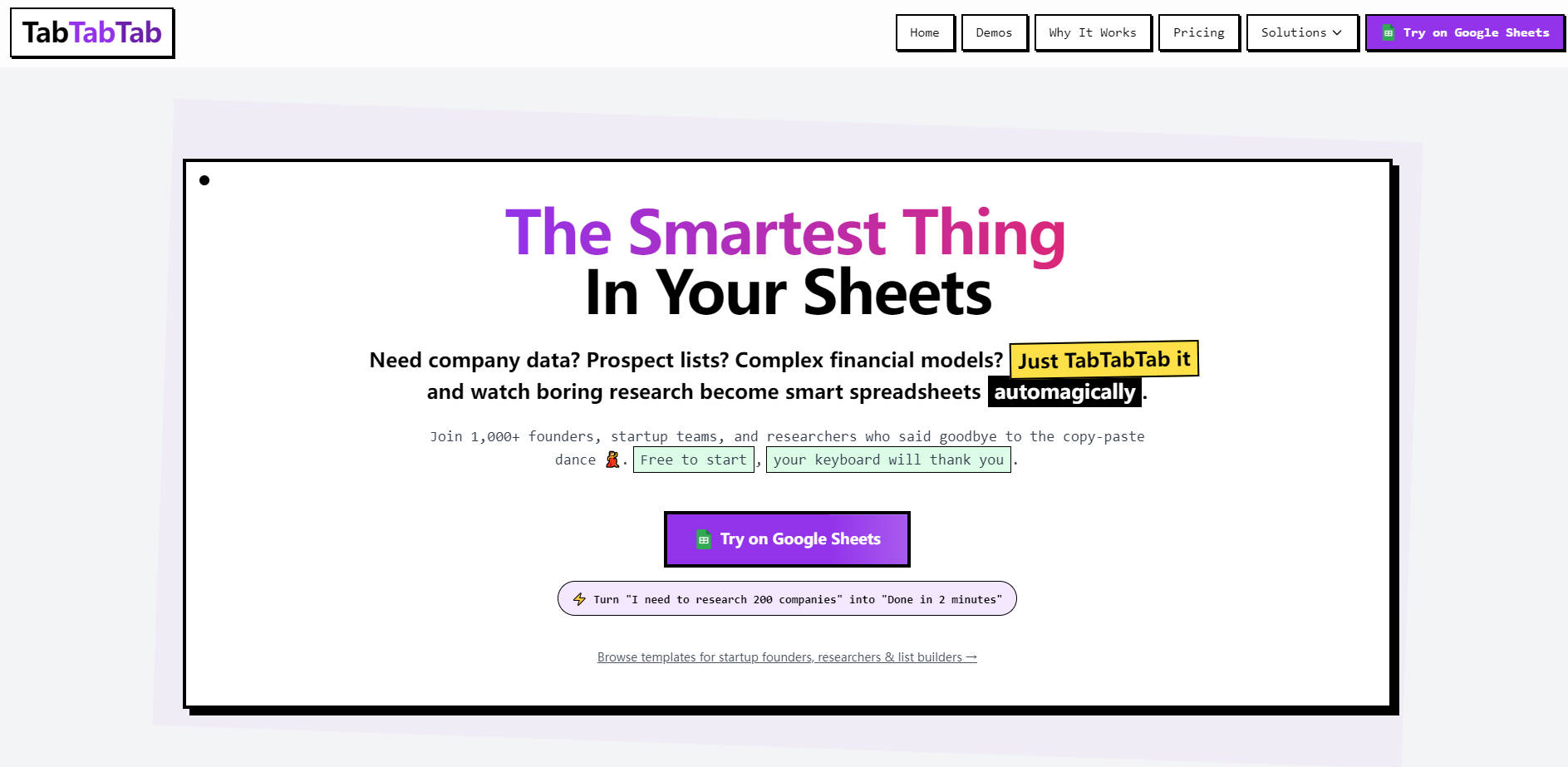
TabTabTab is an AI agent designed for Google Sheets, transforming how you conduct research and build essential lists. It eliminates the tedious, manual work of data collection, empowering founders, researchers, and growth teams to automate complex spreadsheet tasks with natural language.
Key Features
🔍 Smart Research & Data Enrichment: Leverage AI to perform comprehensive company and market research directly within your Google Sheets. Simply describe your data needs in plain English, and TabTabTab automatically gathers insights, enriching your spreadsheets with accurate, relevant information.
🎯 Automated Prospect List Building: Generate qualified lead lists effortlessly, complete with contact details and enriched company data. This capability streamlines your sales and outreach efforts by providing actionable data without the manual aggregation.
🗣️ Natural Language Command: Interact with your spreadsheets using everyday language, eliminating the need for complex formulas, APIs, or coding. Just type your request, like "Find 50 Series A startups in fintech," and watch TabTabTab execute the task seamlessly.
📈 Role-Specific Templates: Accelerate your workflow with a library of professional, ready-to-use templates tailored for roles like founders, researchers, and GTM professionals. These templates integrate seamlessly with TabTabTab’s AI, providing immediate value for common tasks.
Use Cases
Accelerating Market Research: A startup founder needs to quickly identify emerging trends and potential competitors. By simply typing "Find 50 Series A startups in fintech," they can generate a comprehensive list with relevant data points in minutes, streamlining market analysis.
Streamlining Lead Generation: Sales and growth teams can rapidly build highly targeted prospect lists. For example, requesting "Get contact info for all CTOs at YC companies" directly within Google Sheets provides enriched contact and company details, empowering more effective outreach.
Automating Data Collection: Researchers and analysts can gather vast amounts of industry-specific data without manual effort. TabTabTab allows you to "Research all B2B SaaS companies in NYC," transforming tedious data collection into an automated, efficient process.
Why Choose TabTabTab?
Bypass Manual Data Entry: Say goodbye to the tedious "copy-paste dance." TabTabTab automates the gathering and enrichment of company profiles, contact lists, and market intelligence directly within your spreadsheet, saving hours of manual effort.
Zero Learning Curve: Unlike complex tools or APIs, TabTabTab operates entirely through natural language commands in Google Sheets. You simply type what you need, making advanced data tasks accessible to everyone without any technical setup or scripting.
Integrated Spreadsheet Workflow: Designed specifically for Google Sheets, TabTabTab offers native controls and guardrails, ensuring seamless integration with your existing workflows. Data is enriched and organized exactly where you need it, maintaining spreadsheet integrity.
Rapid, Accurate Data Enrichment: Leveraging advanced AI models, TabTabTab delivers fast and accurate data enrichment built for scale. Turn a request to "research 200 companies" into a completed task in minutes, with reliable information.
Conclusion
TabTabTab empowers you to transform your Google Sheets into an intelligent research and data automation powerhouse, moving beyond manual tasks to unlock significant productivity. Experience how effortlessly you can build lists, enrich data, and gain insights. Explore TabTabTab today and give your spreadsheets the intelligence they deserve.
More information on Tab Tab Tab
Launched
2024-12
Pricing Model
Freemium
Starting Price
$20/month
Global Rank
3220406
Follow
Month Visit
5.1K
Tech used
Top 5 Countries
59.5%
20.96%
19.14%
0.4%
Thailand
India
United States
Italy
Traffic Sources
9.94%
1.35%
0.07%
6.66%
52.57%
29.41%
social
paidReferrals
mail
referrals
search
direct
Source: Similarweb (Sep 25, 2025)
Tab Tab Tab was manually vetted by our editorial team and was first featured on 2025-08-27.
Related Searches
Tab Tab Tab Alternatives
Load more Alternatives-

Unlock the power of AI in Google Sheets with SheetAI. Clean data, generate text, predict values, and more. Boost productivity and decision-making.
-

Meet your AI agent for spreadsheets! Ideal for students and analysts. Build models, research, visualize data, attach external sources — all with a single prompt. Take control of your spreadsheet tasks.
-
-

-