

What is DevDocs?
Navigating complex technical documentation can often feel like a significant hurdle, demanding weeks of effort just to grasp a new technology or API. Furthermore, relying solely on large language models often means working with information that might be outdated. DevDocs tackles this challenge head-on. Developed by the CyberAGI team, this free, open-source tool automates the intensive process of crawling, extracting, and organizing technical documentation, transforming vast amounts of information into accessible formats. Integrated with an MCP server, it allows you to query documentation using natural language via models like Claude, helping you find answers and implement technologies much faster.
Key Features
🧠 Perform Intelligent Crawling: Automatically discovers and maps website structures, including child URLs up to five levels deep. You get fine-grained control over crawl depth and can selectively choose which content areas to extract, ensuring comprehensive yet relevant data collection from documentation sites.
🎯 Process Content Cleanly: Extracts core technical information while filtering out irrelevant elements like navigation menus, sidebars, and ads. This delivers structured, focused content ready for your use.
📄 Export Versatile Formats: Saves the cleaned documentation as well-organized Markdown (.md) or JSON files. These formats are ideal for creating local knowledge bases, offline reading, or preparing data for fine-tuning large language models.
🤖 Integrate with LLMs via MCP Server: Features a built-in Model Context Protocol (MCP) server that structures the crawled data. This allows seamless integration with compatible large language models (like Claude), enabling you to "chat" with your documentation and get answers through natural language queries.
⚡ Optimize Crawling Performance: Leverages parallel processing to crawl multiple pages simultaneously and uses smart caching to avoid re-processing duplicate content. It includes rate limiting to crawl respectfully and supports lazy loading for modern web applications, ensuring efficient and fast data gathering.
🛡️ Ensure Robust Operation: Built for reliability with features like automatic error recovery during crawls and full logging capabilities, allowing you to monitor and troubleshoot the entire process effectively.
Use Cases
See how DevDocs can accelerate your projects:
Onboarding a New Technology for Your Team: Your development team needs to adopt a new cloud platform. Instead of dedicating weeks for engineers to individually read through extensive vendor documentation, you point DevDocs to the official docs portal. Within hours, DevDocs compiles a clean, structured knowledge base. Integrated with your internal LLM via the MCP server, your team can now ask questions directly ("How do I configure the authentication service?") and get precise answers, dramatically reducing ramp-up time and ensuring everyone works from the same information base.
Accelerating Your Indie Project: As an indie hacker building a new SaaS application, you're exploring a less common JavaScript framework. You use DevDocs to pull all its tutorials, API references, and examples into a local set of Markdown files. Now, you can instantly search and reference crucial information directly within your code editor or knowledge management tool, avoiding constant context switching and the "tab hell" of online documentation, helping you ship your product faster.
Aggregating Technical Specs: You need to gather detailed technical specifications for various components listed across multiple sections of a manufacturer's website for a comparative analysis. Manually navigating and copying this data would be tedious and error-prone. You configure DevDocs to crawl the relevant product sections. It intelligently navigates the site structure, extracts the specified data points, and outputs them into a clean JSON file, ready for direct import into your analysis tools or database, saving significant manual effort.
Conclusion
DevDocs significantly streamlines how you interact with and utilize technical documentation. By automating the discovery, extraction, and organization process, it saves you considerable time and effort. The ability to produce clean Markdown/JSON outputs or integrate directly with LLMs via its MCP server makes understanding and implementing new technologies faster and more efficient. As a free, open-source tool, DevDocs empowers individual developers, teams, and enterprises to turn documentation challenges into actionable knowledge.
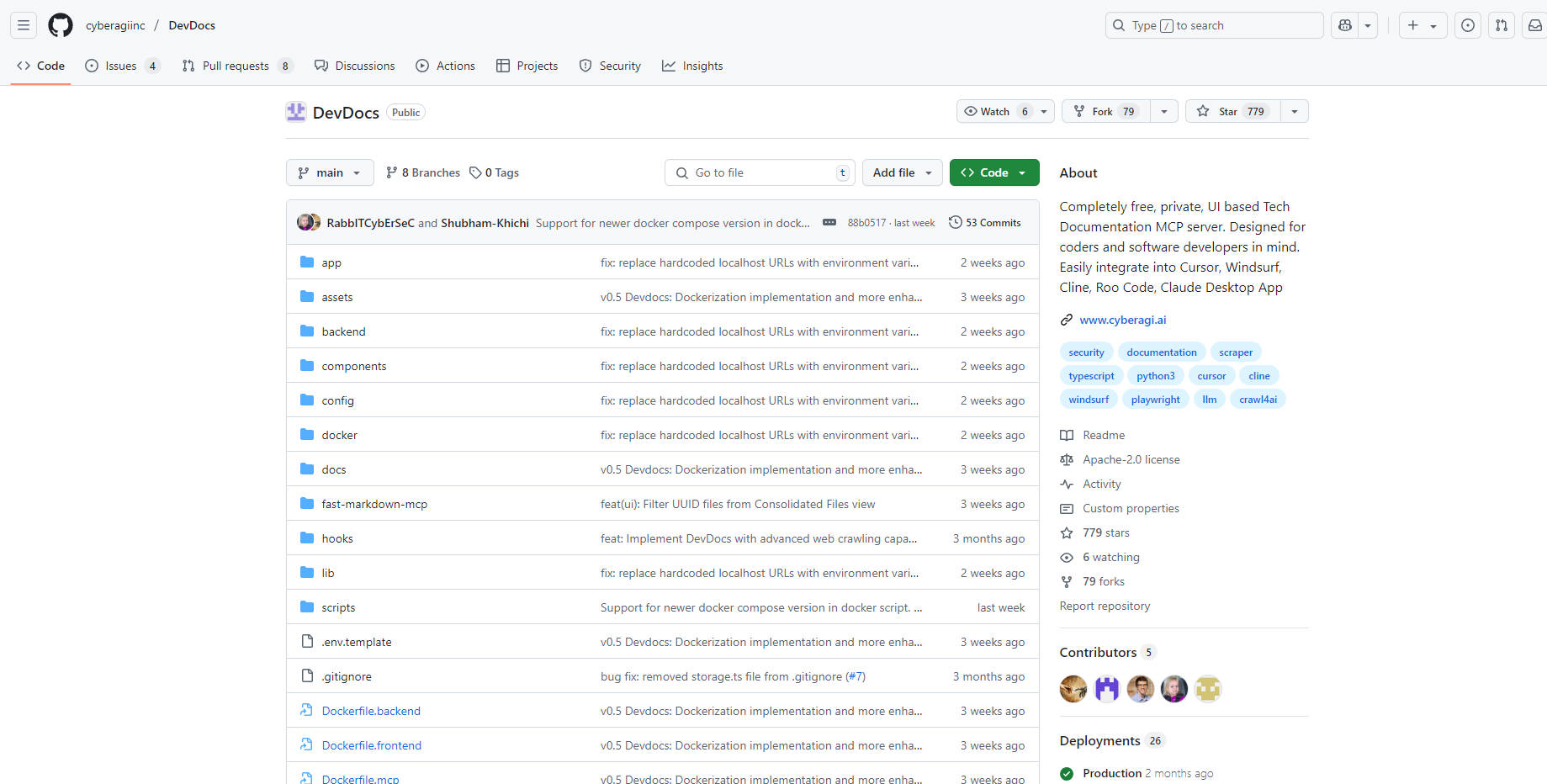
More information on DevDocs
Launched
Pricing Model
Free
Starting Price
Global Rank
Follow
Month Visit
<5k
Tech used
DevDocs was manually vetted by our editorial team and was first featured on 2025-04-10.
DevDocs Alternatives
Load more Alternatives-

-

-

Documentation.AI: Keep technical content always fresh. Our AI-first platform proactively creates, manages, & publishes accurate API & software docs.
-
-
Skill Seeker rapidly transforms your docs & code into accurate, production-ready Claude AI skills. Automate knowledge base creation, detect conflicts, and scale effortlessly.