

Click outside to close
What is Harbor?
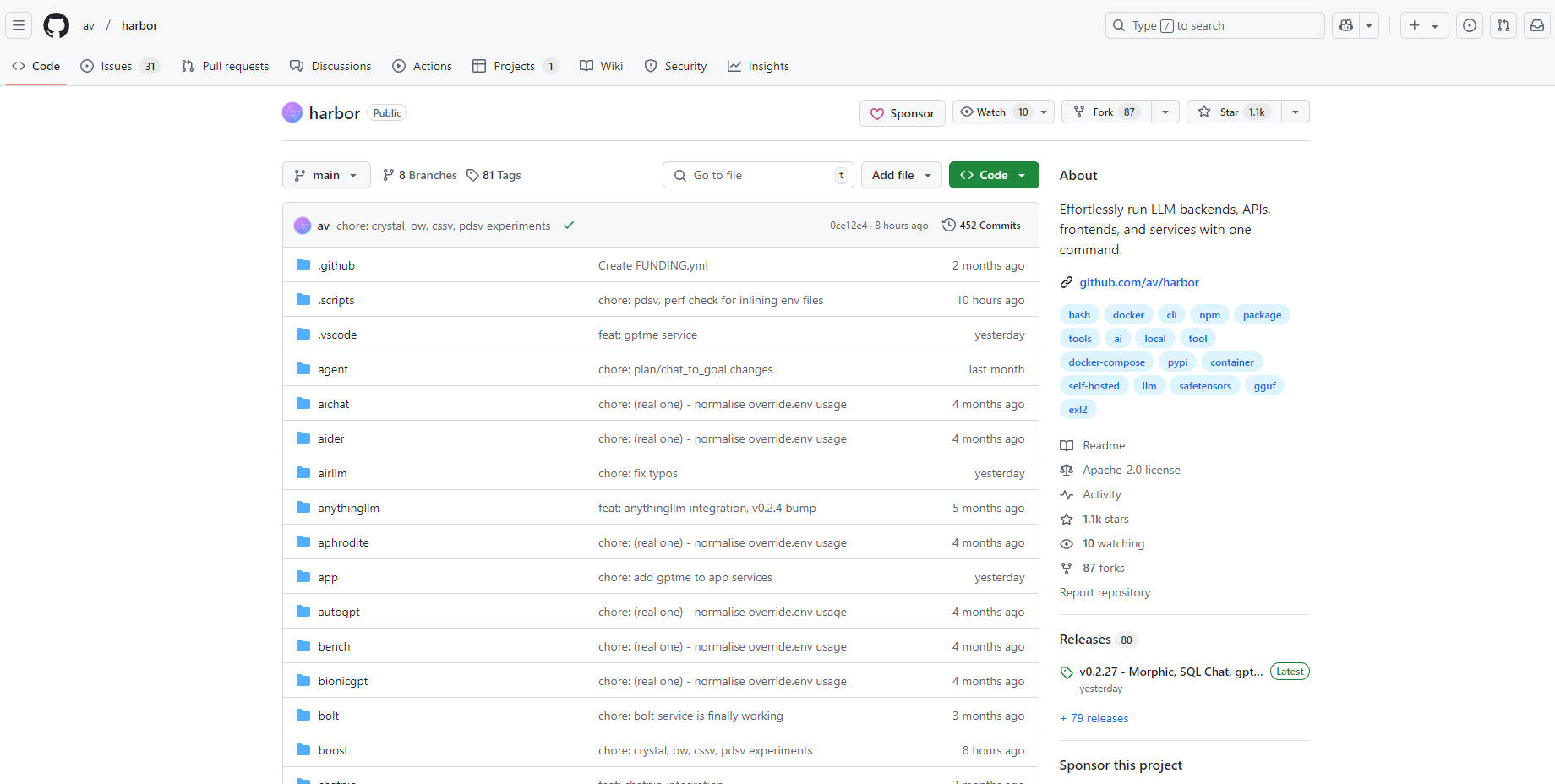
Ever felt bogged down setting up and managing all the different pieces of your local AI development environment? You're juggling language models, APIs, user interfaces... it can be a real headache. Harbor is a containerized LLM toolkit designed to eliminate that complexity. It lets you, the developer, focus on building amazing AI applications instead of wrestling with configurations. Think of it as your one-stop shop for effortlessly running and managing all your LLM tools, right from your local machine.
Key Features:
🚀 Launch Complete LLM Stacks Instantly:Use a single command (
harbor up) to spin up a fully functional environment, including popular UIs like Open WebUI and backends like Ollama. Benefit:You save hours of setup time and can start experimenting with your models immediately.🤝 Connect Services Seamlessly:Harbor automatically configures services to work together. For instance, launching SearXNG instantly enables Web RAG in Open WebUI. Benefit:You avoid manual configuration nightmares and ensure your tools integrate flawlessly.
🎛️ Customize Your Environment:Easily add or swap components. Need a different inference backend? Try
harbor up llamacpp tgi litellm. Want a different UI?harbor up librechat chatui. Benefit:You have the flexibility to tailor your setup to your specific project needs, without being locked into a rigid structure.📁 Simplify Model Management:Use convenient commands like
harbor llamacpp model https://huggingface.co/user/repo/model.ggufto download and manage models from Hugging Face. Benefit:Spend less time hunting for models and more time using them. Shared caching between services minimizes redundant downloads.💻 Unified CLI Access:Manage services and configurations, and even directly utilize service CLIs (like
hforollama) without separate installations. Benefit:Streamlines workflows by providing a single point of control, reducing context switching and installation overhead.✨Boost LLM Performance:With a simple 'harbor up boost' command. Benefit:Improve the quality of your LLM outputs.
Use Cases:
Rapid Prototyping:You're an AI researcher exploring a new concept. With Harbor, you can quickly set up a complete environment with a chosen LLM backend, a user-friendly interface, and even a search engine for RAG, all in a matter of minutes. This allows you to test your ideas rapidly and iterate faster.
Local Development and Testing:You're building a chatbot application. Harbor allows you to develop and test your application entirely locally, without relying on external APIs or cloud services. You can easily switch between different LLMs to compare their performance and fine-tune your prompts.
Learning and Experimentation:You're new to the world of LLMs and want to experiment with different tools and models. Harbor provides a safe and convenient sandbox environment, allowing you to explore the capabilities of various services without the hassle of complex installations and configurations.
Conclusion:
Harbor takes the pain out of local LLM development. It provides a streamlined, user-friendly, and highly configurable environment that empowers you to focus on innovation, not infrastructure. Whether you're a seasoned AI expert or just starting your journey, Harbor offers a simpler, faster, and more enjoyable way to build and experiment with LLMs. It offers flexibility, and a user-friendly way to handle the complex world of local LLM development.
More information on Harbor
Harbor was manually vetted by our editorial team and was first featured on 2025-02-10.
Harbor Alternatives
Harbor Alternatives-

LM Studio is an easy to use desktop app for experimenting with local and open-source Large Language Models (LLMs). The LM Studio cross platform desktop app allows you to download and run any ggml-compatible model from Hugging Face, and provides a simple yet powerful model configuration and inferencing UI. The app leverages your GPU when possible.
-

LazyLLM: Low-code for multi-agent LLM apps. Build, iterate & deploy complex AI solutions fast, from prototype to production. Focus on algorithms, not engineering.
-
ManyLLM: Unify & secure your local LLM workflows. A privacy-first workspace for developers, researchers, with OpenAI API compatibility & local RAG.
-
LLxprt Code: Universal AI CLI for multi-model LLMs. Access Google, OpenAI, Anthropic & more from your terminal. Boost coding, debugging & automation.
-

Haystack: The open-source Python framework to build & deploy production-ready LLM applications. Flexible, modular, and built for scale.