

What is DoneThat?
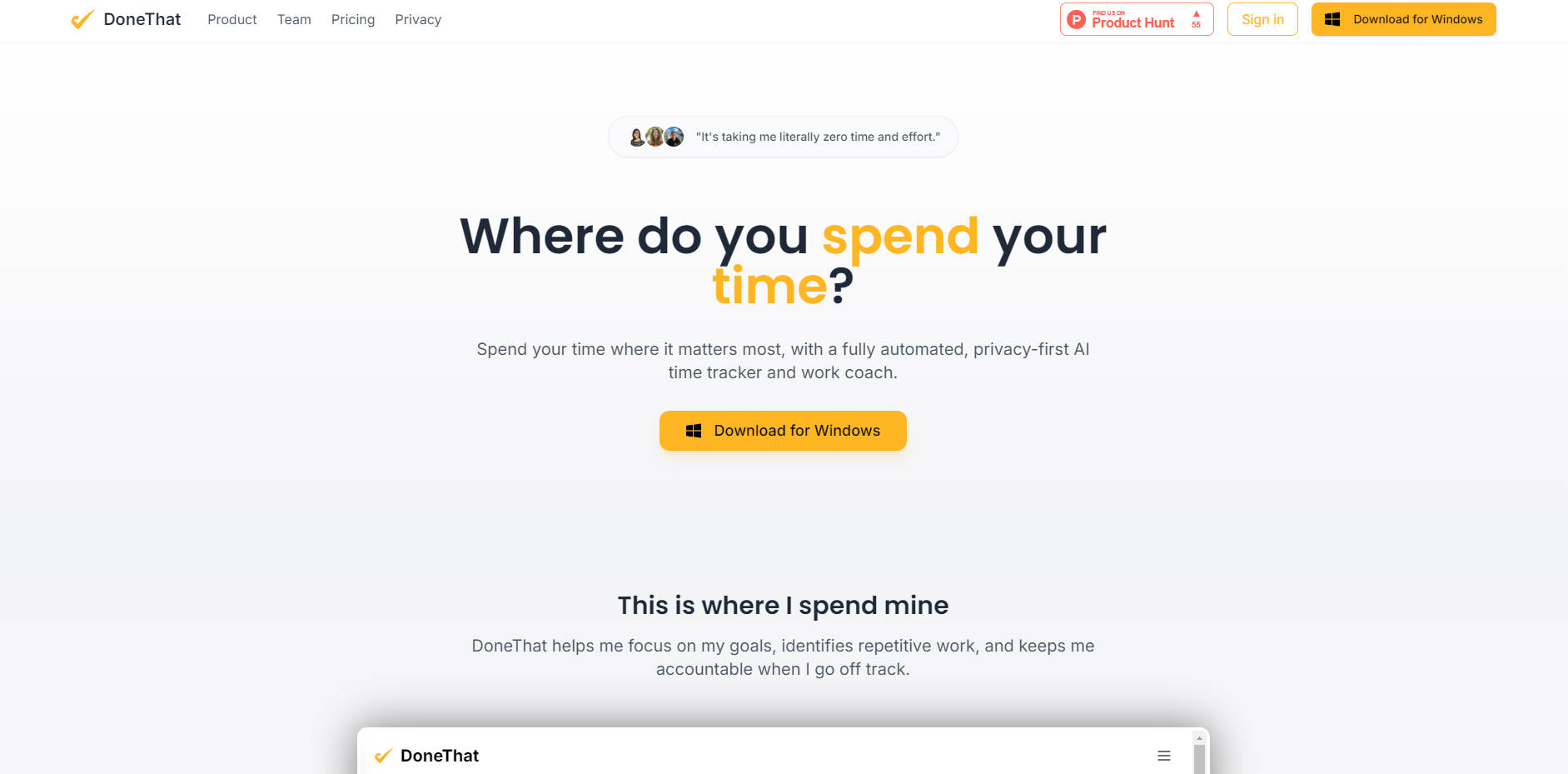
DoneThat is the fully automated, privacy-first AI time tracker and work coach designed to eliminate the friction of manual logging while delivering precise, actionable insights into your professional workflow. It solves the core problem of organizational ambiguity, helping individuals and teams objectively understand where their time truly goes so they can optimize their focus, reduce status update overhead, and achieve their goals with verifiable data.
Key Features
🤖 Zero-Effort Work Reconstruction
DoneThat requires zero effort to maintain a tracking habit. Leveraging sophisticated AI, the system automatically observes your activity to reconstruct your daily calendar, determine work categories, and group related tasks. This means you gain precise data on time allocation without ever having to start or stop a timer, fundamentally changing how you approach time management.
💡 Automated Pattern Detection and Coaching
Move beyond raw data. DoneThat includes an integrated AI coach that automatically analyzes your work patterns, identifies time sinks, and shares actionable steps for improvement. Whether you are aiming to increase deep work hours or reduce context switching, the platform provides the necessary analysis to spot inefficiencies and stay accountable to your workflow goals.
🎯 Goal Tracking and Accountability
Set clear input goals—such as dedicating a specific number of hours to a project category—or track the time spent on output goals. DoneThat continuously monitors your progress against these metrics, providing objective feedback that helps you stay honest about your daily achievements and set more realistic, data-backed priorities for future work.
🔒 Privacy-First Design with Data Control
Designed with privacy as the highest priority, DoneThat ensures you maintain complete control. Raw data is processed immediately and never stored on DoneThat’s servers, nor is it used for training by its AI partners. You can pause tracking at any time, delete specific entries, and even configure the AI to ignore anything personal or non-work related by classifying it as “something private.”
Use Cases
1. Optimizing Individual Deep Work and Focus
If you struggle with context switching or finding dedicated blocks for high-value tasks, DoneThat provides the objective data necessary to address the issue. By automatically grouping your activities and calculating time spent in various categories (e.g., 'Meetings,' 'Coding,' 'Email'), you can identify exactly when and why your focus shifts, allowing you to tailor your next day's schedule for maximum flow and productivity.
2. Streamlining Team Transparency and Status Updates
For teams and managers, DoneThat dramatically reduces the time wasted on updating colleagues. Users can optionally share automated summaries of their day, week, or month via Slack or email. This automated progress sharing builds trust, ensures everyone is aligned on current priorities, and allows managers to prioritize with ease and hold better 1:1 meetings, freeing up valuable time previously spent on manual reporting.
3. Identifying Process Bottlenecks for Better ROI Estimates
Founders, Product Managers, and Operations professionals can utilize DoneThat to gain insight into operational efficiency. By seeing exactly how much time is spent on recurring processes (like administrative tasks, client onboarding, or specific development cycles), you can establish accurate benchmarks, identify areas where automation or optimization is needed, and provide valuable, data-driven estimates for project ROI.
Conclusion
DoneThat is more than just a time tracker; it is an AI-first work coach that delivers clarity and efficiency through automation. By providing objective data on your workflow without requiring any manual effort, DoneThat empowers individuals to stay focused and accountable, while enabling teams to collaborate more effectively and reduce burnout.
Explore how DoneThat can transform your workflow with a 14-day free trial—no credit card required.
More information on DoneThat
Launched
2025-03
Pricing Model
Free Trial
Starting Price
$5/month
Global Rank
Follow
Month Visit
<5k
Tech used
Top 5 Countries
100%
Austria
Traffic Sources
4.34%
95.66%
social
direct
Source: Similarweb (Oct 15, 2025)
DoneThat was manually vetted by our editorial team and was first featured on 2025-10-15.
DoneThat Alternatives
Load more Alternatives-
-
-
TimeMaster is an AI-powered productivity app that helps users maximize their focus and productivity
-
-
