

What is Indesign Translator?
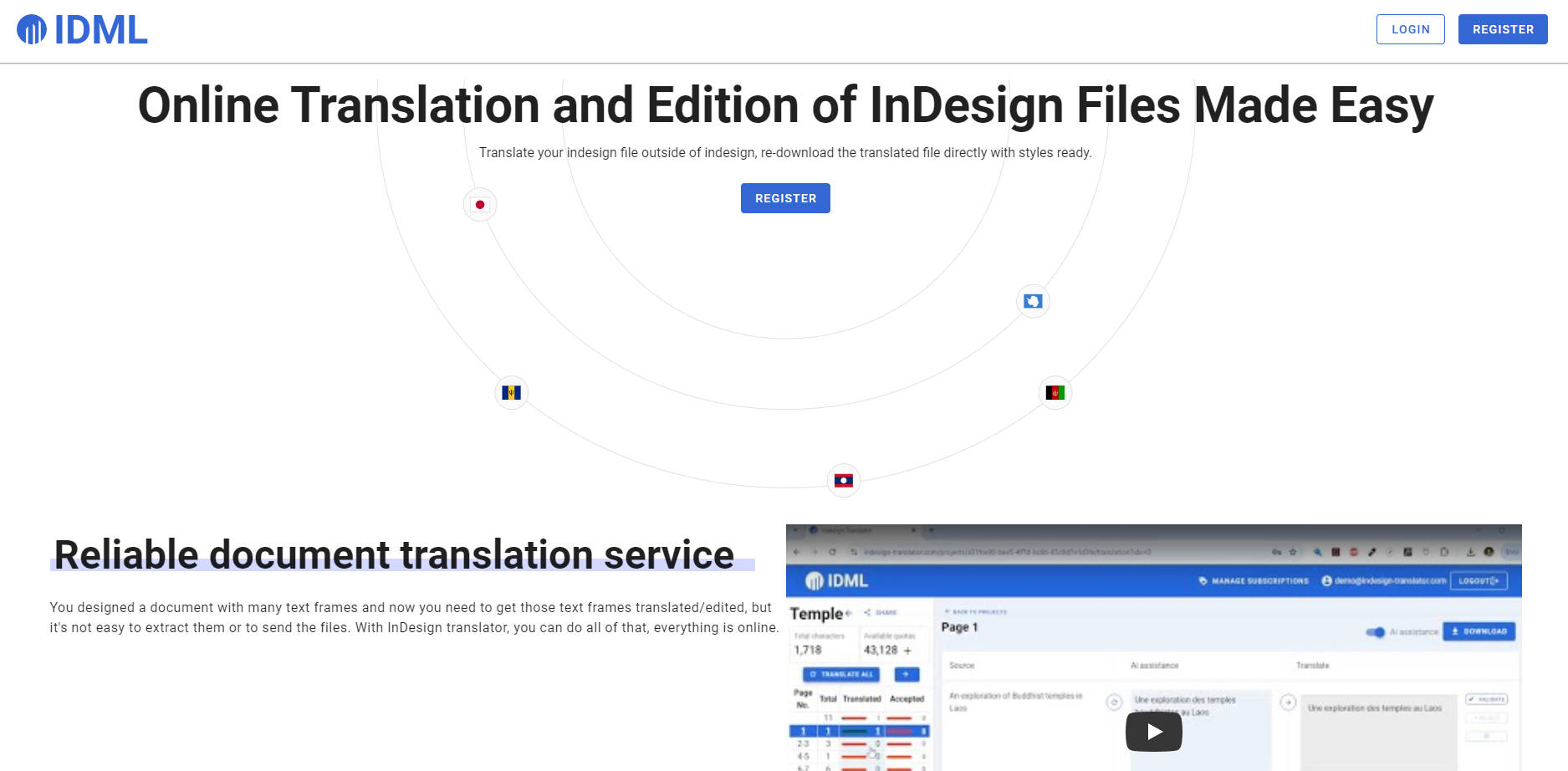
InDesign Translator simplifies document translation and editing for Adobe InDesign users. This online tool extracts text frames from InDesign files, facilitates easy translation and editing, and then allows users to re-import the modified content back into InDesign, preserving original styles. This product streamlines workflow, eliminates the need for manual text extraction, and supports over 100 languages using AI-assisted translation.
Key Features:
🖼️ Effortless Text Extraction:
InDesign Translator extracts text frames from .idml files in seconds. This feature saves significant time by automating what was previously a manual task.
🌐 User-Friendly Translation Interface:
This platform provides a simple, web-based interface for translators and editors. Access the interface without a login and translate with ease.
🤖 AI-Powered Translation:
InDesign Translator leverages AI to provide quick automatic translations for all text frames. Users approve or modify these translations, ensuring accuracy and control.
🔄 Seamless Re-integration:
After translation, download the modified file and reopen it in InDesign. Original formatting and styles are kept intact, with only the text content updated.
🗣️ Extensive Language Support:
InDesign Translator supports over 100 languages. This broad support lets users address a global audience effectively.
👀 Real-Time Progress Monitoring:
Track translation progress live and see updates as they happen. This ensures efficient project management.
Use Cases:
Marketing Agency Localization:
A marketing agency creates a brochure in English using InDesign. They need to localize the content for Spanish, French, and German markets. InDesign Translator lets them export the .idml file, share the link with translators for each language, and then download translated versions. They can then open the translated files in InDesign, maintaining the original design.
Publishing House Collaboration:
A publishing house works with an author who submits a manuscript laid out in InDesign. The editor can use InDesign Translator to extract the text, make edits directly in the browser, and then send the updated file back to the author. This collaboration saves time and prevents version control issues.
Multilingual Technical Documentation:
An international company requires technical documentation in multiple languages. Using InDesign Translator, the technical writing team creates a master document in one language. They then translate content to other languages and keep the formatting consistent across all versions.
Conclusion:
InDesign Translator offers a streamlined solution for translating and editing InDesign documents. This platform saves time, reduces manual effort, and ensures consistency in design and formatting. InDesign Translator is a great choice for anyone who works with multilingual InDesign content. This service empowers users to translate efficiently and manage projects effectively.
More information on Indesign Translator
Launched
2024-03
Pricing Model
Paid
Starting Price
$12/month
Global Rank
33312578
Follow
Month Visit
<5k
Tech used
Nginx,Ubuntu
Top 5 Countries
100%
Mongolia
Traffic Sources
6.3%
1.03%
0.46%
11.21%
52.41%
27.65%
social
paidReferrals
mail
referrals
search
direct
Source: Similarweb (Sep 25, 2025)
Indesign Translator was manually vetted by our editorial team and was first featured on 2024-12-22.
Related Searches
Indesign Translator Alternatives
Load more Alternatives-

Doc Translator: AI translation for 300+ languages. Keep your formatting, save time, and get accurate results. Start translating today!
-

Save time and effort with Doc Translator, an AI-powered tool that offers accurate and cost-effective document translation in 100+ languages. Try it now!
-
Delivering precise AI translation for a wide array of docs - PDF, Word, Excel, Powerpoint and more...
-

-

Inkscribe AI transforms document management with AI-powered conversion, translation, and smart chat. Ideal for legal, healthcare, education. Boost efficiency and collaboration.